

Automation workflow builders let you craft complex, personalized journeys without coding. With drag-and-drop interfaces, you can easily design, modify, and visualize workflows that automate repetitive tasks, set rules for different scenarios, and improve efficiency. They include safeguards, testing environments, and collaboration features to guarantee smooth implementation and ongoing optimization. If you want to discover how these tools make automation accessible and adaptable, explore further to see what you can achieve.
Key Takeaways
- Visual drag-and-drop interfaces enable designing complex workflows without coding knowledge.
- Conditional logic features allow personalized, dynamic automation paths based on data inputs.
- Built-in testing and safeguards ensure reliable setup and quick iterations for complex journeys.
- Visual workflows enhance clarity, collaboration, and troubleshooting across teams.
- These builders accelerate automation development, enabling quick adjustments and process optimization.
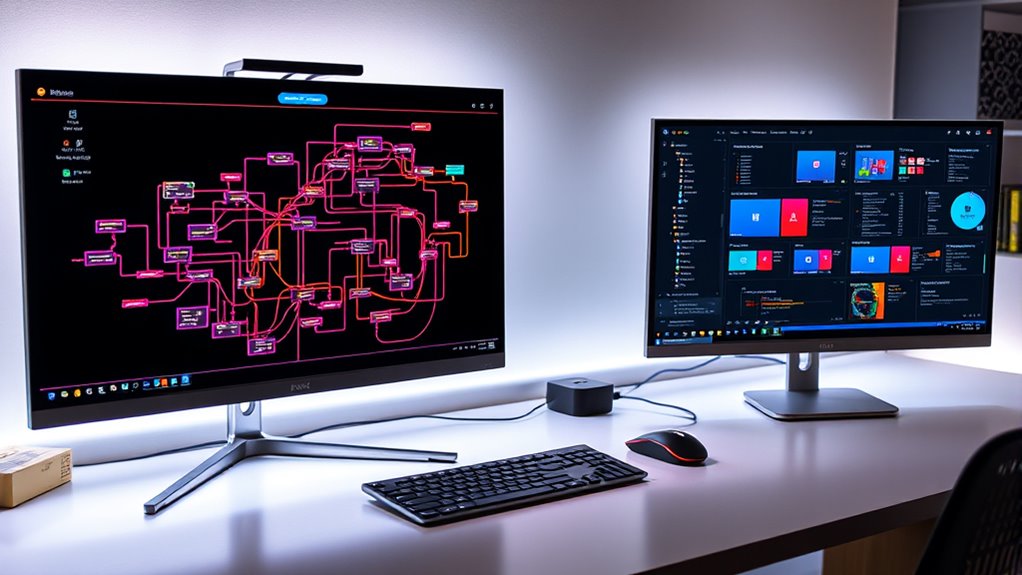
Automation workflow builders have revolutionized the way businesses streamline their processes. With these tools, you don’t need to be a coder to design complex, efficient workflows that automate repetitive tasks and enhance overall productivity. The core strength of these builders lies in their intuitive interfaces, which often feature visual drag and drop functionality. This allows you to create and modify workflows by simply dragging icons and connecting them with lines, making the setup process straightforward and accessible. Instead of writing lines of code, you visually map out each step, seeing your entire automation process laid out clearly before your eyes. This not only speeds up development but also makes troubleshooting and adjustments much easier.
One of the key features that elevate automation workflow builders is the ability to incorporate conditional logic seamlessly. This means you can set rules that determine how your automation flows from one step to another based on specific conditions or data inputs. For example, if a customer’s purchase exceeds a certain amount, your workflow can automatically trigger a personalized follow-up email or a special discount offer. Conversely, if a customer’s request falls outside predefined parameters, the workflow can route the case to a different team or send an alert for manual review. Conditional logic empowers you to create dynamic, personalized journeys that respond intelligently to different scenarios, eliminating the need for manual oversight and reducing errors. Additionally, understanding meditation and mindfulness practices can enhance your focus and clarity when designing these complex automation pathways.
Conditional logic enables dynamic, personalized automation flows that respond intelligently to different scenarios, reducing manual oversight and errors.
The combination of visual drag and drop interfaces with conditional logic makes designing complex automation journeys accessible even to those without technical backgrounds. You can experiment with different pathways, test outcomes, and optimize processes without the risk of breaking anything because these tools often include built-in safeguards and testing environments. As you build your workflows, you’ll appreciate how visual elements serve as both design and documentation, helping you and your team understand the automation logic at a glance. This clarity promotes better collaboration and quicker iterations, ensuring your automations evolve alongside your business needs.

Learning Salesforce Visual Workflow and Process Builder – Second Edition: Flows and automation for enhanced business productivity
As an affiliate, we earn on qualifying purchases.
As an affiliate, we earn on qualifying purchases.
Frequently Asked Questions
Can Non-Technical Users Easily Learn to Build Workflows?
Yes, non-technical users can easily learn to build workflows thanks to visual learning tools and user onboarding features. These builders often include intuitive drag-and-drop interfaces, step-by-step guidance, and visual cues that simplify complex processes. As you explore the platform, you’ll quickly grasp how to create and customize workflows, making automation accessible without coding experience. This hands-on approach guarantees you gain confidence and become proficient in no time.
What Are Common Mistakes to Avoid in Automation Design?
To guarantee a smooth user experience, avoid overcomplicating your automation design. Don’t neglect customization options that help tailor workflows to specific needs; this can cause confusion or errors. Test your automation thoroughly to catch mistakes early. Also, keep your logic simple and clear—complex workflows can be hard to troubleshoot and maintain. Finally, document your process so others can easily understand and modify your automation if needed.
How Secure Is Data Within These Automation Platforms?
Your data within automation platforms is generally secure, thanks to data encryption and strict access controls. You can trust that encryption safeguards your information during transmission and storage, while access controls limit who can view or modify your data. However, stay vigilant—regularly review your security settings, keep software updated, and choose platforms with robust security certifications. Your proactive approach ensures your data stays safe and private.
Can These Builders Integrate With Legacy Systems?
Yes, these automation builders often support legacy integration, allowing you to connect with older systems. They prioritize system compatibility, making it easier to incorporate your existing infrastructure into new workflows. You can typically customize connectors or use APIs to bridge gaps between modern tools and legacy platforms. This flexibility guarantees you don’t have to overhaul your entire setup, streamlining your automation process while maintaining system compatibility.
What Is the Typical Learning Curve for Advanced Features?
You’ll find that the learning curve for advanced features can vary based on your user experience, but generally, it’s moderate. As you explore more complex features, expect some initial effort to understand their capabilities and how they fit into your workflows. The key is to practice and leverage available tutorials or support, which helps you master feature complexity and enhances your overall experience with the automation builder.

Elgato Stream Deck Neo – 8 Customizable Keys, 2 Touch Points, Speed Through Tasks & Workflows – Control Word, Excel, PowerPoint, Teams, Zoom, Spotify and More, Drag-’n-Drop Setup – Works with Mac & PC
Enhanced Efficiency: Customize and automate tasks with eight shortcut keys tailored to fit your workflows, making repetitive daily…
As an affiliate, we earn on qualifying purchases.
As an affiliate, we earn on qualifying purchases.
Conclusion
With automation workflow builders, you hold the paintbrush to craft intricate, vibrant journeys without a single line of code. Think of it as your digital garden—tend it with ease, watch your ideas bloom, and watch your processes flow seamlessly like a well-conducted symphony. Embrace these tools, and turn your visions into reality, weaving automation magic that transforms chaos into clarity, all at your fingertips. The power to create is now truly in your hands.
Automation & AI Tools for Productivity: Master No-Code Workflows, Smart Tools & Time-Saving Systems for Work and Life (Future Skills Mastery Series)
As an affiliate, we earn on qualifying purchases.
As an affiliate, we earn on qualifying purchases.
conditional logic automation platform
As an affiliate, we earn on qualifying purchases.
As an affiliate, we earn on qualifying purchases.