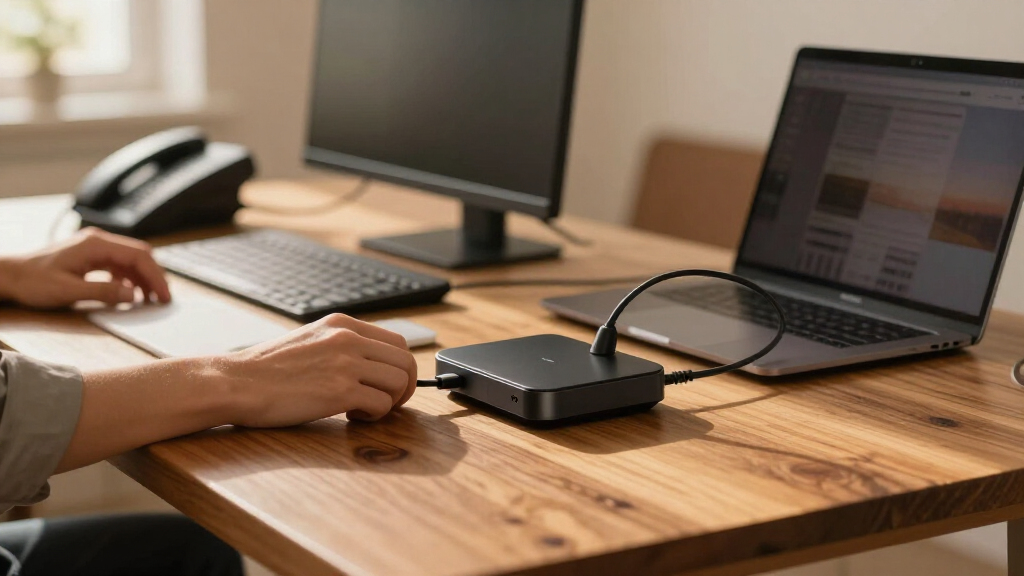

Business laptop docking stations turn a single USB-C or USB-A port into a full desktop workstation, and the right one depends mostly on how many monitors you run, how much power your laptop needs, and whether you want a fixed desk dock or something portable. For most office setups, the Lenovo 40B30090US Universal Business Dock stands out as the best overall pick thanks to dual 4K display support and broad laptop compatibility. If budget is the driver, the Plugable USB 3.0 Universal Dock keeps costs down while still driving two HDMI monitors, and the Brydge ProDock Duo is the stronger choice for MacBook-centric teams that need Thunderbolt bandwidth. The main tradeoffs in this category are between plug-and-play simplicity and raw throughput, and between fixed 100W+ charging docks and slim travel hubs. Read on for the full breakdown of all 15 options.

Get business pricing on office and shipping supplies
- Business-only prices and quantity discounts
- Tax-exempt purchasing
- Multiple users, one account, clear invoices
Key Takeaways
- Universal docks like the Lenovo 40B30090US and Dell Pro WD25 justify their higher positioning by supporting both USB-C and older business laptops, while budget hubs like the HoDo 8-in-1 assume a modern USB-C machine.
- Display output was the biggest differentiator in this lineup: only a handful of models (the Lenovo, Acer 13-in-1, Anker Prime 14-in-1, and both WAVLINK docks) reliably drive two external 4K screens, which most dual-monitor desks actually need.
- USB 3.0 docks such as the Plugable trade resolution headroom and charging speed for compatibility and price — a better fit for legacy fleets than for new ultrabooks.
- Thunderbolt models (the Brydge ProDock Duo) cost more but deliver full bandwidth to every port, which matters when transferring large files or running high-resolution displays simultaneously.
- Ports alone don’t equal capability: several ’13-in-1′ and ’14-in-1′ hubs share bandwidth across ports, so a laptop charger, Ethernet, and dual monitors may not all run at full speed at once.
| Lenovo 40B30090US USB-C Universal Business Dock |  | Best Overall | Model: 40B30090US | Display Outputs: 1x DisplayPort 1.4, 1x HDMI 2.0 | Maximum Display Support: Dual 4K at 60Hz | VIEW LATEST PRICE | See Our Full Breakdown |
| HoDo 8-in-1 USB-C Docking Station with Dual HDMI |  | Best Value | Video Ports: 2x HDMI, 1x DisplayPort, 1x VGA | USB Ports: 3x USB 2.0 (up to 480 Mbps) | Power Delivery Input: Up to 100W | VIEW LATEST PRICE | See Our Full Breakdown |
| Dell Pro WD25 USB-C Docking Station |  | Best for Enterprise IT | Model: WD25 | Connection: USB-C | Power Delivery: Up to 100W | VIEW LATEST PRICE | See Our Full Breakdown |
| Acer 9-in-1 USB-C Docking Station with Dual HDMI |  | Best Portable Pick | Ports: 2x HDMI, 3x USB-A (5Gbps), 1x USB-C (5Gbps), SD, MicroSD | HDMI Output: Dual 4K at 60Hz | Power Delivery: Up to 100W input; up to 90W laptop output | VIEW LATEST PRICE | See Our Full Breakdown |
| Brydge ProDock Duo Thunderbolt 4 Docking Station |  | Best Premium for MacBook | Interface: Thunderbolt 4 | Number of Ports: 12 (7 USB) | Power Delivery: Up to 96W | VIEW LATEST PRICE | See Our Full Breakdown |
| Anker 8-in-1 USB-C Hub with Dual HDMI |  | Best Portable All-Rounder | Ports: USB-C PD-IN, 2 USB-A, 2 HDMI, Ethernet, microSD/SD card reader | Video output: Single display up to 4K at 60 Hz; dual displays up to 4K at 30 Hz | Pass-through charging: Up to 85 W | VIEW LATEST PRICE | See Our Full Breakdown |
| Plugable USB 3.0 Universal Laptop Docking Station with Dual HDMI |  | Best for Older and Mixed Laptop Fleets | Video outputs: 2× HDMI | Dual display resolution: Up to 1920×1200 at 60 Hz | Single display resolution: Up to 2560×1440 at 50 Hz | VIEW LATEST PRICE | See Our Full Breakdown |
| Acer 13-in-1 USB-C Docking Station with Triple Display Support |  | Best for Multi-Monitor Power Users | Ports: 2 HDMI, DisplayPort 1.4, 3 USB-A, 2 USB-C data, Gigabit Ethernet, 3.5 mm AUX, SD and microSD readers | Display support: Up to 3 independent screens on Windows; triple 4K at 30 Hz requires DSC | macOS display mode: Mirroring only; no extended desktop across multiple displays | VIEW LATEST PRICE | See Our Full Breakdown |
| LIONWEI 13-in-1 USB-C Docking Station with Dual 4K HDMI |  | Best Budget Port Count | Ports: 13 total | USB ports: 8 | Video outputs: 2 HDMI, 1 DisplayPort | VIEW LATEST PRICE | See Our Full Breakdown |
| Anker Nano 13-in-1 Laptop Docking Station with Detachable 6-in-1 USB-C Hub |  | Best Two-in-One Desk and Travel Pick | Ports: USB-C upstream, 2 USB-C data, 3 USB-A, 2 HDMI, DisplayPort, Gigabit Ethernet, 3.5 mm audio, SD and TF slots, DC power input | Display support: 4K at 60 Hz (single), dual 2K at 60 Hz, or triple 1080p at 60 Hz | Laptop charging: Up to 100W Power Delivery | VIEW LATEST PRICE | See Our Full Breakdown |
| WAVLINK 8-in-1 USB-C Laptop Docking Station with Dual DisplayPort, HDMI, and VGA |  | Best for Legacy Monitor Setups | Ports: 2 DisplayPort, HDMI, VGA, 3 USB-A 2.0, USB-C PD input | Max single-display resolution: Up to 8K@60Hz with DP 1.4 and DSC | Multi-display support: 4K@60Hz x 2, 4K@30Hz, and 1080p@60Hz configurations | VIEW LATEST PRICE | See Our Full Breakdown |
| HP Docking Station Bundle with 120W Adapter |  | Best Complete Bundle | Model: 5TW10AA / 5TW10UT / #ABB | Dimensions: 4.8 x 4.8 x 1.8 in | Weight: 23.98 oz | VIEW LATEST PRICE | See Our Full Breakdown |
| Anker 14-in-1 Laptop Docking Station with Dual HDMI |  | Best for Multi-Device Charging | Connectivity: 14-in-1 with 11 data ports | Total power output: 160W | USB-C ports: 3, up to 100W each | VIEW LATEST PRICE | See Our Full Breakdown |
| Anker Nano 10-in-1 USB-C Hub with Smart Display |  | Best Smart Desk Companion | Ports: HDMI 2.1, DisplayPort 1.4, 100W PD-IN, 10Gbps USB-C, 10Gbps USB-A, two 5Gbps USB-A, Gigabit Ethernet, SD/microSD 3.0 | Max host charging: Up to 80W | Single-display output: Up to 4K@144Hz or 2K@240Hz | VIEW LATEST PRICE | See Our Full Breakdown |
| WAVLINK USB-C Docking Station with Dual HDMI, Dual DisplayPort, 5Gbps Ethernet, and 100W Power Delivery |  | Best for Quad-Monitor Power Users | Ports: 2 HDMI, 2 DisplayPort, USB-C host, RJ45 Ethernet | Display support: Up to four 4K@60Hz monitors; DP up to 4K@144Hz; HDMI up to 4K@120Hz | Ethernet speed: Up to 5Gbps; supports 2500/1000/100/10 Mbps | VIEW LATEST PRICE | See Our Full Breakdown |
| business laptop docking station | Compatibility | Ports |
|---|---|---|
| Lenovo 40B30090US USB-C Univer | USB-C Alt Mode or Thunderbolt notebooks | — |
| HoDo 8-in-1 USB-C Docking Stat | Requires USB-C with DisplayPort Alternate Mode | — |
| Dell Pro WD25 USB-C Docking St | — | — |
| Acer 9-in-1 USB-C Docking Stat | Laptops with full-featured USB-C supporting video, charging, and data | 2x HDMI, 3x USB-A (5Gbps), 1x USB-C (5Gbps), SD, MicroSD |
| Brydge ProDock Duo Thunderbolt | MacBook Pro (base M1/M2 Air limited to one display) | — |
| Anker 8-in-1 USB-C Hub with Du | USB-C, USB4, Thunderbolt; Windows 10/11, ChromeOS | USB-C PD-IN, 2 USB-A, 2 HDMI, Ethernet, microSD/SD card reader |
| Plugable USB 3.0 Universal Lap | Windows 11/10, macOS 14+, ChromeOS 100+ | Gigabit Ethernet, headphone and mic jacks, 2× USB 3.0, 4× USB 2.0 |
| Acer 13-in-1 USB-C Docking Sta | — | 2 HDMI, DisplayPort 1.4, 3 USB-A, 2 USB-C data, Gigabit Ethernet, 3.5 mm AUX, SD and microSD readers |
| LIONWEI 13-in-1 USB-C Docking | — | 13 total |
| Anker Nano 13-in-1 Laptop Dock | Most Windows laptops with USB-C | USB-C upstream, 2 USB-C data, 3 USB-A, 2 HDMI, DisplayPort, Gigabit Ethernet, 3.5 mm audio, SD and TF slots, DC power input |
| WAVLINK 8-in-1 USB-C Laptop Do | Windows laptops only; not compatible with macOS | 2 DisplayPort, HDMI, VGA, 3 USB-A 2.0, USB-C PD input |
| HP Docking Station Bundle with | — | — |
| Anker 14-in-1 Laptop Docking S | USB-C, USB4, Thunderbolt; Windows 10/11, ChromeOS | — |
| Anker Nano 10-in-1 USB-C Hub w | Windows 10/11 and macOS; host needs Power Delivery, DisplayPort, and USB4 or Thunderbolt 3/4/5 | HDMI 2.1, DisplayPort 1.4, 100W PD-IN, 10Gbps USB-C, 10Gbps USB-A, two 5Gbps USB-A, Gigabit Ethernet, SD/microSD 3.0 |
| WAVLINK USB-C Docking Station | Windows only; host USB 3.2 with charging and video output required | 2 HDMI, 2 DisplayPort, USB-C host, RJ45 Ethernet |
More Details on Our Top Picks
Lenovo 40B30090US USB-C Universal Business Dock
This Lenovo dock earns the top spot because it solves the problem most competitors ignore: everything you need ships in the box. Where the HoDo 8-in-1 and Acer 9-in-1 both require you to source your own power adapter, Lenovo includes a 90W brick plus HDMI and DisplayPort cables, so desk setup takes minutes rather than a shopping trip. Dual 4K at 60Hz through both DisplayPort 1.4 and HDMI 2.0 keeps multi-monitor workflows sharp, and its five USB 3.2 Gen 2 ports comfortably outpace the USB 2.0 data speeds on the HoDo. The aluminum build at just over nine ounces also makes it more travel-friendly than the heavier Dell WD25. The tradeoff is charging headroom: the included adapter tops out at 65W of laptop charging, so workstation-class machines need an optional 135W adapter to hit the full 100W.
Pros:- Dual 4K at 60Hz via both DisplayPort 1.4 and HDMI 2.0
- Five fast USB 3.2 Gen 2 ports for peripherals
- Includes power adapter, USB-C, HDMI, and DisplayPort cables
- Works with both USB-C Alt Mode and Thunderbolt laptops
Cons:- Included adapter caps laptop charging at 65W
- Full 100W charging requires an optional 135W adapter purchase
Best for: Office professionals who want a complete, cable-included dual-4K dock for a mainstream business laptop
Not ideal for: Owners of high-wattage workstations — the stock 65W charging ceiling means buying an extra adapter
- Model:40B30090US
- Display Outputs:1x DisplayPort 1.4, 1x HDMI 2.0
- Maximum Display Support:Dual 4K at 60Hz
- USB Ports:2x USB-C 3.2 Gen 2, 3x USB-A 3.2 Gen 2
- Laptop Charging:Up to 65W with included adapter; up to 100W with optional 135W adapter
- Enclosure Material:Aluminum
- Compatibility:USB-C Alt Mode or Thunderbolt notebooks
- Weight:9.12 ounces
Our verdict“The most complete out-of-the-box package for typical business laptops, provided your machine doesn’t demand more than 65W.”
HoDo 8-in-1 USB-C Docking Station with Dual HDMI
For buyers whose priority is legacy display compatibility on a budget, the HoDo earns its place with an output mix the others can’t match: two HDMI ports plus DisplayPort and VGA. That VGA port is the differentiator — conference rooms with aging projectors or pre-2015 monitors simply can’t be served by the Lenovo 40B30090US or the Brydge ProDock Duo. It also passes through up to 87W of laptop charging, respectable next to the Acer 9-in-1’s 90W. The compromises are real, though. Its USB 2.0 ports max out at 480 Mbps, which rules out fast external drives, no power adapter ships in the box, and on macOS external displays mirror rather than extend. Plugging in VGA also drops resolution to 1080p across the setup.
Pros:- Rare VGA output alongside dual HDMI and DisplayPort
- Up to 87W laptop charging passthrough
- Three USB ports for keyboard, mouse, and peripherals
- Up to 4K output on select displays
Cons:- USB 2.0 data speeds capped at 480 Mbps
- No power adapter included; a 65W-plus unit is recommended
- macOS mirrors external displays and VGA limits resolution to 1080p
Best for: Budget-conscious users who need to drive older VGA projectors or monitors alongside HDMI screens
Not ideal for: Mac users wanting extended dual displays, or anyone transferring large files through the slow USB 2.0 ports
- Video Ports:2x HDMI, 1x DisplayPort, 1x VGA
- USB Ports:3x USB 2.0 (up to 480 Mbps)
- Power Delivery Input:Up to 100W
- Laptop Charging Output:Up to 87W
- Maximum Display Output:Up to 4K on select displays
- Power Adapter:Not included; 65W minimum recommended
- Compatibility:Requires USB-C with DisplayPort Alternate Mode
Our verdict“A sensible low-cost pick for legacy display setups, as long as slow USB speeds and macOS mirroring aren’t dealbreakers.”
Dell Pro WD25 USB-C Docking Station
What separates the WD25 from every other dock here is fleet management. Support for Dell Device Management Console means IT teams can configure and monitor docks remotely across hundreds of desks — something the Lenovo 40B30090US and Brydge ProDock Duo offer no answer to. Its support for up to four high-resolution displays also outstrips the dual-monitor ceiling of most rivals, and the 100W power delivery edge over Lenovo’s stock 65W removes the need for an adapter upgrade. A 72% standby power reduction and a chassis built from at least 65% postconsumer recycled plastic will matter to organizations with sustainability mandates. The catch is software scope: compatibility is officially listed only for Windows 10/11, select Linux distributions, and ChromeOS, leaving macOS buyers without a supported path.
Pros:- Centralized remote management through Dell Device Management Console
- Supports up to four high-resolution displays
- Full 100W power delivery with no adapter upgrade needed
- Built with at least 65% postconsumer recycled materials
Cons:- Official compatibility limited to a short list of operating systems
- Heavier and desk-bound compared with portable rivals like the Lenovo
Best for: IT departments deploying standardized Windows or Linux fleets with centralized management needs
Not ideal for: Mac and ChromeOS-adjacent mixed environments outside the supported OS list, and home users who’ll never touch a management console
- Model:WD25
- Connection:USB-C
- Power Delivery:Up to 100W
- Display Support:Up to four high-resolution displays
- Video Outputs:DisplayPort, HDMI
- Total Ports:10 (6 USB)
- Compatible Operating Systems:Windows 10, Windows 11, Ubuntu 24.04, RHEL 9.6+, ChromeOS 137
- Dimensions:8.07 x 3.54 x 1.39 inches, 1.2 pounds
Our verdict“The obvious choice for managed corporate deployments, provided every machine on the desk runs a supported OS.”
Acer 9-in-1 USB-C Docking Station with Dual HDMI
Unlike the cabled-and-tethered designs of the Dell WD25, this Acer builds its cable directly into a compact aluminum body, which makes it a better fit for a laptop bag than a permanent desk. The 0.65-foot built-in cable eliminates the missing-cable problem entirely, and the SD and MicroSD card readers give photographers and content creators something no other dock in this batch provides — the HoDo and Lenovo both skip card slots. Dual HDMI at 4K@60Hz and up to 90W charging keep it competitive on paper. Two caveats temper the appeal: no power adapter ships in the box, unlike the Lenovo, and Mac users face mirrored displays with limited supported configurations, so this is firmly a Windows-first accessory.
Pros:- Dual 4K@60Hz HDMI output for extended Windows displays
- Built-in SD and MicroSD card readers up to 104Mbps
- Up to 90W laptop charging passthrough
- Compact aluminum body with integrated short cable for travel
Cons:- Power adapter not included
- Mac external displays mirror with limited supported configurations
- Requires a full-featured USB-C port supporting video and charging
Best for: Hybrid workers and creators who move between desks and want card readers plus dual HDMI in a bag-friendly form
Not ideal for: MacBook owners — mirrored external displays and limited configurations undermine the dual-HDMI pitch
- Ports:2x HDMI, 3x USB-A (5Gbps), 1x USB-C (5Gbps), SD, MicroSD
- HDMI Output:Dual 4K at 60Hz
- Power Delivery:Up to 100W input; up to 90W laptop output
- Card Reader Speed:Up to 104Mbps
- Cable:0.65 ft built-in
- Materials:Aluminum alloy
- Compatibility:Laptops with full-featured USB-C supporting video, charging, and data
Our verdict“The travel-ready choice for Windows laptop owners who want displays, data, and card readers in one small aluminum brick.”
Brydge ProDock Duo Thunderbolt 4 Docking Station
The ProDock Duo is the only Thunderbolt 4 option in this lineup, and that changes the calculus for MacBook owners: 40Gbps of bandwidth means dual 4K at 60Hz, full-speed peripherals, and 96W charging over a single cable, without the display-mirroring headaches that hamstring the HoDo and Acer on macOS. Its 12-port array — including Gigabit Ethernet and an SD reader — plus a MagSafe-compatible iPhone charging pad and protective sleeve justify the premium positioning for an Apple-centric desk. The vertical stand design also frees desk space that horizontal docks like the Dell WD25 consume. Two Apple-specific limits apply: base M1 and M2 MacBook Air models drive only one external display, and a 16-inch MacBook Pro can draw more than 96W under sustained peak load, meaning occasional battery drain during heavy renders.
Pros:- Thunderbolt 4 with 40Gbps bandwidth for dual 4K at 60Hz
- 96W single-cable MacBook charging
- 12 ports including Gigabit Ethernet and SD card reader
- MagSafe-compatible iPhone pad, vertical stand, and included sleeve
Cons:- Base M1 and M2 MacBook Air models support only one external display
- 16-inch MacBook Pro can exceed 96W draw under sustained load
Best for: MacBook Pro users building a clean single-cable desk with monitors, Ethernet, storage, and iPhone charging
Not ideal for: Base M1/M2 MacBook Air owners limited to one display, and Windows users who’d get similar function for less
- Interface:Thunderbolt 4
- Number of Ports:12 (7 USB)
- Power Delivery:Up to 96W
- Maximum Bandwidth:40Gbps
- Display Output:Dual 4K at 60Hz
- Compatibility:MacBook Pro (base M1/M2 Air limited to one display)
- Color:Space Grey
- Warranty:1 Year Limited
Our verdict“The definitive single-cable Thunderbolt desk setup for MacBook Pro users, provided your chip supports dual displays.”
Anker 8-in-1 USB-C Hub with Dual HDMI
This Anker hub earns its spot as the most travel-friendly option in the lineup, packing dual HDMI, Ethernet, card readers, and 85W pass-through charging into a cable-tethered hub that slips into a laptop bag. Compared with the Plugable USB 3.0 Universal Dock, it trades driver installs and a power brick for a simpler plug-and-play design — but that simplicity comes at a cost. Dual displays top out at 4K 30 Hz, and macOS users only get mirrored output, so MacBook owners running multiple screens should look at the Brydge ProDock Duo instead. The requirement to supply your own 100W charger and USB-C cable is another hidden expense. This pick makes the most sense for hybrid workers who move between home and office weekly and need one device for both.
Pros:- Genuinely portable with no external power brick required
- Broad port selection including Ethernet and card readers
- 85W pass-through charging keeps the laptop powered
- Plug-and-play on Windows and ChromeOS without drivers
Cons:- Dual displays limited to 4K at 30 Hz
- macOS mirrors content across both displays instead of extending
- Wall charger and USB-C cable not included
Best for: Hybrid and traveling professionals who want display output, Ethernet, and charging from a single pocketable hub
Not ideal for: Linux users (not compatible) and MacBook owners who need extended dual displays rather than mirroring
- Ports:USB-C PD-IN, 2 USB-A, 2 HDMI, Ethernet, microSD/SD card reader
- Video output:Single display up to 4K at 60 Hz; dual displays up to 4K at 30 Hz
- Pass-through charging:Up to 85 W
- Compatibility:USB-C, USB4, Thunderbolt; Windows 10/11, ChromeOS
- Linux support:Not compatible
- In the box:PowerExpand 8-in-1 USB-C PD Media Hub, welcome guide
Our verdict“Buy this if you split time between desks and need one compact hub for everything; skip it if you run extended multi-monitor setups on a Mac.”
Plugable USB 3.0 Universal Laptop Docking Station with Dual HDMI
The Plugable stands out for a reason few competitors can match: it works over plain USB 3.0, which means aging Windows laptops without USB-C can still drive dual HDMI displays, wired Ethernet, and six USB peripherals. Where the Anker 8-in-1 assumes a modern USB-C port with DP Alt Mode, this dock uses DisplayLink-style technology to add screens to machines that otherwise couldn’t. The tradeoffs are real: resolution caps at 1920×1200 per display, there’s no HDCP support (so protected streaming content won’t play), and it does not charge the laptop, so you’ll still need your original power adapter. For IT teams managing a mix of old and new hardware, or anyone hot-desking across different machines, that flexibility outweighs the dated specs.
Pros:- Works with laptops that lack USB-C entirely
- Six USB ports plus separate headphone and microphone jacks
- Windows, macOS, and ChromeOS compatibility
- 2-year warranty with lifetime support and TAA compliance
Cons:- Dual displays capped at 1920×1200 at 60 Hz
- No host laptop charging — a second cable is required
- No HDCP support, blocking protected streaming services like Netflix
Best for: IT departments and offices running a mix of older USB-A-only laptops and newer machines
Not ideal for: Anyone with 4K monitors or users who want a single-cable setup that also charges the laptop
- Video outputs:2× HDMI
- Dual display resolution:Up to 1920×1200 at 60 Hz
- Single display resolution:Up to 2560×1440 at 50 Hz
- Ports:Gigabit Ethernet, headphone and mic jacks, 2× USB 3.0, 4× USB 2.0
- Host connection:USB 3.0 and USB-C hybrid cable
- Compatibility:Windows 11/10, macOS 14+, ChromeOS 100+
- Laptop charging:Not supported
- Warranty:2 years; lifetime support; TAA-compliant
Our verdict“This is the pragmatic pick for keeping legacy hardware productive; anyone with modern USB-C laptops should pay a little more for 4K and charging.”
Acer 13-in-1 USB-C Docking Station with Triple Display Support
For desk-bound traders, analysts, and developers who live on three screens, this Acer dock is the most complete triple-display package here. Unlike the LIONWEI 13-in-1, which promises similar port counts, the Acer ships with its own 110W power adapter and delivers a full 100W to the laptop, plus an aluminum chassis and a Kensington-style security slot — details that matter in shared or semi-public offices. The catches: triple 4K at 30 Hz requires DisplayPort DSC support from your laptop’s graphics hardware, so verify your machine before buying, and macOS users are limited to mirroring. The second rear USB-C port is data-only, which trips up buyers who assume it handles video. Compared with the Anker Nano 13-in-1, this model is better suited to permanent desk duty than portability.
Pros:- Up to three independent displays on compatible Windows laptops
- Included 110W adapter with 100W Power Delivery to the laptop
- Aluminum body with an integrated security lock slot
- Full port spread including SD/microSD readers and Gigabit Ethernet
Cons:- Triple-display output depends heavily on laptop and graphics hardware
- macOS limited to mirrored displays
- Rear USB-C port is data-only; laptop PD cannot power external monitors
Best for: Windows laptop users running three monitors at a fixed workstation who want charging and physical security built in
Not ideal for: MacBook owners (mirroring only) and buyers whose laptops lack the DSC support needed for triple 4K
- Ports:2 HDMI, DisplayPort 1.4, 3 USB-A, 2 USB-C data, Gigabit Ethernet, 3.5 mm AUX, SD and microSD readers
- Display support:Up to 3 independent screens on Windows; triple 4K at 30 Hz requires DSC
- macOS display mode:Mirroring only; no extended desktop across multiple displays
- Power adapter:110W included
- Host charging:Up to 100W USB-C Power Delivery
- Body:Aluminum with integrated security slot (lock not included)
- Included accessories:USB 4.0 Type-C cable, user manual, quick guide
Our verdict“The strongest choice for a locked-down three-monitor Windows workstation — just confirm your laptop’s graphics support before committing.”
LIONWEI 13-in-1 USB-C Docking Station with Dual 4K HDMI
LIONWEI’s pitch is simple: 13 ports at a budget-friendly price, including 8 USB ports, dual HDMI, DisplayPort, and 4K 60 Hz output on a single screen. At 140 g, it’s lighter and far cheaper-feeling than the Acer 13-in-1, which makes it a smarter buy for buyers who want maximum connectivity per dollar rather than a premium desk centerpiece. The compromises show up in the details — the dock itself consumes 13 W of the 100 W budget, leaving 87 W for the laptop, enough for most ultrabooks but tight for high-performance 16-inch machines. And like nearly every dock in this roundup, macOS extends to only one external monitor. Compared with the Anker 8-in-1, you get more ports and higher dual-display resolution, but you give up the Anker’s tighter build and brand support ecosystem.
Pros:- 13 ports including 8 USB ports for peripheral-heavy setups
- 4K at 60 Hz on a single display
- 10 Gbps data transfer and up to 87 W laptop charging
- Gigabit Ethernet and combo audio jack included
Cons:- Only 87 W reaches the laptop after the dock’s own 13 W draw
- macOS limited to one extended external monitor
- Build quality feels lighter and less robust than aluminum competitors
Best for: Budget-conscious Windows laptop owners who want maximum ports and triple-display capability without paying premium dock prices
Not ideal for: MacBook users needing multiple extended displays, and power-hungry workstation laptops that need the full 100W
- Ports:13 total
- USB ports:8
- Video outputs:2 HDMI, 1 DisplayPort
- Maximum resolution:Up to 4K at 60 Hz
- Power delivery:Up to 100 W; 87 W available for laptop charging
- Data transfer rate:Up to 10 Gbps
- Ethernet:Gigabit
- Audio:3.5 mm audio/mic combo jack
- Weight:140 g
Our verdict“The value play for Windows users who count ports — pick the Acer 13-in-1 instead if you need a sturdier, full-power desk dock.”
Anker Nano 13-in-1 Laptop Docking Station with Detachable 6-in-1 USB-C Hub
This Anker Nano solves a problem no other dock in this roundup addresses: it’s two products in one box. The 13-in-1 desktop base handles triple displays, 10Gbps data, and 100W laptop charging from a bundled 140W adapter, while a detachable 6-in-1 hub breaks away for business trips — meaning you don’t have to unclip cables from your desk setup every time you fly. Compared with the Anker 8-in-1, the display ceiling is lower on multi-screen configurations (dual displays run at 2K, triple at 1080p), and like its sibling it’s mirroring-only on macOS. One quirk worth knowing: the dock must be connected to a laptop for its ports to activate, so it can’t function as a standalone USB charger or hub for a phone. For frequent travelers with one desk, this is the most flexible package here.
Pros:- Detachable 6-in-1 hub covers travel without disturbing the desk setup
- Up to three external displays from one connection
- 100W charging and 10Gbps data transfer
- 140W power adapter and USB-C cable included
Cons:- Dual displays limited to 2K and triple displays to 1080p at 60 Hz
- macOS supports mirrored mode only across multiple displays
- Laptop connection required to activate the dock’s ports
Best for: Frequent business travelers who want a permanent triple-display desk setup plus a compact hub for the road
Not ideal for: MacBook users needing extended multi-display output, and anyone wanting a dock that works without a laptop attached
- Ports:USB-C upstream, 2 USB-C data, 3 USB-A, 2 HDMI, DisplayPort, Gigabit Ethernet, 3.5 mm audio, SD and TF slots, DC power input
- Display support:4K at 60 Hz (single), dual 2K at 60 Hz, or triple 1080p at 60 Hz
- Laptop charging:Up to 100W Power Delivery
- Maximum data transfer:10Gbps
- Included power adapter:140W
- USB-C cable length:3 ft
- Compatibility:Most Windows laptops with USB-C
- Warranty:18 months
Our verdict“The smartest buy for road warriors with a home base — one purchase covers both the triple-monitor desk and the carry-on.”
WAVLINK 8-in-1 USB-C Laptop Docking Station with Dual DisplayPort, HDMI, and VGA
This model stands out for one reason the other docks here can’t match: a VGA port alongside dual DisplayPort and HDMI. Offices still running older projectors or pre-HD monitors will find that combination hard to replicate, and the 8K@60Hz ceiling on a single DisplayPort display exceeds what the Anker Prime 14-in-1 can manage. Compared with the Anker, though, its three USB-A 2.0 ports feel dated — you’re trading fast peripheral speeds for video flexibility, and multi-monitor output drops to 4K@30Hz and 1080p in several configurations. Like the WAVLINK quad-display dock, it ships without a power adapter, so factor that cost in. Windows-only support further narrows the audience.
Pros:- Rare VGA output alongside dual DisplayPort and HDMI for legacy hardware
- Up to 8K@60Hz on a single display with DP 1.4 and DSC
- Up to 95W laptop charging with a compatible adapter
- Two-year warranty included
Cons:- Not compatible with macOS
- Power adapter is not included
- USB-A ports are limited to 2.0 speeds
Best for: Businesses with mixed old and new displays, including VGA-only projectors or legacy monitors in conference rooms
Not ideal for: Mac users and anyone transferring large files regularly — the USB-A 2.0 ports and macOS incompatibility rule it out
- Ports:2 DisplayPort, HDMI, VGA, 3 USB-A 2.0, USB-C PD input
- Max single-display resolution:Up to 8K@60Hz with DP 1.4 and DSC
- Multi-display support:4K@60Hz x 2, 4K@30Hz, and 1080p@60Hz configurations
- Power delivery input:100W
- Laptop charging output:Up to 95W
- Compatibility:Windows laptops only; not compatible with macOS
- Warranty:2 years
Our verdict“Buy this if your office still depends on VGA displays or projectors; skip it if you need fast data transfer or Mac support.”
HP Docking Station Bundle with 120W Adapter
Most docks in this roundup arrive half-finished — the WAVLINK quad-display model and the Anker Nano hubs both leave you buying a charger separately. This HP bundle includes everything: a 120W power adapter, HDMI cable, DisplayPort cable, and USB-C cable, so a single purchase completes a workstation. It supports up to three external displays and works with non-HP laptops too, unlike HP-locked alternatives. The tradeoff is scope: it offers fewer total ports than the Anker Prime 14-in-1, and HP occasionally requires firmware updates before everything works smoothly, which adds friction IT departments should plan for during deployments.
Pros:- Includes 120W power adapter plus HDMI, DisplayPort, and USB-C cables
- Supports up to three external displays
- Works with both HP and non-HP USB-C or Thunderbolt laptops
- Gigabit Ethernet and multiple powered USB ports for desk peripherals
Cons:- May require firmware updates before full compatibility
- Fewer total ports than competing multi-function docks
- Requires a USB-C or Thunderbolt-capable laptop
Best for: IT managers deploying fleets of HP or mixed-brand USB-C laptops who want a dock that works out of the box with no extra purchases
Not ideal for: Power users needing many peripheral ports or ultra-high refresh rates — this bundle prioritizes completeness over port count
- Model:5TW10AA / 5TW10UT / #ABB
- Dimensions:4.8 x 4.8 x 1.8 in
- Weight:23.98 oz
- Power adapter:120W
- Display support:Up to three displays
- Connectivity:USB-C, Thunderbolt, Gigabit Ethernet
- Compatible devices:USB-C or Thunderbolt-enabled HP and non-HP laptops
Our verdict“This pick makes the most sense for buyers who want a true one-box setup with every cable and adapter included.”
Anker 14-in-1 Laptop Docking Station with Dual HDMI
Where most docks here focus on displays, this one leans into power and connectivity: 160W total output, three USB-C ports capable of up to 100W each, and 10Gbps data speeds across eleven data ports. A laptop, tablet, phone, and accessory can all charge at once — something the HP bundle and both WAVLINK docks simply aren’t built to do. The compromise is display performance: dual HDMI tops out at 2K@60Hz, well below the WAVLINK quad-display dock’s 4K@120Hz ceiling, and ultrawide 5120×1440 monitors aren’t supported at all. macOS users get mirrored rather than extended displays, which makes this a distinctly Windows- and ChromeOS-oriented choice.
Pros:- 160W total output charges up to four devices simultaneously
- Three USB-C ports delivering up to 100W each
- 10Gbps data transfer across 11 data ports
- Broad host compatibility including USB4 and Thunderbolt laptops
Cons:- Dual displays limited to 2K@60Hz with DP 1.4
- Does not support 5120×1440 ultrawide monitors
- No Linux support and macOS mirrors external displays
Best for: Desk setups where a laptop, phone, tablet, and accessories all need simultaneous charging and fast data, with modest display demands
Not ideal for: Ultrawide monitor owners and macOS users wanting extended dual displays — neither is supported
- Connectivity:14-in-1 with 11 data ports
- Total power output:160W
- USB-C ports:3, up to 100W each
- Max data speed:10Gbps
- Display outputs:2 HDMI, up to 2K@60Hz with DP 1.4
- Compatibility:USB-C, USB4, Thunderbolt; Windows 10/11, ChromeOS
- Limitations:No Linux; macOS mirrors displays; no 5120×1440 support
- Included accessories:3.3 ft USB-C upstream cable (100W, 10Gbps)
Our verdict“Choose this when charging multiple devices matters more than pixel count; pick a display-focused dock like the WAVLINK if 4K multi-monitor output is the priority.”
Anker Nano 10-in-1 USB-C Hub with Smart Display
The built-in smart display sets this hub apart from everything else in the lineup — it shows live port status, charging power, data speed, and device temperature, plus a customizable focus timer. That’s genuinely useful for troubleshooting a flaky cable or confirming a laptop is actually pulling its full 80W. Refresh rates are the other headline: 4K at 144Hz single-display or dual 2K at 240Hz with a capable host, outpacing the Anker Prime 14-in-1 on smoothness for gaming-adjacent work. Unlike that sibling model, this one works with macOS, though dual monitors mirror content there. The magnetic base and rear-facing ports keep desks tidy, but you supply your own charger.
Pros:- Smart display shows real-time port status, charging power, and temperature
- Supports 4K@144Hz single display or dual 2K@240Hz with a capable host
- Full connectivity including Gigabit Ethernet and SD/microSD slots
- Magnetic base and 27.6-inch cable keep the workspace organized
Cons:- Charger is not included
- Dual-monitor output mirrors identical content on macOS
- No Linux support, and high refresh rates demand a USB4/Thunderbolt host
Best for: Tidy-desk professionals and Windows users who want at-a-glance diagnostics and high-refresh displays from a compact hub
Not ideal for: Linux users and anyone wanting a charger in the box — the hub requires you to bring both a compatible host and your own high-wattage adapter
- Ports:HDMI 2.1, DisplayPort 1.4, 100W PD-IN, 10Gbps USB-C, 10Gbps USB-A, two 5Gbps USB-A, Gigabit Ethernet, SD/microSD 3.0
- Max host charging:Up to 80W
- Single-display output:Up to 4K@144Hz or 2K@240Hz
- Dual-display output:Up to dual 2K@240Hz with compatible host
- Built-in cable length:27.6 inches
- Compatibility:Windows 10/11 and macOS; host needs Power Delivery, DisplayPort, and USB4 or Thunderbolt 3/4/5
- Included:Hub, magnetic base, safety sheet
Our verdict“This model is better suited to detail-oriented users who value live device feedback and high refresh rates over raw port count.”
WAVLINK USB-C Docking Station with Dual HDMI, Dual DisplayPort, 5Gbps Ethernet, and 100W Power Delivery
For sheer display ambition, nothing in this batch matches four 4K@60Hz monitors from a single dock, with DisplayPort reaching 4K@144Hz for high-refresh needs. Compared with the WAVLINK 8-in-1, this model drops VGA in favor of a second DisplayPort and upgrades Ethernet to 5Gbps — a meaningful step up for large file transfers over wired networks. The catches are familiar: it’s Windows-only, requires you to buy a separate 100W charger, and actual output depends heavily on your laptop’s GPU and USB 3.2 support. Buyers should verify their hardware can genuinely drive four displays before committing, or the extra ports go to waste.
Pros:- Four video outputs supporting up to 4K@60Hz each
- DisplayPort refresh rates up to 4K@144Hz
- 5Gbps Ethernet with backward compatibility to 2.5G and Gigabit
- Up to 90W laptop charging and a two-year warranty
Cons:- Not compatible with macOS
- Required 100W charger is not included
- Display performance depends heavily on host GPU and USB 3.2 support; HDMI caps at 4K@120Hz
Best for: Windows-based traders, engineers, and analysts who genuinely run three or four 4K monitors and need fast wired networking
Not ideal for: Mac users and laptop owners with basic integrated graphics — four-monitor support collapses quickly without capable host hardware
- Ports:2 HDMI, 2 DisplayPort, USB-C host, RJ45 Ethernet
- Display support:Up to four 4K@60Hz monitors; DP up to 4K@144Hz; HDMI up to 4K@120Hz
- Ethernet speed:Up to 5Gbps; supports 2500/1000/100/10 Mbps
- Power delivery input:Up to 100W (charger not included)
- Laptop charging:Up to 90W
- Compatibility:Windows only; host USB 3.2 with charging and video output required
- Warranty:2 years
Our verdict“This option stands out as the maximum-density display dock for verified Windows hardware — just budget for the charger and confirm your laptop can actually feed four screens.”
How We Picked
My ranking logic starts with the core job of a business dock: reliable multi-display output, stable laptop charging, and network access through one cable. I weighted dual-monitor support heavily, because most business desks run at least two external screens, and I distinguished between docks that drive true dual 4K and hubs that split a single display signal across two outputs. Power delivery was the second filter — a dock that can’t keep a 65W or 100W business laptop charged while docked forces a second cable and defeats the purpose.
From there, I evaluated build quality, port variety, compatibility breadth, and value. Docks that support both USB-C and legacy USB-A laptops scored higher for mixed fleets, while portable hubs were judged on a different curve — travel convenience rather than desk permanence. Durability of the enclosure, quality of the power adapter, and how honestly each product handles bandwidth sharing across ports all factored into the final ordering. The result is a list ranked by how well each dock serves a specific buyer, not by port count alone.
Factors to Consider When Choosing Business Laptop Docking Stations
Before picking a dock, it helps to understand the tradeoffs that shape this entire category. These are the factors that actually determine whether a dock will work well on your desk six months from now — not the port count printed on the box.Connection Type and Laptop Compatibility
The single most common mistake is buying a dock that doesn’t match the laptop’s ports. A Thunderbolt dock offers the most bandwidth but only works with Thunderbolt-certified machines, which excludes many Windows business laptops and most budget models. USB-C docks with DisplayPort Alt Mode cover the majority of modern laptops, but only if the laptop’s USB-C port supports video — plenty of budget machines have USB-C ports that carry data and power only. Finally, USB 3.0 docks using DisplayLink-style technology remain the safest bet for older laptops, since they work with almost anything that has a USB-A port. Check your laptop’s spec sheet for ‘DP Alt Mode’ or ‘Thunderbolt’ before ordering anything, because return rates in this category are driven almost entirely by compatibility surprises.
Display Support: Read Between the Lines
Dock marketing often inflates display capability. A hub advertising ‘dual HDMI’ may use MST (multi-stream transport), which Windows supports but macOS does not — meaning a MacBook user gets one extended display, not two. Similarly, some docks list 4K support but only at 30Hz, which produces visible stutter when scrolling documents or moving windows. For business use, aim for 4K at 60Hz on at least the primary display, and verify whether dual outputs are truly independent or mirrored. If you run a triple-monitor desk, confirm the dock’s total bandwidth budget: dual 4K displays plus Ethernet plus charging can saturate a standard USB-C connection, which is exactly where Thunderbolt docks earn their premium.
Power Delivery and Charging
A dock should charge your laptop, not just connect it. Business laptops typically draw 65W to 100W, and a dock rated below that will slowly drain a larger machine under load — the laptop shows ‘charging’ while the battery still falls. Look for docks delivering 90W or more through the host port if you use a 15-inch or workstation-class laptop, and remember that docks with integrated power adapters (like the Dell WD25 and HP bundle) tend to deliver their rated wattage more reliably than hubs that pass through a separate charger. Also check whether the dock’s Ethernet and USB ports share the power budget with charging, because some budget hubs drop charging to 60W the moment every port is occupied.
Fixed Dock Versus Portable Hub
These two form factors serve different jobs, and mixing them up wastes money. A fixed desk dock stays cabled to monitors, Ethernet, and peripherals permanently, so you connect with one cable on arrival — the right choice for a dedicated office desk. A portable hub sacrifices port count and stable charging for pocketability, which suits hybrid workers who split time between home, office, and travel. If you work from three locations, two inexpensive hubs often beat one expensive dock you constantly unplug. If you have one primary desk, buy the most capable fixed dock your budget allows, because you interact with it every single workday.
Ethernet, Security, and Manageability
Business buyers often overlook features that matter in corporate environments. Gigabit Ethernet is standard on fixed docks but rare on slim hubs, and it matters more than people expect — Wi-Fi dropouts during video calls are a productivity killer. Some docks include a Kensington lock slot, which matters in open-plan offices or shared desks. IT-managed fleets should also consider driver requirements: DisplayLink-based docks need installed drivers and occasional updates, while native USB-C docks are usually plug-and-play. If your IT department locks down software installs, a driver-free dock is the safer route.
Build Quality and Long-Term Value
A dock is a device you plug and unplug twice a day for years, so enclosure quality matters. Aluminum-housed docks dissipate heat better than plastic ones, and heat is the main killer of dock longevity — a hot-running hub in a drawer will fail faster than a ventilated dock on the desk. Cable strain relief on the host connection is another weak point on cheaper hubs. Paying more for a dock from an established accessory maker usually buys better firmware support and longer warranty coverage, which is worth it for a device sitting at the center of your daily workflow. The cheapest option that meets today’s spec sheet is rarely the cheapest option over a three-year laptop lifecycle.
Frequently Asked Questions
Will a universal dock work with both my Windows work laptop and my personal MacBook?
Usually, but display behavior differs by operating system. Windows laptops support MST, so docks like the Plugable USB 3.0 or HoDo 8-in-1 can drive two independent extended monitors from a single connection. macOS ignores MST, which means a MacBook connected to the same dock gets one extended display plus a mirrored copy of it. If you regularly dock a MacBook to dual monitors, you need either a Thunderbolt dock like the Brydge ProDock Duo or a dock with dual independent video paths built in. Check the dock’s macOS compatibility notes before buying, because this is the most common cross-platform disappointment in the category.
Is 100W power delivery enough for my laptop?
For most business laptops, yes. Typical 13- and 14-inch business machines draw 45W to 65W, so a 90W or 100W dock charges them comfortably even under load. Larger 15- and 16-inch models and mobile workstations can draw 100W to 140W, and on those a 100W dock may only slow the battery drain during heavy workloads rather than actually charging it. One nuance: many docks reserve some wattage for their own ports, so the laptop may receive less than the advertised figure when Ethernet, displays, and USB devices are all active. If your machine ships with a 120W-plus charger, treat that number as your baseline for dock selection.
Why do some docks need drivers and others don’t?
It comes down to how the dock generates video output. Native USB-C docks pass video through DisplayPort Alt Mode, a hardware path the laptop already supports, so they work without installing anything. DisplayLink-based docks — common on universal USB 3.0 models — compress video into a data stream and use software on the laptop to decode it, which requires a driver install and periodic updates. The tradeoff: DisplayLink works on almost any laptop including older machines, but it consumes CPU cycles, can lag with fast-moving video, and may be blocked by corporate IT policies. If you want pure plug-and-play or your IT team restricts installs, choose a native USB-C dock.
Can I connect more than two monitors to a USB-C dock?
Yes, but with real limits. A standard USB-C connection has enough bandwidth for roughly two 4K displays at 60Hz, or three displays if you accept lower resolutions or refresh rates. Docks like the Acer 13-in-1 advertise triple display support, but that typically means a mix of 4K and 1080p outputs rather than three 4K screens. Thunderbolt docks have double the bandwidth and handle three or four high-resolution displays more gracefully. Windows handles three-plus monitors natively through MST; macOS generally does not, so MacBook users need one Thunderbolt display path per monitor. Match the dock’s realistic output configuration to what your desk actually runs today.
Should I buy one expensive dock or several cheap hubs for different locations?
It depends on where you actually work. If you have one primary desk, a single high-quality fixed dock is the better buy — you get stable charging, full port variety, and reliable dual-display output every day, and the cost per use drops quickly. If you split time between home, office, and travel, two or three inexpensive hubs often work better than constantly unplugging and transporting one dock, since cable management is half of what makes docking convenient. A practical middle path: a fixed dock at your main desk plus a slim hub like the Anker 8-in-1 in your bag. Just avoid the trap of buying a cheap hub and expecting it to perform like a fixed dock — the power delivery and display stability aren’t there.
Conclusion
The right pick depends on what your workday looks like. For the best overall choice, the Lenovo 40B30090US Universal Business Dock covers dual 4K displays, solid charging, and broad compatibility — the safest single purchase for most office desks. The best value goes to the Plugable USB 3.0 Universal Dock, which delivers dependable dual-monitor output for legacy and mixed fleets at a fraction of premium dock pricing. On the premium end, the Brydge ProDock Duo pairs Thunderbolt bandwidth with the build quality to justify its price, especially for MacBook-based teams. For beginners or first-time dock buyers, the Anker 8-in-1 USB-C Hub is a low-risk starting point that covers displays, Ethernet, and charging without complexity. For specific needs: the Dell Pro WD25 suits Dell-centric offices wanting native integration, the Anker Prime 14-in-1 fits power users who want maximum port density on one desk, and the Anker Nano 13-in-1 with detachable hub is the pick for hybrid workers who need a dock at home and a hub on the road. Whatever you choose, match the dock to your laptop’s actual capabilities first — that single check prevents more buyer’s remorse than any other decision in this category.