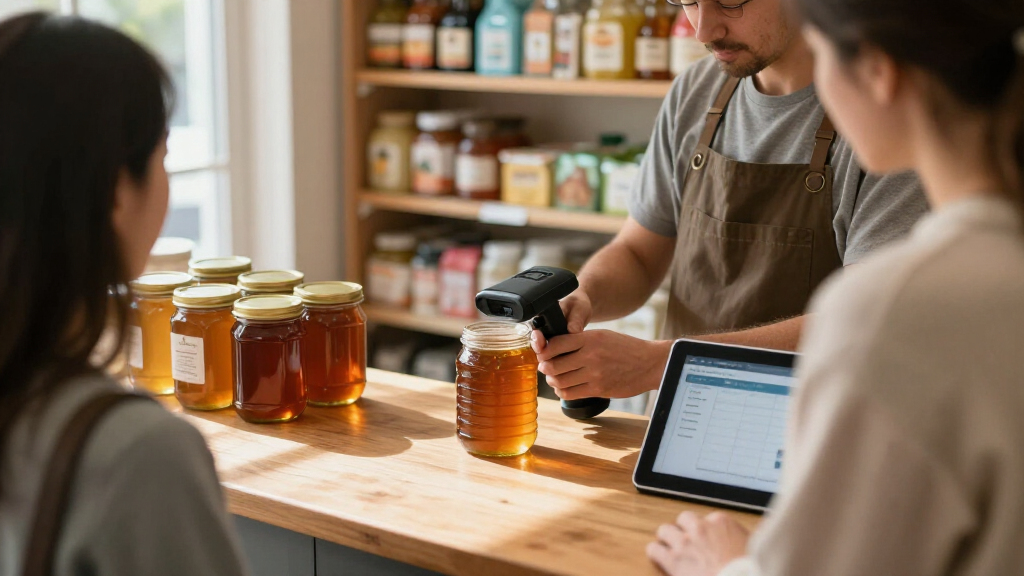
For most small businesses, the Honeywell Voyager XP 1472g is the strongest all-around choice because it supports 1D and 2D codes in a business-focused kit. The Tera HW0009 stands out for a screen and charging cradle, while the NETUM NT-1228BC is a compact Bluetooth option for shops that value portability. The main tradeoffs are barcode coverage, how the scanner connects to your system, and whether a small form factor matters more than a cradle or display. A low-cost 1D scanner may suit basic inventory work, but it cannot cover the same code types as a 2D model. Read on for the full breakdown and guidance on matching a scanner to your checkout, stockroom, or mobile workflow.

Get business pricing on office and shipping supplies
- Business-only prices and quantity discounts
- Tax-exempt purchasing
- Multiple users, one account, clear invoices
Key Takeaways
- The Honeywell Voyager XP 1472g leads for general business use because its 1D/2D support makes it more versatile than the 1D laser models in this group.
- The Tera HW0009 differentiates itself with a screen and charging cradle, features that may help teams manage shared equipment and keep it ready between shifts.
- Several compact picks prioritize portability over at-a-glance controls; the Eyoyo Mini and NETUM C850 suit mobile work, while screen-equipped models offer more feedback on the device.
- Connection options vary across the lineup, from Bluetooth to USB receiver and wireless kits, so a scanner’s compatibility with the actual POS or computer matters as much as its size.
- Small-business buyers should match code support to their labels: 1D laser models fit linear barcodes, while 2D-capable models cover QR and other two-dimensional codes as well.
| Honeywell Voyager XP 1472g Wireless 1D/2D Barcode Scanner Kit |  | Best for Busy Retail Counters | Model: Voyager XP 1472g | Connectivity: Wireless Bluetooth | Supported symbologies: 1D, 2D, PDF, postal codes, DotCode | VIEW LATEST PRICE | See Our Full Breakdown |
| Tera D5100 2D Wireless Barcode Scanner with Battery Indicator, Orange |  | Best Rechargeable Value | Model: D5100 | Connectivity: 2.4 GHz wireless and USB 2.0 | Wireless range: Up to 328 ft. in an unobstructed environment | VIEW LATEST PRICE | See Our Full Breakdown |
| Tera Wireless 1D Laser Barcode Scanner with Battery Indicator |  | Best for 1D Inventory | Scanner type: 1D laser | Connectivity: 2.4 GHz wireless and USB 2.0 wired | Wireless range: Up to 328 ft. in a barrier-free environment | VIEW LATEST PRICE | See Our Full Breakdown |
| Tera Portable Wireless 2D Barcode Scanner |  | Best Compact, Rugged Pick | Connectivity: Bluetooth, 2.4 GHz wireless, USB 2.0 | Barcode support: 1D, QR, PDF417, Data Matrix, Aztec, MaxiCode | Wireless range: Up to 656 ft. unobstructed; 98 ft. with obstacles using 2.4 GHz dongle | VIEW LATEST PRICE | See Our Full Breakdown |
| NETUM NT-1228BC Bluetooth Barcode Scanner |  | Best for High-Volume Batch Scanning | Model: NT-1228BC | Barcode types: 1D and stacked | Sensor: 2500-pixel CCD | VIEW LATEST PRICE | See Our Full Breakdown |
| Eyoyo Handheld 1D/2D Barcode Scanner with LCD Screen, Bluetooth, and Wireless Connectivity |  | Best for High-Volume Offline Inventory | Supported codes: 1D, 2D, and QR | Connectivity: Bluetooth, 2.4G wireless, USB cable | Display: 1.44-inch color LCD | VIEW LATEST PRICE | See Our Full Breakdown |
| Eyoyo Mini 1D Bluetooth Barcode Scanner |  | Best Compact Pick for Printed 1D Labels | Barcode type: Printed 1D barcodes | Connection modes: Bluetooth, 2.4G wireless, USB wired | Weight: 35 g (1.2 oz) | VIEW LATEST PRICE | See Our Full Breakdown |
| KUIIYER Mini Bluetooth Barcode Scanner with LCD Display |  | Best for Tougher Day-to-Day Handling | Barcode types: 1D and 2D, including UPC, EAN, Code 128, QR, Data Matrix, PDF417, Aztec | Connectivity: 2.4 GHz wireless, Bluetooth, USB cable | Display: 1.44-inch LCD | VIEW LATEST PRICE | See Our Full Breakdown |
| NADAMOO Wireless 1D Laser Barcode Scanner with USB Receiver |  | Best Long-Range Pick for 1D Stockrooms | Barcode type: 1D | Scanning technology: Laser | Connection: USB receiver | VIEW LATEST PRICE | See Our Full Breakdown |
| NETUM C850 Mini Bluetooth Barcode Scanner |  | Best Compact 2D All-Rounder | Barcode formats: 1D, QR Code, Data Matrix, PDF417, MicroQR | Connectivity: Bluetooth HID/SPP/BLE, 2.4 GHz via USB dongle, USB cable | Battery capacity: 1,200 mAh | VIEW LATEST PRICE | See Our Full Breakdown |
| Tera HW0009 Wireless 1D/2D Barcode Scanner with Screen and Charging Cradle |  | Best for On-Device Control | Model: HW0009 | Barcode formats: 1D and 2D, including QR code, Data Matrix, PDF417, and Aztec | Connections: Bluetooth, 2.4 GHz wireless, and USB wired | VIEW LATEST PRICE | See Our Full Breakdown |
| Wireless 1D and 2D Barcode Scanner |  | Best for Long Shifts | Barcode formats: 1D and 2D, including QR, PDF417, and Data Matrix | Battery capacity: 2,000 mAh | Battery life: Up to 72 hours continuous use; up to one month standby | VIEW LATEST PRICE | See Our Full Breakdown |
| ScanAvenger Wireless 1D and 2D Bluetooth Barcode Scanner with Smart Charging Stand |  | Best for Flexible POS Setups | Connections: Wireless, Bluetooth, and USB | Barcode formats: 1D and 2D, including UPC, EAN, Code 128, Code 39, PDF417, Aztec, Data Matrix, and QR Code | Scanning modes: Manual, continuous, and auto-sense | VIEW LATEST PRICE | See Our Full Breakdown |
| Eyoyo Mini Wireless 1D/2D Barcode Scanner |  | Best for Offline Inventory Counts | Barcode types: 1D and 2D, including QR, PDF417, DataMatrix, Aztec, and Maxicode | Connections: 2.4 GHz wireless, Bluetooth, and USB wired | Wireless range: 80–100 m (260–330 ft) barrier-free | VIEW LATEST PRICE | See Our Full Breakdown |
| Eyoyo Portable Mini 2D QR Bluetooth Barcode Scanner with Clip |  | Best for Hands-Free Portability | Battery capacity: 2,000 mAh | Continuous scanning time: Up to 20 hours | Connections: Bluetooth, 2.4G wireless, and USB wired | VIEW LATEST PRICE | See Our Full Breakdown |
| wireless barcode scanners for small business | Connectivity |
|---|---|
| Honeywell Voyager XP 1472g Wir | Wireless Bluetooth |
| Tera D5100 2D Wireless Barcode | 2.4 GHz wireless and USB 2.0 |
| Tera Wireless 1D Laser Barcode | 2.4 GHz wireless and USB 2.0 wired |
| Tera Portable Wireless 2D Barc | Bluetooth, 2.4 GHz wireless, USB 2.0 |
| NETUM NT-1228BC Bluetooth Barc | Bluetooth, 2.4 GHz wireless, USB cable |
| Eyoyo Handheld 1D/2D Barcode S | Bluetooth, 2.4G wireless, USB cable |
| Eyoyo Mini 1D Bluetooth Barcod | — |
| KUIIYER Mini Bluetooth Barcode | 2.4 GHz wireless, Bluetooth, USB cable |
| NADAMOO Wireless 1D Laser Barc | — |
| NETUM C850 Mini Bluetooth Barc | Bluetooth HID/SPP/BLE, 2.4 GHz via USB dongle, USB cable |
| Tera HW0009 Wireless 1D/2D Bar | — |
| Wireless 1D and 2D Barcode Sca | — |
| ScanAvenger Wireless 1D and 2D | — |
| Eyoyo Mini Wireless 1D/2D Barc | — |
| Eyoyo Portable Mini 2D QR Blue | — |
More Details on Our Top Picks
Honeywell Voyager XP 1472g Wireless 1D/2D Barcode Scanner Kit
The Voyager XP 1472g is a strong fit for a small shop that handles mixed barcode work, from printed labels to codes shown on customers’ phones. Its support for 1D, 2D, PDF, postal, and DotCode formats gives it broader coverage than the 1D-only Tera Wireless Laser, while its ability to read worn or damaged labels can help keep a busy checkout moving. The included cradle, power adapter, and USB and RS232 cables make it easier to connect with different counter setups. Honeywell rates it for repeated drops and tumbles, a practical advantage where scanners get passed around throughout the day. The tradeoff is its three AAA batteries; buyers who want a rechargeable battery with a charge indicator may prefer the Tera D5100.
Pros:- Reads 1D, 2D, PDF, postal, and DotCode formats, including codes on mobile screens
- Can handle poorly printed, worn, and damaged barcodes
- Rated for drops up to 1.8 m and repeated tumbles
- Includes a charging cradle, power adapter, USB cable, and RS232 cable
Cons:- Requires three AAA batteries
- The included cradle and cables may be more equipment than a simple single-laptop setup needs
Best for: Independent retailers that scan varied product labels and mobile codes at a busy checkout.
Not ideal for: Businesses that want a rechargeable scanner with a built-in battery indicator or mainly scan 1D codes on a tight setup budget.
- Model:Voyager XP 1472g
- Connectivity:Wireless Bluetooth
- Supported symbologies:1D, 2D, PDF, postal codes, DotCode
- Drop resistance:Up to 30 drops from 1.8 m (6 ft.)
- Tumble resistance:Up to 1,000 tumbles from 0.5 m (1.6 ft.)
- Included accessories:Charging cradle, power adapter, USB cable, RS232 cable
- Batteries:Three AAA batteries required
Our verdict“Choose the Voyager XP 1472g if your retail counter needs broad barcode support and a scanner built for repeated handling.”
Tera D5100 2D Wireless Barcode Scanner with Battery Indicator, Orange
The Tera D5100 makes a practical case for small businesses that want 2D scanning without giving up a straightforward wired fallback. Its 2,200 mAh rechargeable battery and indicator let staff check charge status, while the USB connection is useful if wireless conditions are unreliable. The orange cover, IP54 dust protection, and stated drop resistance suit a stockroom or counter where equipment gets handled often. Compared with the Honeywell Voyager XP 1472g, the D5100 highlights rechargeability and a longer stated open-area wireless range, while Honeywell offers a broader described set of code formats and a more extensive bundle of cables and cradle accessories. One meaningful limitation is that the D5100 is not compatible with Square, so shops using that POS should check another model in this roundup.
Pros:- Rechargeable 2,200 mAh battery with a battery indicator
- Supports 1D and 2D codes, including QR, DataMatrix, Aztec, and PDF417
- Can connect over 2.4 GHz wireless or USB
- IP54 dust protection and a cover rated for drops up to 6.56 ft.
Cons:- Not compatible with Square
- The stated 328 ft. wireless range applies to an unobstructed environment
- Package contents list a USB cable and dongle but no charging cradle
Best for: Small retailers using a compatible desktop or laptop POS who want rechargeable 2D scanning and a wired backup.
Not ideal for: Square users or businesses that need dependable wireless performance through walls, shelving, or other obstructions.
- Model:D5100
- Connectivity:2.4 GHz wireless and USB 2.0
- Wireless range:Up to 328 ft. in an unobstructed environment
- Battery:Included 2,200 mAh lithium-ion
- Supported codes:1D and 2D, including QR, DataMatrix, Aztec, and PDF417
- Protection:IP54 dust protection; drop protection up to 6.56 ft.
- Compatible devices:Desktop and laptop
- Dimensions:2.5 × 3.9 × 6.6 in.
- Compatibility note:Not compatible with Square
Our verdict“Pick the D5100 for rechargeable 2D scanning and wired flexibility if your POS is compatible and your work area supports its wireless connection.”
Tera Wireless 1D Laser Barcode Scanner with Battery Indicator
If your business scans standard product and inventory labels, the Tera Wireless 1D Laser keeps the job focused: it supports a wide range of 1D formats and can read damaged, fuzzy, reflective, or smudged codes. Its 2.4 GHz receiver and USB connection give a small team the choice of cordless movement or a direct wired link, and the battery indicator helps staff see when a charge is needed. The orange protective cover and IP54 dust resistance make it better suited to a working stockroom than a delicate desk-only scanner. Compared with the Tera D5100, this model gives up 2D and QR scanning, so it is a poorer fit for digital coupons or QR-based workflows. That narrower capability can suit a business whose labels are all 1D, but it limits room for changing needs.
Pros:- Supports a broad range of 1D barcode types
- Can read damaged, fuzzy, reflective, and smudged codes
- Offers both 2.4 GHz wireless and USB 2.0 wired connections
- Includes a battery indicator, IP54 dust resistance, and a drop-resistant cover
Cons:- Reads 1D barcodes only
- Wireless range may fall when obstacles block the receiver
Best for: Small warehouses, back rooms, and shops that scan 1D inventory or product labels from paper.
Not ideal for: Retailers that need to scan QR codes, digital tickets, or other 2D formats.
- Scanner type:1D laser
- Connectivity:2.4 GHz wireless and USB 2.0 wired
- Wireless range:Up to 328 ft. in a barrier-free environment
- Drop protection:Up to 6.56 ft.
- Ingress protection:IP54
- Supported barcode types:Febraban Bank Code, Codabar, Code 11, Code 93, MSI, Code 128, EAN-128, Code 39, EAN-8, EAN-13, UPC-A, ISBN, Industrial 25, Interleaved 25, Standard 25, Matrix
- Battery indicator:Included
Our verdict“Choose this Tera model when your scanning is limited to 1D labels and you value a rugged, simple wireless or wired setup.”
Tera Portable Wireless 2D Barcode Scanner
The Tera Portable Wireless 2D Scanner is the lineup’s compact option for workers who move between a counter, shelves, and packing areas. At 1.4 oz., it is easy to carry, and its Bluetooth, 2.4 GHz, and USB modes offer more ways to connect than the Tera Wireless 1D Laser. It also reads printed and digital 1D and 2D codes, with IP66-rated dust and water protection for messier work areas. Vibration alerts give staff quiet feedback when beeps would be disruptive. The compromise is its 450 mAh battery, a smaller stated capacity than the D5100’s 2,200 mAh cell. Its long stated open-air range also shrinks with obstacles, and Square is unsupported, so POS compatibility and the actual layout deserve a check before choosing it.
Pros:- Lightweight at 1.4 oz. and compact enough to carry between work areas
- Supports Bluetooth, 2.4 GHz wireless, and USB
- Reads printed and digital 1D and 2D codes
- IP66-rated dust and water protection with vibration alerts
Cons:- Not compatible with Square
- The stated 450 mAh battery capacity is smaller than the D5100’s 2,200 mAh battery
- Wireless range is reduced by obstacles
Best for: Mobile shop-floor staff or small fulfillment teams that need a lightweight scanner with multiple connection options and strong dust and water protection.
Not ideal for: Square users or teams that prioritize a larger stated battery capacity over a compact handheld form.
- Connectivity:Bluetooth, 2.4 GHz wireless, USB 2.0
- Barcode support:1D, QR, PDF417, Data Matrix, Aztec, MaxiCode
- Wireless range:Up to 656 ft. unobstructed; 98 ft. with obstacles using 2.4 GHz dongle
- Battery capacity:450 mAh
- Dimensions:3.4 × 1.57 × 0.78 in.
- Weight:1.4 oz.
- Protection:IP66-rated dustproof and waterproof design
- Compatibility:Windows, macOS, iOS, Android, Linux; not compatible with Square
Our verdict“Pick this Tera when portability and IP66 protection matter more to your small team than a larger stated battery capacity.”
NETUM NT-1228BC Bluetooth Barcode Scanner
The NETUM NT-1228BC suits a small business that gathers barcode data away from its computer, then uploads it later. Its offline storage for up to 100,000 barcodes and manual, continuous, and auto-sensing modes offer more flexibility for inventory counts than the Tera D5100, which is described around direct wireless or USB connection. Bluetooth HID, SPP, and BLE add connection options across the listed desktop and mobile systems, while programmable prefixes, suffixes, and keyboard commands can help fit a particular data-entry workflow. This breadth comes with setup work: the manual’s configuration barcodes need to be scanned before use. The NT-1228BC also supports 1D and stacked codes rather than the broader 2D formats covered by Honeywell’s Voyager XP 1472g, and it is incompatible with several POS systems, including Square.
Pros:- Stores up to 100,000 barcodes for later transfer
- Offers Bluetooth, 2.4 GHz wireless, and USB connections
- Provides manual, continuous, and auto-sensing scan modes
- Supports programmable prefixes, suffixes, and keyboard commands
Cons:- Requires scanning setup barcodes from the manual before use
- Does not list support for common 2D formats such as QR or DataMatrix
- Not compatible with Square, Divalto, DoorDash, or Lightspeed POS
Best for: Small businesses that perform large inventory counts away from a workstation and can configure scanner workflows.
Not ideal for: Businesses seeking plug-and-play setup, broad 2D barcode support, or compatibility with Square, Divalto, DoorDash, or Lightspeed POS.
- Model:NT-1228BC
- Barcode types:1D and stacked
- Sensor:2500-pixel CCD
- Connectivity:Bluetooth, 2.4 GHz wireless, USB cable
- Bluetooth modes:HID, SPP, BLE
- Scanning modes:Manual trigger, continuous, auto-sensing
- Storage capacity:Up to 100,000 barcodes
- Battery:2,600 mAh; one included lithium metal battery
- Compatibility:Windows, Mac OS, Android, iOS, Linux, and Windows Mobile
Our verdict“Choose the NT-1228BC if batch inventory capture and configurable data entry matter more than easy setup or broad 2D support.”
Eyoyo Handheld 1D/2D Barcode Scanner with LCD Screen, Bluetooth, and Wireless Connectivity
For a small business that scans in batches away from its main computer, this Eyoyo pairs a 100,000-code offline store with a removable battery rated for up to 20 hours. Its LCD and charging cradle also make it easier to check and park the scanner between stocktaking sessions. Compared with the NADAMOO Wireless 1D Laser Scanner, it reads 2D codes and connects by Bluetooth or cable as well as 2.4G wireless, while NADAMOO is more focused on long-range 1D scanning through a USB receiver. The tradeoff is that the Eyoyo’s stated 328-foot range applies to open air, and some POS apps may block external keyboard scanners. I’d choose it for mixed-format inventory work, after confirming compatibility with the business’s POS app.
Pros:- Reads 1D, 2D, and QR codes from labels, packages, and screens.
- Stores up to 100,000 barcodes for later upload.
- Bluetooth, 2.4G wireless, and USB give several ways to connect.
- Removable 2,900mAh battery and included charging cradle suit extended shifts.
Cons:- Compatibility may be limited by POS apps that block external keyboard scanners.
- The 328-foot wireless range is an open-air figure and may not reflect a busy shop.
Best for: Small retailers and stockrooms that scan mixed 1D and 2D labels in batches and need substantial offline storage.
Not ideal for: Businesses whose POS app blocks external keyboard scanners, or teams that need proven wireless performance through walls and shelving.
- Supported codes:1D, 2D, and QR
- Connectivity:Bluetooth, 2.4G wireless, USB cable
- Display:1.44-inch color LCD
- Battery:Removable 2,900mAh; up to 20 hours
- Offline storage:Up to 100,000 barcodes
- Wireless range:Up to 328 ft in open air
- Scan modes:Manual trigger, continuous, auto-sensing
- Included accessories:Charging cradle, USB cable, user manual
Our verdict“Choose this Eyoyo for high-volume, mixed-code stocktaking when offline capture matters and your POS app supports it.”
Eyoyo Mini 1D Bluetooth Barcode Scanner
At 35 grams, this Eyoyo mini is aimed at a narrow but common small-business job: scanning printed 1D labels while moving between shelves, counters, or packing stations. Bluetooth, 2.4G wireless, and USB let it work with different setups, and configurable modes, prefixes, and suffixes can reduce repetitive data-entry steps. Compared with the NETUM C850 Mini, it is lighter and offers a longer stated Bluetooth range, but it gives up 2D and screen-code reading. Its battery is rated for up to eight hours, well short of the C850’s stated 20 hours of continuous scanning. I’d pick it for a portable 1D workflow; teams handling QR codes, on-screen coupons, or Square POS should look elsewhere.
Pros:- Very light at 35 g for handheld work across a shop floor.
- Bluetooth, 2.4G wireless, and USB connection options.
- Configurable scan modes, prefixes, suffixes, and quiet vibration feedback.
- Supports common printed 1D barcode formats.
Cons:- Cannot read 2D QR codes or barcodes displayed on screens.
- Up to eight hours of continuous operation is less than the NETUM C850’s stated 20 hours.
- Not compatible with Square POS or Square Register.
Best for: Mobile sellers and small shops scanning printed UPC or other 1D labels who value a very light handheld.
Not ideal for: Businesses scanning QR codes, barcodes on screens, or using Square POS or Square Register.
- Barcode type:Printed 1D barcodes
- Connection modes:Bluetooth, 2.4G wireless, USB wired
- Weight:35 g (1.2 oz)
- Battery capacity:650 mAh
- Operating time:Up to 8 hours
- Charging time:2 hours
- Wireless range:Up to 30 m in 2.4G mode; up to 50 m in Bluetooth mode without barriers
- Compatibility:Windows, Mac OS, Linux, PCs, POS systems, smartphones, tablets
Our verdict“Choose this mini Eyoyo for lightweight printed 1D scanning, provided you do not need QR reading or Square compatibility.”
KUIIYER Mini Bluetooth Barcode Scanner with LCD Display
The KUIIYER makes the most sense for a small business where scanners may get knocked around: it carries an IP54 rating and a stated 1.5-meter drop resistance, while still reading both 1D and 2D codes. Its LCD and storage for more than 50,000 barcodes support batch inventory work without keeping a computer beside the operator. Compared with the Eyoyo Handheld 1D/2D Scanner, it has less stated offline capacity and a shorter continuous-use rating, but its drop and dust protection are explicit advantages for rougher handling. The battery is listed for six to seven hours of continuous use, so it may need recharging during longer shifts. It also does not support Square POS or Square Register, a significant constraint for some small retailers.
Pros:- Reads 1D and 2D formats, including QR, Data Matrix, PDF417, and Aztec.
- IP54 rating and stated 1.5 m drop resistance suit rougher work areas.
- Stores more than 50,000 barcodes for inventory sessions.
- Bluetooth, 2.4 GHz wireless, and USB connection options.
Cons:- Not compatible with Square POS or Square Register.
- Six to seven hours of stated continuous use may require mid-shift charging.
- Offline capacity is lower than the Eyoyo handheld’s stated 100,000 barcodes.
Best for: Small stockrooms, workshops, and shops where scanners face frequent handling and staff need both 1D and 2D capture.
Not ideal for: Square POS users or businesses that need a scanner to run continuously through long shifts without recharging.
- Barcode types:1D and 2D, including UPC, EAN, Code 128, QR, Data Matrix, PDF417, Aztec
- Connectivity:2.4 GHz wireless, Bluetooth, USB cable
- Display:1.44-inch LCD
- Battery:2,000 mAh lithium-ion; 6–7 hours continuous use
- Inventory storage:Over 50,000 barcodes
- Scan rate:120 frames per second
- Drop resistance:Up to 1.5 m (5 ft)
- Ingress protection:IP54
Our verdict“Pick the KUIIYER if durability and 2D scanning matter more than all-day battery runtime or Square compatibility.”
NADAMOO Wireless 1D Laser Barcode Scanner with USB Receiver
For a stockroom that needs to scan printed 1D labels far from a computer, the NADAMOO’s USB receiver connection and stated long-range transmission are its defining strengths: up to 400 meters in open air and 100 meters indoors. It also stores up to 100,000 barcodes, making it useful for a disconnected inventory pass. Compared with the Eyoyo Handheld 1D/2D Scanner, NADAMOO has a more specialized job: it uses laser scanning for 1D codes and does not offer the same stated 2D, QR, Bluetooth, or USB-cable flexibility. Its battery-life claim is tied to a specific volume of 2,000 scans per day, so buyers should treat it as a usage-based estimate. This is a practical fit for expansive 1D stock areas, not mixed-code checkout.
Pros:- Long stated wireless range for open areas and indoor use.
- Offline storage holds up to 100,000 barcodes.
- Multiple scanners can pair to one receiver.
- Large 2,600mAh battery with a stated usage-based runtime.
Cons:- Reads 1D barcodes only, unlike the Eyoyo handheld’s 2D and QR support.
- Range falls from the open-air figure to 100 m indoors.
- The up-to-30-working-day battery claim depends on scanning 2,000 times per day.
Best for: Small warehouses and stockrooms scanning printed 1D labels across large areas, especially when batch storage is useful.
Not ideal for: Retailers that scan QR or other 2D codes, use mobile devices without a USB receiver, or need a cable connection option.
- Barcode type:1D
- Scanning technology:Laser
- Connection:USB receiver
- Wireless range:Up to 400 m in open air; up to 100 m indoors
- Battery capacity:2,600 mAh
- Battery life:Up to 30 working days at 2,000 scans per day
- Offline storage:Up to 100,000 barcodes
- Pairing modes:One-to-one and multiple-to-one
Our verdict“Choose NADAMOO for long-range, receiver-based 1D inventory work, and skip it if your workflow includes 2D codes.”
NETUM C850 Mini Bluetooth Barcode Scanner
The NETUM C850 is a compact choice for small businesses that need 2D code support without carrying a full-size scanner. It reads common 1D formats alongside QR, Data Matrix, PDF417, and MicroQR, with trigger, continuous, and auto-sensing modes to suit checkout or stock work. Bluetooth, a 2.4 GHz dongle, and USB cable offer flexibility across devices, though the latter two rely on included hardware. Compared with the Eyoyo Mini 1D, the C850 handles 2D formats and claims up to 20 hours of continuous scanning, but it weighs more and lacks the Eyoyo’s listed configurable prefixes and suffixes. Its 2.4 GHz range is specified without obstacles, while Bluetooth is about 10 meters in obstructed environments. It’s a versatile compact pick, with connectivity conditions to keep in mind.
Pros:- Reads 1D codes as well as QR, Data Matrix, PDF417, and MicroQR.
- Bluetooth, 2.4 GHz wireless, and USB give it broad connection flexibility.
- Three scan modes cover manual and hands-free workflows.
- Less than 3 oz with up to 20 hours of continuous scanning.
Cons:- The 2.4 GHz mode requires the USB dongle, while wired use requires a cable.
- Obstacles reduce wireless range; Bluetooth is listed at about 10 m in obstructed environments.
- Lacks the Eyoyo Mini 1D’s listed configurable prefixes and suffixes.
Best for: Small retailers and online sellers who want a light scanner for both printed labels and QR or other 2D codes.
Not ideal for: Teams needing substantial offline batch storage, or those relying on Bluetooth across a large, obstructed workspace.
- Barcode formats:1D, QR Code, Data Matrix, PDF417, MicroQR
- Connectivity:Bluetooth HID/SPP/BLE, 2.4 GHz via USB dongle, USB cable
- Battery capacity:1,200 mAh
- Continuous scanning time:Up to 20 hours
- Weight:Less than 3 oz
- Bluetooth range:About 10 m in obstructed environments
- 2.4 GHz range:Up to 100 m without obstacles
- Scan modes:Trigger, continuous, auto-sensing
Our verdict“Pick the NETUM C850 if you need a compact scanner that handles 2D codes as well as 1D labels across several connection types.”
Tera HW0009 Wireless 1D/2D Barcode Scanner with Screen and Charging Cradle
The Tera HW0009 suits small businesses that want to check scan counts and adjust settings at the scanner, without relying on a companion app. Its screen and cradle set it apart from the ScanAvenger Wireless 1D and 2D Bluetooth Barcode Scanner, which offers vibration alerts and several scan modes but no listed screen. The HW0009 also covers varied workflows with Bluetooth, 2.4 GHz, and wired USB, plus support for PDF417 IDs and other 2D formats. Its 2,500 mAh battery and cradle make it a practical counter scanner for regular use. The tradeoff is that its stated 2.4 GHz range drops with obstacles, and the product details do not name specific compatible POS software. I’d check software compatibility before making it the main register scanner.
Pros:- Screen provides access to settings and barcode counts
- Reads 1D and 2D formats, including PDF417
- Bluetooth, 2.4 GHz, and wired USB offer flexible setup
- Charging cradle and 2,500 mAh battery support routine use
Cons:- 2.4 GHz range is reduced when obstacles are present
- Specific POS software compatibility is not stated
Best for: Small retailers or service desks that want on-device scan counts, adjustable settings, and several connection choices.
Not ideal for: Businesses with a POS system that requires confirmed software support, or teams that need reliable long-range scanning through walls.
- Model:HW0009
- Barcode formats:1D and 2D, including QR code, Data Matrix, PDF417, and Aztec
- Connections:Bluetooth, 2.4 GHz wireless, and USB wired
- Battery capacity:2,500 mAh
- 2.4 GHz range:Up to 328 ft unobstructed; 114 ft with obstacles
- Compatibility:Windows, macOS, iOS, Android, and Linux
- Receiver:Built into the charging cradle
- Included items:Scanner, charging cradle, charging cable, and user manual
Our verdict“Choose the HW0009 if on-device controls and three connection options matter more than confirmed POS compatibility.”
Wireless 1D and 2D Barcode Scanner
For a small business that scans throughout the day, this model’s stated up to 72 hours of continuous use is its clearest advantage. It reads common 1D and 2D formats, including QR, PDF417, and Data Matrix, and offers both key-trigger and auto-sensing modes. Compared with the Eyoyo Mini Wireless 1D/2D Barcode Scanner, which is much smaller and stores scans offline, this scanner emphasizes battery endurance over pocket portability and bulk storage. Setup is straightforward on Windows, Mac, and Linux, but its wireless connection depends on a 2.4 GHz USB dongle; Bluetooth pairing with phones or tablets is not listed. I’d shortlist it for a fixed computer station, while buyers wanting mobile Bluetooth use should look at the Tera HW0009 or ScanAvenger instead.
Pros:- Stated battery life reaches up to 72 hours of continuous use
- Reads 1D and 2D formats, including QR, PDF417, and Data Matrix
- Offers trigger and auto-sensing modes
- USB cable and dongle support wired and wireless computer setups
Cons:- Wireless operation requires a 2.4 GHz USB dongle
- Compatibility with iOS and Android is not listed
Best for: Small shops running long shifts at a Windows, Mac, or Linux computer station with a free USB port.
Not ideal for: Mobile-first teams that need Bluetooth pairing with phones or tablets, or wireless operation without a USB receiver.
- Barcode formats:1D and 2D, including QR, PDF417, and Data Matrix
- Battery capacity:2,000 mAh
- Battery life:Up to 72 hours continuous use; up to one month standby
- Connections:2.4 GHz USB dongle and USB cable
- Scanning modes:Key trigger and auto-sensing
- Compatibility:Windows, Mac, and Linux
Our verdict“Pick this scanner for long computer-based shifts if the USB dongle fits your workstation setup.”
ScanAvenger Wireless 1D and 2D Bluetooth Barcode Scanner with Smart Charging Stand
The ScanAvenger makes sense for a small business that switches between a computer, mobile device, and compatible POS hardware. Its wireless, Bluetooth, and USB connections and manual, continuous, and auto-sense modes give it more setup flexibility than the dongle-only wireless option, the Wireless 1D and 2D Barcode Scanner. A smart charging stand and vibration alerts also help keep it ready at a counter where staff may not always hear a scan beep. The format coverage includes QR, PDF417, Aztec, and Data Matrix, but it does not read MaxiCode. The bigger constraint is POS compatibility: systems requiring proprietary hardware or direct app integration are excluded. I’d confirm the register connection method before choosing it, especially if your POS vendor specifies approved scanners.
Pros:- Wireless, Bluetooth, and USB connections support varied setups
- Manual, continuous, and auto-sense scanning modes
- Smart stand charges the scanner between tasks
- Vibration alerts provide scan feedback in noisy work areas
Cons:- Does not support MaxiCode
- Won’t work with POS systems requiring proprietary hardware or direct app integration
Best for: Small retailers that use compatible computers and mobile devices and want to move the scanner between them.
Not ideal for: Businesses whose POS requires proprietary scanner hardware, direct app integration, or MaxiCode scanning.
- Connections:Wireless, Bluetooth, and USB
- Barcode formats:1D and 2D, including UPC, EAN, Code 128, Code 39, PDF417, Aztec, Data Matrix, and QR Code
- Scanning modes:Manual, continuous, and auto-sense
- Battery:Built-in rechargeable Li-ion
- Charging:Smart stand with charging connectors
- Compatible devices:Mac, Windows, Android, Apple mobile devices, and compatible POS systems
- Unsupported format:MaxiCode
Our verdict“Choose the ScanAvenger when you need connection flexibility and your POS system is confirmed compatible.”
Eyoyo Mini Wireless 1D/2D Barcode Scanner
For stock counts in aisles, storerooms, or temporary pop-up locations, the Eyoyo Mini can save up to 150,000 barcodes offline before a connection is available. Its compact 1.5-ounce body and Bluetooth, 2.4 GHz, and USB options make it easier to carry between scanning areas than the larger, cradle-oriented Tera HW0009. Three modes—trigger, auto-sensing, and continuous—also suit different counting routines, and it reads codes from paper or screens. Its main compromise is endurance: the stated continuous use is up to eight hours, well below the 20 hours listed for the Eyoyo Portable Mini 2D QR Bluetooth Barcode Scanner with Clip. The wireless range is specified only for barrier-free conditions, and the listed dimensions vary between product details, so I’d verify fit and range for the intended site.
Pros:- Offline storage holds up to 150,000 barcodes
- Bluetooth, 2.4 GHz wireless, and wired USB connections
- Reads 1D and 2D codes from paper and screens
- Three scanning modes and a lightweight 1.5-ounce design
Cons:- Continuous use is rated for up to eight hours
- Wireless range figures apply to barrier-free conditions
- Product details list differing dimensions
Best for: Small retailers and pop-up sellers who need to collect large inventory counts away from a connected computer.
Not ideal for: Teams needing more than eight hours of continuous scanning per charge or a precisely verified physical size.
- Barcode types:1D and 2D, including QR, PDF417, DataMatrix, Aztec, and Maxicode
- Connections:2.4 GHz wireless, Bluetooth, and USB wired
- Wireless range:80–100 m (260–330 ft) barrier-free
- Battery life:Up to eight hours continuous use
- Standby time:Up to 180 days
- Offline storage:Up to 150,000 barcodes
- Scanning modes:Key trigger, auto-sensing, and continuous
- Weight:1.5 oz
Our verdict“Choose the Eyoyo Mini for portable offline counts when its eight-hour battery limit suits your workday.”
Eyoyo Portable Mini 2D QR Bluetooth Barcode Scanner with Clip
The clip-on design gives this Eyoyo Portable Mini a distinct role for workers who move between shelves, bins, and packing tables and want the scanner close at hand. Its pocket size and up to 20 hours of stated continuous scanning make it better suited to a full shift than the eight-hour Eyoyo Mini Wireless 1D/2D Barcode Scanner, though that other model offers offline storage for large counts. This scanner instead emphasizes wearable convenience, three connection choices, and modes for instant upload, storage, trigger, auto-sensing, and continuous scanning. It reads 1D and 2D codes, including QR, Data Matrix, and PDF417, from labels and screens. The details do not specify charging time, and battery duration depends on usage, so I’d treat the runtime as a guide rather than a guarantee.
Pros:- Clip-on pocket design keeps the scanner close while moving
- Offers Bluetooth, 2.4G wireless, and wired USB
- Reads 1D and 2D barcodes from labels and screens
- Battery indicators show remaining charge
Cons:- Stated runtime depends on scanning volume and usage
- Charging time is not specified
Best for: Stockroom and fulfillment staff who move frequently and want a scanner clipped to clothing or a belt.
Not ideal for: Businesses that need documented charging times or large specified offline storage capacity.
- Battery capacity:2,000 mAh
- Continuous scanning time:Up to 20 hours
- Connections:Bluetooth, 2.4G wireless, and USB wired
- Barcode types:1D and 2D, including QR, Data Matrix, and PDF417
- Compatible devices:Laptop, PC, Mac, iPhone, Android, and tablet
- Design:Pocket-size with clip
- Scanning modes:Instant upload, storage, key trigger, auto-sensing, and continuous scanning
Our verdict“Pick this Eyoyo for mobile stockroom work if a wearable design matters more than a stated large offline capacity.”
How We Picked
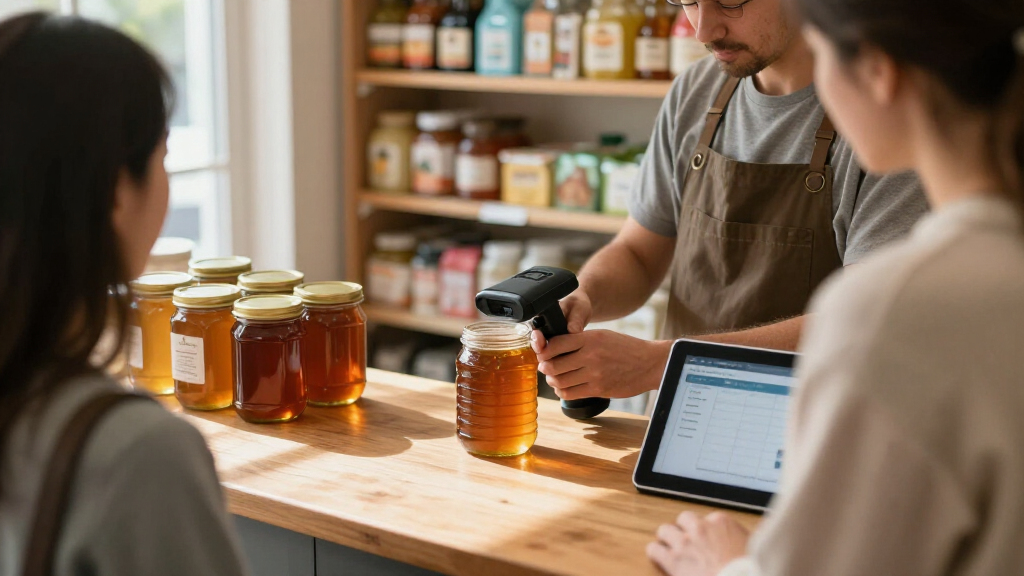
I ranked these scanners around the needs that shape a small-business purchase: whether they read the codes a business actually uses, how they connect to common workstations, and how easily staff can carry, share, charge, and operate them. I gave more weight to 1D/2D coverage and practical workflow features for the top general-purpose positions, while recognizing that a focused 1D model or miniature Bluetooth unit can be a better fit for a narrower job. Product names and listed features provide a basis for comparison, but they do not establish unlisted specifications such as exact range, battery life, or compatibility with a particular point-of-sale system.
The order reflects versatility first, then the usefulness of differentiating features and the clarity of the likely use case. A screen, battery indicator, charging stand, or receiver can improve day-to-day handling, but each matters only if it solves a real workflow problem. Compact scanners rank well for portability, yet they are less compelling as a single shared scanner when a fuller grip, cradle, or broad code support is the priority. I recommend checking the product’s compatibility details against your own devices before buying.
Factors to Consider When Choosing Wireless Barcode Scanners For Small Business
Choosing a scanner starts with the work it will do and the equipment it must connect to. These broader checks can help prevent a mismatch that a product feature list alone may not reveal.
Match the scanner to the codes on your labels
List the barcode formats already in use before comparing models. Linear 1D codes are common on retail products and inventory labels, while QR and other 2D codes may appear on mobile passes, supplier labels, or newer product packaging. A 1D-only scanner can be a sensible fit for a stable, simple workflow, but it limits future flexibility if your business adopts 2D codes. Buying 2D support does not solve every compatibility issue, so check that the scanner reads the specific formats your software expects. If different departments handle different labels, choose based on the broadest job the scanner will routinely perform.
Check the connection against your POS and devices
Wireless can mean Bluetooth, a USB receiver, or a kit that pairs a scanner with a host through a receiver or cradle. Those options behave differently across tablets, desktops, POS terminals, and mobile devices. Confirm the operating system and connection method supported by both your scanner and checkout software before ordering. A receiver-based model may suit a fixed counter with an available USB port, while Bluetooth can be more convenient for a tablet-based or mobile setup. Also check whether the scanner reconnects in the way your staff expects after it is moved or powered down.
Treat battery and charging as a team workflow
A battery indicator can reduce surprises, but it does not replace a charging routine. For a single-owner scanner, charging at the end of a shift may be easy to manage; a shared device needs a clear home and handoff habit. A cradle or stand can make that routine visible and keep the scanner in a predictable place. Compact units are easier to carry, though they may be easier to misplace or leave uncharged if they lack a dedicated storage spot. Think about who will own charging responsibility before paying extra for accessories or choosing a bare handheld unit.
Choose form factor for the scanning environment
A miniature scanner can be convenient for pop-up sales, shelf checks, or carrying between work areas. A larger handheld design may be easier to grip during repeated scans or longer stock counts. A compact body is not automatically more comfortable, particularly when several employees share it or when scans happen continuously. Consider whether the operator will hold the scanner all day, clip it to clothing, or leave it at a counter. If possible, compare dimensions and controls with the way your staff will actually handle the device.
Pay for feedback and accessories only when they remove friction
Screens, battery indicators, stands, and charging cradles can simplify handoffs or provide useful status at a glance. They also add complexity that may not matter for a one-person shop with a scanner used at a single workstation. A display is most useful when staff need to confirm settings or scan feedback without looking at the connected computer. A cradle matters more when a team shares the scanner and needs consistent storage and charging. Write down the daily problem each extra feature would solve; if there is no clear answer, prioritize code support and compatibility.
Plan for growth without overbuying
Small businesses often buy for today’s workflow and then keep the same scanner through changes in checkout software, product mix, or staffing. A 2D-capable model can leave room for labels and mobile codes that are not yet part of daily operations. That flexibility is less valuable if your business only scans a fixed set of 1D inventory labels and has no plans to change. Avoid selecting a model solely because it has the longest feature list; check how well its connection, charging setup, and handling match the way your team works. The right amount of flexibility is the amount that supports a plausible next step without making the present workflow harder.
Frequently Asked Questions
Is a 1D scanner enough for a small retail shop?
It can be enough if the shop scans only standard linear product barcodes and its checkout system supports that scanner. The limitation is that a 1D model will not cover QR codes and other two-dimensional formats. Check supplier labels, loyalty workflows, and any mobile coupons before settling on 1D-only support. If those uses are likely to appear, a 2D-capable scanner offers more room to adapt. Choose based on the codes your business needs to read, rather than assuming every shop needs the broadest model.
Should I choose Bluetooth or a scanner with a USB receiver?
Choose according to the device you plan to connect and how staff move around the workspace. Bluetooth can fit tablet or mobile workflows, while a USB receiver can suit a fixed computer or POS terminal with an open port. Verify supported operating systems and pairing details before buying, since wireless connection alone does not guarantee compatibility with your software. For a counter that rarely changes, a receiver may keep setup straightforward. For scanning away from the workstation, Bluetooth may better match the job.
Do I need a charging cradle for a shared scanner?
A cradle can give a shared scanner a consistent place to rest and charge, which helps reduce misplaced devices and low-battery handoffs. It is most useful when several employees use the scanner across shifts or when the device stays near a checkout counter. A single-user setup may work fine with a cable and a regular charging routine. Check whether the chosen model includes the charging accessory you expect, since not every wireless scanner uses the same charging arrangement. Staff habits matter as much as the accessory itself.
Can a mini barcode scanner handle daily inventory work?
It can, especially for occasional shelf checks, mobile counts, and work where carrying a full-size scanner is inconvenient. For long counting sessions, grip comfort and access to controls may matter more than compactness. Consider who will use it, how many scans they make in a shift, and whether they need a display or status feedback. A small scanner that fits in a pocket may be less suitable as a shared counter device. Match the size to scan volume and handling time, not just storage convenience.
What should I verify before connecting a scanner to my POS?
Confirm the POS operating system, connection method, and supported barcode formats against the scanner’s product documentation. Check whether your setup requires Bluetooth pairing, a USB receiver, or a specific cable or cradle. If the POS is managed by a vendor, ask whether it accepts standard keyboard-style scanner input or needs a supported device list. Test a sample scan with the actual software before deploying scanners across multiple stations. This catches mismatches that a general claim of wireless compatibility cannot resolve.
Conclusion
For most small businesses seeking one scanner for varied daily tasks, I recommend the Honeywell Voyager XP 1472g as the best overall pick for its 1D/2D coverage and business-focused kit. The Tera D5100 is a value-minded option for buyers who want 2D support and a battery indicator, while the Tera HW0009 is the premium-leaning choice for teams that will use its screen and charging cradle. Beginners who want a familiar handheld setup can start with the Honeywell kit, after confirming compatibility with their POS. For compact mobile work, compare the Eyoyo Mini 1D/2D and NETUM C850; for a basic linear-barcode task, a 1D laser model may be enough. Match code support and connection details to your equipment, then choose the form factor your staff will use comfortably.
Fall Picks
fall essentials
As an affiliate, we earn on qualifying purchases.