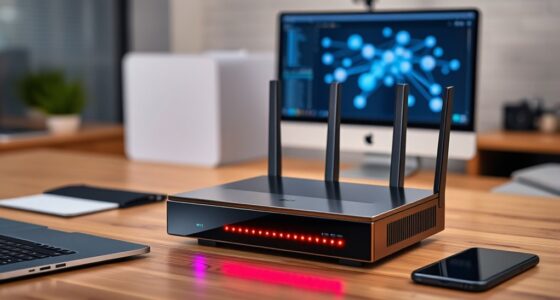
A premium treadmill desk for remote work needs to balance three things that usually fight each other: a quiet enough motor to take calls beside, a desk surface stable enough to type on while walking, and a footprint small enough for a home office. After comparing 12 leading models, the Walking Pad Treadmill with Desk Workstation stands out as the best overall pick — its 400lb capacity, 3.5HP motor, 15% incline, and removable desk cover every remote-work scenario from slow work walks to interval sessions. The GYMAX 3-in-1 makes more sense if budget matters but you still want a removable desktop, while the FOUSAE 6.2MPH incline pad suits buyers who already own a standing desk and only need the belt. The main tradeoff in this category is between all-in-one desk bundles (convenient but often flimsier work surfaces) and bare walking pads (better engineering, but you supply the desk). Read on for the full breakdown, including which models earned their premium price and which felt like filler features.

Get business pricing on office and shipping supplies
- Business-only prices and quantity discounts
- Tax-exempt purchasing
- Multiple users, one account, clear invoices
Complete the kit

Key Takeaways
- Bundled desks were the weakest link across the lineup — models like the Walking Pad with Desk Workstation and Hccsport paired strong belts with serviceable desks, while cheaper bundles (the Under Desk Treadmill for Home and GYMAX) delivered noticeably flimsier work surfaces.
- Incline separated the premium tier from the mid tier: the 15% incline models (Walking Pad with Desk Workstation, ANCHEER 4-in-1) and the MERACH W60’s 12% auto incline roughly double the calorie burn of flat pads like the Akluer and CHAOKE.
- Motor ratings alone were misleading — the quiet 2.5HP/45dB Akluer outperformed some louder higher-rated motors for sustained workday walking; brushless drives (FOUSAE, MERACH) ran coolest and quietest.
- Weight capacity tracked build quality almost perfectly: the two 400lb-rated models (Walking Pad with Desk Workstation, MERACH W60) had the sturdiest frames and most stable desks, while 300lb-class pads wobbled more at walking speeds above 3 MPH.
- Remote-control and app ecosystems varied widely — TOPUTURE and MERACH offered the most usable app tracking, whereas several budget bundles included remotes with delayed response, a real annoyance during video calls.
| Akluer Walking Pad Treadmill with Adjustable Desk, 330lbs Capacity |  | Best Overall Desk Integration | Motor: 2.5 HP | Speed Range: 0.6–6.2 mph | Weight Capacity: 330 lbs | VIEW ON AMAZON | See Our Full Breakdown |
| ENPAP Under Desk Treadmill for Home with Remote Control |  | Best Value for Existing Standing Desks | Motor: 2.5 HP peak | Speed Range: 0.6–6 mph | Weight Capacity: 280 lbs | VIEW ON AMAZON | See Our Full Breakdown |
| FUNMILY Walking Pad Treadmill with Desk Workstation, 15% Incline, 400 lbs+ Capacity |  | Best Premium Heavy-Duty Workstation | Motor: 3.5 HP | Weight Capacity: 400 lbs+ | Incline: 15% | VIEW ON AMAZON | See Our Full Breakdown |
| TOPUTURE Walking Pad Treadmill with Adjustable Handle Bar & Incline |  | Best for Beginners and Shared Households | Motor: 2.5 HP | Speed Range: 0.6–7.5 mph | Weight Capacity: 300 lbs | VIEW ON AMAZON | See Our Full Breakdown |
| FOUSAE Walking Pad with 10% Incline, 2.75HP Brushless Drive |  | Best for Quiet Apartments and Structured Workouts | Motor: 2.75 HP brushless | Speed Range: 0.6–6.2 mph | Weight Capacity: 350 lbs | VIEW ON AMAZON | See Our Full Breakdown |
| GYMAX Walking Pad Treadmill, 3 in 1 Folding Treadmill with Removable Desktop |  | Best for Program-Guided Workouts | Motor: 2.5 HP | Speed Range: 0.5–7.5 MPH | Desktop: Removable, 26.7″ x 13″ | VIEW ON AMAZON | See Our Full Breakdown |
| CHAOKE Walking Pad Treadmill with 9% Incline, 2.75HP Quiet Motor |  | Best for Call-Friendly Quiet | Speed Range: 1–10 km/h (up to 6.2 MPH) | Motor: 2.75 HP, under 40 dB | Incline: 9% manual | VIEW ON AMAZON | See Our Full Breakdown |
| ANCHEER 4-in-1 Foldable Walking Pad Treadmill with 15% Incline, Handle & Desk |  | Best Premium All-in-One | Motor: 3.5 HP ultra-quiet | Max Speed: 7.5 MPH (4 MPH with handlebars folded) | Incline: 15% | VIEW ON AMAZON | See Our Full Breakdown |
| Akluer Walking Pad with Desk Workstation |  | Best Desk Experience | Motor: 2.5 HP, below 45 dB | Speed Range: 0.6–6.2 MPH | Weight Capacity: 330 lbs | VIEW ON AMAZON | See Our Full Breakdown |
| Hccsport Treadmill with Incline, 3 in 1 Under Desk Walking Pad with Removable Desk Workstation |  | Best for Speed and HIIT Training | Motor: 3.5 HP | Max Speed: 8 MPH | Weight Capacity: 300 lbs | VIEW ON AMAZON | See Our Full Breakdown |
| HomeTro 3-in-1 Folding Treadmill with Incline and Removable Desk Workstation |  | Best for Multitaskers Who Run and Walk | Motor: 3.0 HP | Speed Range: 0.6–7.5 MPH (handle up); 0.6–4 MPH (handle down) | Incline: 7%, tool-free adjustment | VIEW ON AMAZON | See Our Full Breakdown |
| MERACH UltraWalk W60 Walking Pad Treadmill with 12% Auto Incline |  | Best Premium Build for Heavy Daily Use | Motor: 3.5 HP peak brushless (1.25 CHP continuous) | Speed Range: 0.6–4.0 MPH | Incline: 12% auto incline, 12 levels | VIEW ON AMAZON | See Our Full Breakdown |
| premium treadmill desk for remote work | Motor | Speed Range | Weight Capacity | Incline |
|---|---|---|---|---|
| Akluer Walking Pad Treadmill w | 2.5 HP | 0.6–6.2 mph | 330 lbs | — |
| ENPAP Under Desk Treadmill for | 2.5 HP peak | 0.6–6 mph | 280 lbs | — |
| FUNMILY Walking Pad Treadmill | 3.5 HP | — | 400 lbs+ | 15% |
| TOPUTURE Walking Pad Treadmill | 2.5 HP | 0.6–7.5 mph | 300 lbs | 3 manual levels (0%, 5%, 10%) |
| FOUSAE Walking Pad with 10% In | 2.75 HP brushless | 0.6–6.2 mph | 350 lbs | 10% adjustable |
| GYMAX Walking Pad Treadmill | 2.5 HP | 0.5–7.5 MPH | — | — |
| CHAOKE Walking Pad Treadmill w | 2.75 HP, under 40 dB | 1–10 km/h (up to 6.2 MPH) | 330 lbs | 9% manual |
| ANCHEER 4-in-1 Foldable Walkin | 3.5 HP ultra-quiet | — | — | 15% |
| Akluer Walking Pad with Desk W | 2.5 HP, below 45 dB | 0.6–6.2 MPH | 330 lbs | — |
| Hccsport Treadmill with Inclin | 3.5 HP | — | 300 lbs | Manual adjustable |
| HomeTro 3-in-1 Folding Treadmi | 3.0 HP | 0.6–7.5 MPH (handle up); 0.6–4 MPH (handle down) | — | 7%, tool-free adjustment |
| MERACH UltraWalk W60 Walking P | 3.5 HP peak brushless (1.25 CHP continuous) | 0.6–4.0 MPH | 400 lbs | 12% auto incline, 12 levels |
More Details on Our Top Picks
Akluer Walking Pad Treadmill with Adjustable Desk, 330lbs Capacity
This option stands out for pairing a solid wood desktop with a genuinely quiet 2.5HP walking pad — a combination most rivals don’t attempt. Where the ENPAP under desk treadmill assumes you already own a desk, the Akluer ships as a complete workstation with an iPad stand, cup holder, and desktop control box, so you never bend down mid-email to change speed. The 45dB operation keeps calls clean, and six silicone shock absorbers protect knees during long walking days. Setup takes about ten minutes, which compares favorably to the more involved FUNMILY workstation. The tradeoff: the 41.3-inch belt is shorter than dedicated running pads, and the wood desktop — while handsome — offers less surface area than the FUNMILY’s removable workstation for dual-monitor setups. This pick makes the most sense for remote workers who want one purchase to cover desk and treadmill.
Pros:- Complete all-in-one workstation with solid wood desktop, cup holder, and device stand
- Desktop control box means no bending over to adjust speed during calls
- 45dB quiet operation with six silicone shock absorbers for joint comfort
- 330lb capacity and roughly 10-minute assembly
Cons:- Belt is shorter than dedicated running pads, capping serious jogging comfort
- Fixed desktop surface is too small for dual monitors or large spreadsheets
Best for: Remote workers who want a single purchase that bundles desk and treadmill with a warm, home-office-friendly aesthetic
Not ideal for: Tall runners or anyone with a multi-monitor setup — the 41.3-inch belt and modest desktop surface are limiting
- Motor:2.5 HP
- Speed Range:0.6–6.2 mph
- Weight Capacity:330 lbs
- Belt Size:16.5″ x 41.3″
- Noise Level:Below 45 dB
- Desk:Solid wood tabletop with iPad stand and cup holder
- Controls:Desktop control box and remote control
Our verdict“Buy this if you want the most polished single-box walking desk setup for daily remote work; skip it if you run long strides or need a full desk surface.”
ENPAP Under Desk Treadmill for Home with Remote Control
Unlike the Akluer, this model skips the bundled desktop entirely, and that restraint is exactly why it earns its spot. If you already own a standing desk you love, paying for another one — as the FUNMILY or TOPUTURE packages require — is wasted money. The standout here is the 22.5-inch wide deck, roomier than the FOUSAE’s 16-inch belt, which gives your feet margin to drift while you focus on a screen instead of your stride. The three-year frame warranty is longer coverage than TOPUTURE’s one-year guarantee. Real tradeoffs exist, though: there’s no incline, the 6 mph ceiling limits jogging, and at 61.5 pounds it’s one of the heavier pads here to slide under a sofa. Compared with the FOUSAE, you give up training programs but gain a wider, simpler platform. This model is better suited to steady all-day walkers than interval enthusiasts.
Pros:- Extra-wide 22.5-inch deck gives confident foot placement while distracted by work
- Slim 6-inch profile stores easily under most desks and sofas
- Three-year frame warranty beats the one-year coverage on several rivals
- Large LED display tracks speed, time, distance, and calories
Cons:- No incline and a 6 mph top speed cap workout variety
- 280lb weight capacity is the lowest in this lineup
- At 61.5 pounds, it’s heavier to reposition than slimmer pads like the 36-pound FOUSAE
Best for: Remote workers who already own a standing desk and want a wide, affordable walking pad to slide underneath it
Not ideal for: Anyone wanting incline training or programmed workouts — this is a flat, no-frills walking deck only
- Motor:2.5 HP peak
- Speed Range:0.6–6 mph
- Weight Capacity:280 lbs
- Deck Width:22.5 inches
- Dimensions:55″D x 23.5″W x 6″H
- Display:LED with speed, time, distance, calories
- Warranty:3 years frame, 1 year moving parts
Our verdict“The smart pick if you have a good standing desk already and just need a wide, quiet belt beneath it — not for trainers chasing intensity.”
FUNMILY Walking Pad Treadmill with Desk Workstation, 15% Incline, 400 lbs+ Capacity
This is the heavyweight of the batch, and I mean that literally. A 3.5HP motor and 400 lbs+ capacity put it a class above the 2.5HP Akluer and ENPAP units, and the 15% incline is steeper than anything TOPUTURE (10%) or FOUSAE (10%) offer. The removable, height-adjustable desk handles a laptop comfortably, while folding handrails give stability when you switch from working to a serious climb. Three control methods — handrail buttons, console touch panel, and remote — mean you’re never searching for a remote during a video call, a refinement the remote-only ENPAP lacks. The tradeoffs are real: this is the most complex machine here, with more assembly and a bulkier footprint than a simple walking pad, and the added rails and desk make it heavier to fold away in a small apartment. This pick makes the most sense for users who want one machine for work and real training.
Pros:- Highest capacity in this batch at 400 lbs+ with a 3.5HP motor
- 15% incline is the steepest here, roughly matching the ANCHEER for training intensity
- Adjustable handrails add safety for jogging, then fold away for desk work
- Three control methods including handrail touch buttons
Cons:- More assembly and moving parts than slide-out pads like the FOUSAE
- Bulkier folded footprint than minimal walking pads, harder to stash daily
Best for: Larger users and hybrid workers who want a single machine for walking-desk shifts and genuine hill-training workouts
Not ideal for: Small-apartment dwellers who fold and store their treadmill daily — the handrails and desk add bulk and weight
- Motor:3.5 HP
- Weight Capacity:400 lbs+
- Incline:15%
- Desk:Removable, height-adjustable workstation
- Handrails:Adjustable, foldable
- Running Belt:7-layer anti-slip cushioned belt
- Controls:Handrail buttons, console touch panel, remote
Our verdict“The strongest all-around machine for bigger riders and serious training — just make sure you have the floor space for it.”
TOPUTURE Walking Pad Treadmill with Adjustable Handle Bar & Incline
Where the FUNMILY leans athletic, this model leans approachable. It arrives fully assembled — no setup at all — which makes it the easiest entry point for anyone intimidated by the FUNMILY’s multipart workstation. Three manual incline levels (0%, 5%, 10%) let a beginner progress gradually, while the height-adjustable handlebar (35″–43″) fits everyone from a petite partner to a tall teenager, making it the most household-friendly pick here. When the display folds down, the surface works as a desk for a phone, tablet, or laptop — though it’s a lighter-duty workstation than the Akluer’s solid wood top. At 53 pounds with front wheels, it moves more easily than the 61.5-pound ENPAP. The compromises: incline changes are manual, so mid-workout adjustments mean stepping off, and the 40×16-inch belt is tighter than the ENPAP’s wide deck. This option stands out for families easing into walking routines together.
Pros:- Zero assembly required — ready out of the box
- Height-adjustable handlebar suits multiple users and heights
- Three manual incline levels for gradual progression
- Sub-45dB quiet mode with 8 silicone shock absorbers
Cons:- Manual incline means stepping off to change levels
- 16-inch belt width is narrower than the ENPAP’s 22.5-inch deck
- Fold-down desk surface is small — tablet-sized, not full-workstation
Best for: Beginners and multi-user households wanting a no-assembly pad with grabbable safety rails and gentle incline progression
Not ideal for: Users who want powered incline adjustments mid-workout or a wide belt for distracted walking
- Motor:2.5 HP
- Speed Range:0.6–7.5 mph
- Weight Capacity:300 lbs
- Incline:3 manual levels (0%, 5%, 10%)
- Belt Size:40″ x 16″
- Handlebar:Adjustable 35″–43″
- Folded Size:47.2″ x 24.8″ x 5.9″, 53 lbs
- Controls:Remote, console, Bluetooth app
Our verdict“The friendliest first treadmill desk for a shared household — trade away belt width and powered incline for simplicity and safety rails.”
FOUSAE Walking Pad with 10% Incline, 2.75HP Brushless Drive
If noise is your dealbreaker, this pad makes the most sense. The brushless 2.75HP motor runs below 40dB — measurably quieter than the 45dB Akluer and TOPUTURE — which matters when you’re walking during calls in a thin-walled apartment. What separates it from other quiet pads is the 12 built-in HIIT programs, a feature almost nobody else in this category offers; the ENPAP has none, and the GYMAX’s presets are less training-focused. The one-second electric incline adjustment to 10% also beats TOPUTURE’s manual three-level system, since you can climb without breaking stride or a workflow. Countdown modes for time, distance, and calories suit scheduled work blocks. The compromise: at 36 pounds with a 40×16-inch belt and no included desk, it assumes you already have a workstation — unlike the Akluer’s bundled wooden top. Joggers should also note the 6.2 mph ceiling trails TOPUTURE’s 7.5 mph.
Pros:- Sub-40dB brushless motor is the quietest in this batch
- 12 HIIT programs plus countdown modes structure workouts around work blocks
- One-second electric 10% incline adjustment — no stepping off, unlike manual-incline rivals
- Lightweight at 36 pounds, no assembly, slides under a bed or sofa
Cons:- No desk included — you must already own a standing desk
- 6.2 mph top speed limits serious running
- 16-inch belt is narrow compared with the ENPAP’s 22.5-inch deck
Best for: Apartment-dwelling remote workers who want whisper-quiet operation plus structured interval programs without paying for a bundled desk
Not ideal for: Anyone who needs an all-in-one desk bundle or wants to run faster than 6.2 mph
- Motor:2.75 HP brushless
- Speed Range:0.6–6.2 mph
- Weight Capacity:350 lbs
- Incline:10% adjustable
- Programs:12 HIIT programs plus countdown modes
- Belt Size:40″ x 16″
- Noise Level:Below 40 dB
- Weight:36 lbs, no assembly required
Our verdict“The quietest, most program-rich pad here for apartment workers who already have a desk and crave structured training between meetings.”
GYMAX Walking Pad Treadmill, 3 in 1 Folding Treadmill with Removable Desktop
This GYMAX model stands out for its 12 preset training programs, which is where it separates itself from the Akluer Walking Pad with Desk Workstation — that option focuses on comfort and desk ergonomics, while this one leans on structured workouts for weight loss, cardio, and stamina. The removable 26.7″ x 13″ desktop lets a remote worker type while walking at lower speeds, then strip it off for a proper run at up to 7.5 MPH — a wider speed ceiling than the CHAOKE’s 6.2 MPH limit. The Bluetooth connectivity and device holder make long walking sessions during video-free work hours more pleasant. The tradeoff is that the desktop is fairly small compared with the Akluer’s solid wood surface, so multi-monitor setups are out of the question. Compared with the ANCHEER’s 15% incline, this model has none, so calorie burn relies purely on speed and program intervals.
Pros:- 12 preset programs give structure to workouts without needing an app or trainer
- Speed range up to 7.5 MPH supports real running, not just walking
- Removable desktop converts it from work station to full treadmill quickly
- Folds flat with transport wheels for under-bed or sofa storage
Cons:- No incline, so intensity ceiling is lower than incline-equipped rivals like the ANCHEER
- Desktop surface is small — barely fits a laptop and nothing else
Best for: Remote workers who want guided, structured workouts between meetings rather than just all-day casual walking
Not ideal for: Anyone wanting incline training or a large work surface — the desktop is compact and there is no incline option
- Motor:2.5 HP
- Speed Range:0.5–7.5 MPH
- Desktop:Removable, 26.7″ x 13″
- Programs:12 presets
- Belt:Multi-layer shock-absorbing, anti-slip
- Connectivity:Bluetooth with device holder
- Safety:Magnetic safety key
- Storage:Folds flat, 2 transport wheels
Our verdict“A solid pick for desk workers who want program-driven training variety, as long as incline and a generous work surface aren’t priorities.”
CHAOKE Walking Pad Treadmill with 9% Incline, 2.75HP Quiet Motor
The CHAOKE’s defining trait is its motor running under 40 decibels — quieter than the Akluer’s 45 dB rating and the Hccsport, which matters enormously if you take calls while walking. This model makes the most sense for remote workers whose job is talk-heavy: sales, support, therapy, coaching. The 9% manual incline adds calorie burn during slow walking paces, and the 10-shock-absorber setup keeps footfalls from thudding through a shared floor, unlike thinner walking pads. Compared with the GYMAX, it arrives fully assembled with zero setup, a genuine plus for anyone who dreads unboxing furniture. The tradeoffs are real: incline must be set manually before your session, the 6.2 MPH ceiling rules out serious running, and the belt requires periodic lubrication. Note that it also lacks an integrated desk, so you’ll pair it with your own standing desk.
Pros:- Sub-40 dB motor is among the quietest in this lineup for call-heavy workdays
- Zero assembly — ready to walk straight out of the box
- 9% incline boosts calorie burn at walking speeds
- Extensive shock absorption protects joints and reduces floor noise
Cons:- Incline is manual, so it can’t be changed mid-session
- No included desk — requires pairing with your own standing setup
- Belt needs periodic lubrication maintenance
Best for: Talk-heavy remote professionals who need whisper-quiet operation during calls and already own a standing desk
Not ideal for: Runners or anyone wanting an all-in-one desk solution — the speed caps at 6.2 MPH and there is no included workstation
- Speed Range:1–10 km/h (up to 6.2 MPH)
- Motor:2.75 HP, under 40 dB
- Incline:9% manual
- Weight Capacity:330 lbs
- Belt Size:95 x 38 cm
- Programs:12 presets (HIIT, endurance, recovery, metabolic)
- Assembly:None required
- Warranty:36 months
Our verdict“The quietest walking-focused option here, ideal for callers and podcast watchers, provided you bring your own desk and don’t need to run.”
ANCHEER 4-in-1 Foldable Walking Pad Treadmill with 15% Incline, Handle & Desk
Of everything in this batch, the ANCHEER is the most complete package: under-desk pad, handled treadmill, desk treadmill, and 15% incline runner in one convertible frame. That 15% incline is the steepest here — the CHAOKE tops out at 9% — which translates to noticeably higher calorie burn at a slow, typing-friendly pace. The 3.5 HP motor outmuscles the GYMAX’s 2.5 HP and the Akluer’s 2.5 HP, and the 400 lb weight capacity leads the group, reflecting its reinforced steel frame. This pick makes the most sense for a buyer who wants one machine to cover work-walking, evening jogs, and hill training without buying three devices. The tradeoffs: speed drops to 4 MPH with the handlebars folded, which constrains handrail-free running, and the footprint grows substantially with the desk attached — tighter apartments may struggle, whereas the Hccsport’s slimmer footprint suits small offices better.
Pros:- Four distinct workout modes from one convertible frame
- Steepest incline in the lineup at 15% for serious calorie burn
- 400 lb capacity on a reinforced steel frame suits heavier users
- Powerful 3.5 HP motor handles sustained running without strain
Cons:- Speed limited to 4 MPH with handlebars folded down
- Bulky footprint when fully assembled with the desk attached
Best for: Buyers who want a single do-everything machine — desk walking, jogging, and steep incline training — with the highest weight capacity in the group
Not ideal for: Cramped home offices — the assembled footprint with desk attached is the largest in this batch
- Motor:3.5 HP ultra-quiet
- Max Speed:7.5 MPH (4 MPH with handlebars folded)
- Incline:15%
- Max User Weight:400 lbs
- Running Belt:7-layer shock-absorbing
- Controls:Touchscreen, handrail buttons, remote
- Display:LED (speed, time, distance, calories)
- Frame:Reinforced steel
Our verdict“The premium choice for users who refuse to compromise between work-walking and hard training — if their space can absorb the footprint.”
Akluer Walking Pad with Desk Workstation
Where the GYMAX treats its desktop as an accessory, the Akluer treats the workstation as the main event. The solid wood tabletop is the differentiator — warm, sturdy, and far more pleasant to work at than the plastic trays on the GYMAX or Hccsport. Add a built-in cup holder, iPad stand, charging socket, and desktop control box, and this becomes a genuine all-day work station rather than a treadmill with a shelf bolted on. The desktop controls mean you never bend over mid-email to adjust speed, something neither the CHAOKE nor GYMAX offers this cleanly. Its 2.5 HP motor runs below 45 dB — a touch louder than the CHAOKE’s sub-40 dB — and speeds cap at 6.2 MPH, matching the CHAOKE but well short of the Hccsport’s 8 MPH. Setup is a claimed 10-minute job with no real assembly skill needed. The tradeoff is workout ambition: no incline, modest top speed, and a 330 lb capacity make this a walking-first machine.
Pros:- Solid wood desktop with cup holder, iPad stand, and charging socket for all-day work
- Desktop control box eliminates bending over to change speed
- 10-minute setup with no assembly experience required
- Silicone shock absorbers and cushioning pads keep joints comfortable
Cons:- No incline and a modest 6.2 MPH top speed limit training potential
- 45 dB operation is slightly louder than the quietest options here
Best for: Remote workers who spend full workdays at the treadmill and want the most usable, comfortable desk surface in the lineup
Not ideal for: Users focused on running or incline training — the 6.2 MPH ceiling and lack of incline cap workout intensity
- Motor:2.5 HP, below 45 dB
- Speed Range:0.6–6.2 MPH
- Weight Capacity:330 lbs
- Belt Size:16.5″ x 41.3″, 5-layer anti-slip
- Shock Absorption:6 silicone absorbers with reinforced pads
- Desktop:Solid wood with cup holder and iPad stand
- Controls:Desktop control box and remote
- Assembly:Approx. 10 minutes
Our verdict“The best choice when the desk matters more than the workout — a true workstation that happens to have a treadmill under it.”
Hccsport Treadmill with Incline, 3 in 1 Under Desk Walking Pad with Removable Desk Workstation
The Hccsport is the pick for remote workers who treat lunch breaks as training windows. Its 8 MPH top speed is the highest in this batch — beyond the ANCHEER’s 7.5 MPH and well past the Akluer’s 6.2 — and its 12 built-in HIIT programs auto-adjust speed through high-low intervals, similar to the GYMAX’s presets but oriented toward interval burn rather than general fitness. The adjustable-height removable desk with ergonomic posture support competes directly with the Akluer’s workstation, though the surface feels more utilitarian than that model’s solid wood. At 84 pounds with a 55 x 27 inch footprint, it’s genuinely apartment-friendly, and the pre-lubricated belt spares first-time buyers the mess of initial maintenance. The tradeoffs: the 300 lb weight capacity is the lowest in this group — the ANCHEER handles 400 lbs — and incline adjustment is manual rather than electronic, so mid-workout hill changes aren’t possible.
Pros:- 8 MPH top speed is the fastest in this roundup
- 12 HIIT programs automatically vary intensity without planning
- Compact, lightweight frame with transport wheels suits apartments and dorms
- Pre-lubricated belt means no maintenance before first use
Cons:- 300 lb weight capacity is the lowest in the batch
- Incline is manually adjusted, not electronic
- Desk surface is more basic than the Akluer’s solid wood workstation
Best for: Interval-training fans in small apartments who want desk functionality plus the fastest top speed in the lineup
Not ideal for: Heavier users — the 300 lb capacity trails every other machine here
- Motor:3.5 HP
- Max Speed:8 MPH
- Weight Capacity:300 lbs
- Programs:12 HIIT presets
- Belt Size:42.5″ L x 16.5″ W
- Incline:Manual adjustable
- Machine Weight:38 kg (84 lbs)
- Footprint:55″ L x 27″ W
- Controls:Wristband remote control
Our verdict“The strongest option for buyers who prioritize HIIT and running performance alongside desk work, provided they’re under the 300 lb limit.”
HomeTro 3-in-1 Folding Treadmill with Incline and Removable Desk Workstation
Most treadmill desks in this roundup force a choice: walk while you type or run after hours, but not both on the same machine. The HomeTro 3-in-1 avoids that compromise by pairing a removable work board with cup and phone holders and a 3.0HP motor that reaches 7.5 MPH when the handle is up. Compared with the GYMAX 3-in-1, which caps out at typical walking-pad speeds, this model genuinely covers a light jog during a lunch break. The 270° rotating handle adjusts across nearly six inches of height, so it suits households where two people share the machine — a flexibility the TOPTURE’s fixed geometry can’t match. The tradeoff is structural: the speed drops to 4 MPH with the handle down, and the 39-inch belt is shorter than the MERACH UltraWalk’s deck, so taller runners may feel cramped at pace.
Pros:- 3-in-1 design covers desk walking, running, and portable walking-pad use in a single purchase
- Removable work surface with built-in cup and phone holders keeps essentials within reach during calls
- Quiet 3.0HP motor runs fast enough for jogging, unlike most desk-only walking pads
- Height-adjustable rotating handlebar accommodates multiple users and hand positions
Cons:- Speed is capped at 4 MPH when the handle is folded down, limiting desk-mode pace
- Top speed of 7.5 MPH and a 39-inch belt fall short for dedicated runners
Best for: Remote workers who want one machine for slow walking during meetings and genuine running workouts before or after the workday
Not ideal for: Tall runners or anyone who wants full speed without the handle raised — the 7.5 MPH ceiling and 4 MPH desk-mode limit will frustrate serious training
- Motor:3.0 HP
- Speed Range:0.6–7.5 MPH (handle up); 0.6–4 MPH (handle down)
- Incline:7%, tool-free adjustment
- Running Belt:15.75 in × 39.37 in
- Handle Height:32.7–38.6 in (270° rotating)
- Workout Modes:Walking, Running, Fat Burning, Office Walking
- Display:Dual LED screens
- Connectivity:Bluetooth fitness app, magnetic remote
Our verdict“This pick makes the most sense for remote workers who refuse to buy a separate treadmill for running, as long as they accept modest speed limits in both modes.”
MERACH UltraWalk W60 Walking Pad Treadmill with 12% Auto Incline
Where most entries in this roundup — including the HomeTro 3-in-1 — lean on manual incline and lighter frames, the MERACH UltraWalk W60 plays a different game entirely: it’s built like a small commercial machine disguised as a walking pad. The 12% auto incline with twelve levels means a remote worker can raise the hill from a chair without breaking stride, turning slow desk walks into real calorie burn. Its 400 lb capacity on a 67.7 lb reinforced steel frame eliminates the wobble that lightweight pads like the FOUSAE or Akluer exhibit at higher body weights, and the 16.5 × 41.3 inch deck gives taller users stride room the shorter HomeTro belt can’t. The honest drawback: with a 4 MPH top speed, it’s walking-only. There’s no jogging option, and the RGB lighting will strike some home-office professionals as gimmicky rather than premium.
Pros:- Motorized 12% auto incline with 12 levels delivers uphill training from the remote or app
- 400 lb weight capacity on a reinforced steel frame far exceeds typical walking-pad stability
- Extra-wide 16.5 × 41.3 inch deck suits tall users with long strides
- Brushless motor with dual-vent cooling rated for up to 15,000 hours of use, backed by a 3-year warranty
Cons:- Top speed of 4 MPH means no running or jogging, ever
- At 67.7 lbs it’s heavier to reposition than slimmer walking pads, despite wheels
- RGB lighting and speaker features add cost that pragmatic buyers may not value
Best for: Taller or heavier remote workers who walk long hours daily and want motorized incline training with rock-solid stability
Not ideal for: Anyone who wants running capability or a minimalist look — the 4 MPH ceiling and gamer-style RGB lights don’t fit that brief
- Motor:3.5 HP peak brushless (1.25 CHP continuous)
- Speed Range:0.6–4.0 MPH
- Incline:12% auto incline, 12 levels
- Walking Deck:16.5 in × 41.3 in
- Weight Capacity:400 lbs
- Unit Weight:67.7 lbs
- Display:LED
- Connectivity:Bluetooth speaker, MERACH app, Apple Health & Google Fit sync
Our verdict“This model is better suited to heavy daily walkers who prioritize incline training and structural stability over speed — runners should look at the HomeTro instead.”

How We Picked
I evaluated each model against the specific demands of remote work rather than generic fitness criteria. Noise under load came first — a treadmill that hums at 55dB drowns out your own voice on calls, so I favored models rated at or near 45-50dB with proven belt and motor dampening. Desk stability and ergonomics came second: adjustable height, usable surface depth for a laptop and monitor, and whether the desk stays steady at 2-3 MPH typing speeds. Motor quality for sustained use mattered more than peak horsepower claims, because remote workers log 3-6 hours daily, not 20-minute gym sessions.
From there, I weighed incline range (a 10-15% grade transforms a slow work walk into real exercise), weight capacity as a proxy for frame durability, foldability for small-office storage, and the usefulness of the included remote or app. Products were then ranked by how completely they solve the premium treadmill-desk problem: an all-in-one that works flawlessly for calls, typing, and training beat a great belt paired with a mediocre desk. That’s why the 400lb incline bundles lead the list and the bare-bones flat pads sit lower despite respectable engineering.
| premium treadmill desk for remote work | Controls |
|---|---|
| Akluer Walking Pad Treadmill w | Desktop control box and remote control |
| ENPAP Under Desk Treadmill for | — |
| FUNMILY Walking Pad Treadmill | Handrail buttons, console touch panel, remote |
| TOPUTURE Walking Pad Treadmill | Remote, console, Bluetooth app |
| FOUSAE Walking Pad with 10% In | — |
| GYMAX Walking Pad Treadmill | — |
| CHAOKE Walking Pad Treadmill w | — |
| ANCHEER 4-in-1 Foldable Walkin | Touchscreen, handrail buttons, remote |
| Akluer Walking Pad with Desk W | Desktop control box and remote |
| Hccsport Treadmill with Inclin | Wristband remote control |
| HomeTro 3-in-1 Folding Treadmi | — |
| MERACH UltraWalk W60 Walking P | — |
Factors to Consider When Choosing Premium Treadmill Desk For Remote Work
Before choosing a specific model, it helps to understand the category’s structural tradeoffs. Premium treadmill desks cluster into two designs, and picking the wrong architecture for your workspace wastes more money than picking the wrong brand.All-in-One Bundle vs. Walking Pad Plus Your Own Desk
The single biggest decision is whether to buy a bundled desk or pair a walking pad with a standing desk you already own. Bundles like the ANCHEER 4-in-1 or HomeTro 3-in-1 are convenient and often cheaper as a package, but their desktops are typically narrower, fixed in limited height increments, and less rigid than a dedicated standing desk. If you already own a quality electric standing desk, a bare pad like the FOUSAE or CHAOKE is almost always the better engineering choice — you get a sturdier work surface and full ergonomic range. The common mistake is buying a bundle for the ‘value’ and then discovering the desktop wobbles enough at typing speed to make work frustrating. Match the purchase to your existing setup before comparing specs at all.
Motor Noise Is a Work Requirement, Not a Spec
In an office, a slightly loud treadmill is an annoyance; on a remote call, it’s a career hazard. Manufacturers advertise decibel ratings measured at slow speeds on flat belts, which flatters their numbers — add incline, a heavier user, or speed above 3 MPH, and real-world noise climbs. Brushless motors (as in the FOUSAE and MERACH) run quieter and cooler over long sessions than brushed equivalents, which matters when you’re walking four-plus hours a day. A practical benchmark: if a treadmill is rated above roughly 50dB, assume your microphone will pick it up. If you spend most of your day on video calls, prioritize noise over nearly every other spec, and consider positioning a directional microphone away from the belt.
Incline: The Feature That Makes Slow Walking Worthwhile
Remote-work treadmill use happens at 1-2.5 MPH because typing accuracy collapses above that. At those speeds on a flat belt, calorie burn is modest — this is exactly why incline matters. A 10-15% grade at 2 MPH can burn close to double what a flat belt does, without requiring you to walk faster and wreck your typing. Auto-incline systems (like the MERACH W60’s 12%) let you adjust grade mid-work without breaking focus, while manual incline levels require stepping off. One caution: incline plus body weight is the real load on the motor, so heavy users should pair incline ambitions with a 350-400lb capacity frame or accept shorter motor life.
Weight Capacity Is a Durability Signal, Not Just a Limit
Buyers often check weight capacity only against their own body weight, but it’s better read as a proxy for overall build quality. The 400lb-rated models in this roundup consistently showed thicker decks, wider belts, and steadier desks than their 265-300lb counterparts — even for lighter users, that translates to less deck flex, quieter operation, and a longer service life under daily hours-long use. A related mistake: ignoring belt width and length. Taller walkers (roughly 6’1″ and above) need a longer belt to keep a natural gait at slower speeds, and narrow belts force a shortened stride that gets uncomfortable within an hour. If you’re tall or near a model’s capacity ceiling, moving up a tier pays for itself in longevity.
Desk Ergonomics: Height Range and Typing Stability
The desk determines whether the setup is genuinely workable or a novelty. Check the height adjustment range against your own elbow height while walking — walking posture raises your elbows slightly versus standing still, and a desk that’s 2 inches too low causes neck and shoulder strain within weeks. Surface depth matters if you use an external monitor or keep notes beside your laptop; many bundled desktops accommodate a laptop only. Stability at 2-3 MPH is the make-or-break test: rigid frame-mounted desks (as on the higher-capacity bundles) hold steady, while cantilevered or clip-on designs often transmit belt vibration into your cursor. Removable desks add flexibility, but check the attachment mechanism — the sturdiest designs bolt through the frame rather than clamping to the handrail.
Controls, Apps, and Daily Workflow
How you change speed mid-task shapes the whole experience. A wristband remote (as on the Hccsport) is genuinely useful because it keeps your hands free and works even when a desk-mounted remote is buried under papers; laggy remotes, by contrast, force repeated button presses that interrupt your flow. App connectivity matters if you want automatic workout logging, but be honest about whether you’ll actually open it — several premium models charge meaningfully more for app ecosystems most owners abandon. Preset programs are nice for dedicated exercise sessions, though for pure work walking you’ll mostly live between 1 and 2.5 MPH anyway. Prioritize responsive, always-accessible speed control over any smart-feature suite.
Frequently Asked Questions
Can I actually type and take video calls while walking on a treadmill desk?
Yes, but only within a narrow speed window. Most people type accurately at 1-2 MPH and can handle read-only work up to about 2.5 MPH; above that, cursor precision drops fast. Video calls work well if the treadmill runs near 45-50dB — quieter models like the Akluer disappear into background noise, while louder units will be picked up by your microphone unless you use a directional mic. Incline helps here too: a 10-15% grade at 1.5 MPH gives you a real workout while keeping your hands steady, which is precisely why the incline models ranked higher for remote work. Plan on a desk surface that’s rigid and correctly height-matched, since typing strain compounds over a full workday.
Is it better to buy a treadmill with an attached desk or use my existing standing desk?
If you already own a solid electric standing desk, pairing it with a bare walking pad is usually the superior setup — you’ll get a larger, more stable surface, full ergonomic height range, and the freedom to replace either component independently. Attached desks make sense when you don’t own a desk yet, want a one-purchase solution, or need the whole unit to fold away into a closet. The compromise is that most bundled desktops are narrower, use stepped height settings rather than continuous adjustment, and can transmit belt vibration. Heavier-capacity bundles like the Walking Pad with Desk Workstation minimize these issues, but a dedicated standing desk over a quality pad remains the ceiling of the category.
How much should I worry about horsepower ratings when comparing models?
Less than the marketing suggests. Peak horsepower claims — 2.5HP versus 3.5HP — are measured under conditions you’ll never replicate, and sustained walking at 1-3 MPH draws a fraction of that power. What actually matters is motor type and duty rating: brushless motors run cooler and quieter over 4-6 hour workdays, which is why the FOUSAE and MERACH performed so well despite modest ratings. Continuous-duty ratings, where published, are far more meaningful than peak numbers. If you’re a heavier user planning incline walking, prioritize capacity and motor type together, because incline under load is what actually stresses the drivetrain.
Do I really need incline on a work treadmill if I’m only walking slowly?
For most remote workers, incline is the highest-value upgrade after a quiet motor. Slow flat walking at typing-friendly speeds burns surprisingly few calories — often fewer than a brisk outdoor walk — so without incline many owners plateau or lose interest. A 10-15% grade at the same speed can nearly double energy expenditure, effectively letting you exercise and work simultaneously instead of choosing one. Auto-incline is worth the premium over manual levels because you can adjust the grade without interrupting what you’re doing. If your goal is general movement rather than fitness, a flat pad like the Akluer is fine; if weight management or training is the goal, get incline.
How long do walking pad treadmills last with daily remote-work use?
Expect 3-7 years of daily multi-hour use from a quality pad, with motor life being the usual limiting factor. Longevity depends on three controllable variables: user weight relative to capacity (running a treadmill near its max rating daily shortens motor life considerably), incline usage under load, and maintenance. Belt lubrication every few months takes minutes and has outsized effects on both noise and lifespan. The 400lb-capacity models in this lineup are built with thicker decks and heavier motors precisely for this endurance case, which is why they earned the top spots despite their size. Budget bundles can still last years for lighter users at slow, flat walking speeds — match the build tier to your body weight and daily hours rather than paying for capacity you won’t stress.
Conclusion
For most remote workers, the Walking Pad Treadmill with Desk Workstation is the best overall choice: its 400lb frame, 15% incline, and genuinely usable removable desk handle every scenario from slow call-time walking to after-hours training. If you already own a standing desk, the FOUSAE 6.2MPH incline pad is the best value — you skip paying for a desk you don’t need and get a brushless motor and 10% incline in return. On the premium end, the MERACH UltraWalk W60 justifies its price for heavy users and tall walkers with 400lb capacity, 12% auto incline, and the strongest app ecosystem in the lineup.
Beginners who want a low-commitment entry point should look at the Akluer with adjustable desk — its 45dB operation and simple controls remove the intimidation factor, though its flat belt limits long-term fitness upside. For small offices, the GYMAX or HomeTro 3-in-1 folders offer the best storage compromise, folding nearly flat when the workday ends. Whatever you choose, decide the desk question first — bundle versus bare pad — because that single decision shapes ergonomics, stability, and value more than any spec sheet line item.