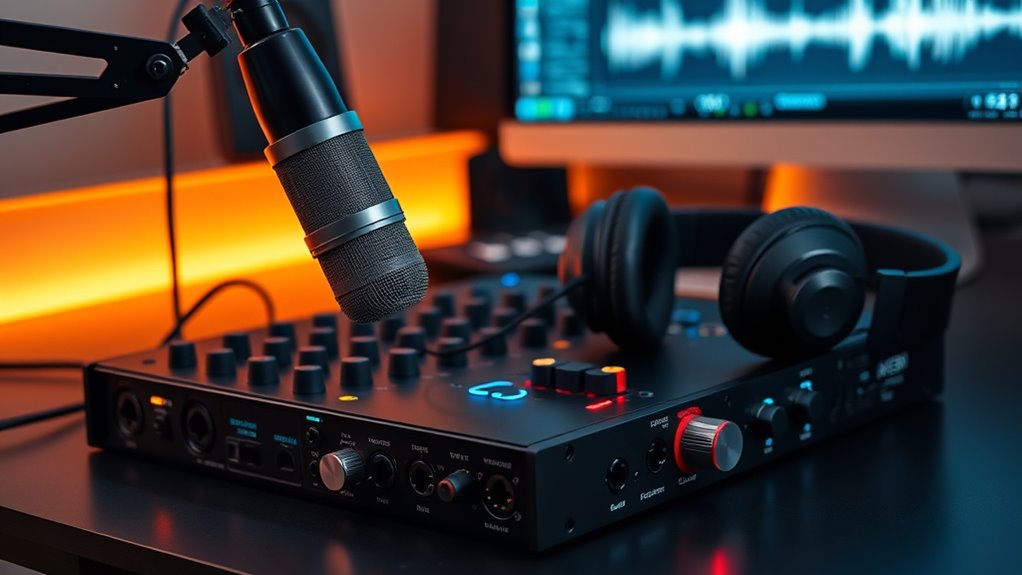

Choosing the right audio interface is essential for producing high-quality podcasts. The best models offer clear sound, reliable connections, and ease of use, but they also come with tradeoffs between price, features, and complexity. The Focusrite Scarlett Solo 3rd Gen stands out for its simplicity and excellent sound quality for beginners. Meanwhile, the Universal Audio Volt 2 offers premium sound and build for serious creators, but at a higher price. For many podcasters, balancing sound quality, budget, and ease of setup is the main challenge. Keep reading to see how these options compare and find the best fit for your podcasting needs.

Get business pricing on office and shipping supplies
- Business-only prices and quantity discounts
- Tax-exempt purchasing
- Multiple users, one account, clear invoices
Key Takeaways
- The top picks balance sound quality with ease of use, especially for those recoding while podcasting live or in real-time.
- Many models include multiple inputs and phantom power, but the most important feature varies by user, whether it’s simplicity or expandability.
- Higher-priced interfaces tend to offer better build quality and professional-grade features, but affordable models can still deliver excellent sound for beginners.
- Compatibility with various devices and operating systems is vital; some interfaces excel with smartphones and tablets in addition to PCs.
- Design and physical size matter more for mobile podcasters or those with limited space; compact models often sacrifice some features for portability.
| MAONO P2 Hybrid USB Audio Interface Dual XLR for PC, Phone, iPad, Guitar |  | Best for Versatile Mobile and Desktop Recording | Connectivity: Dual USB-C and USB-A ports, MFi-certified | Microphone Compatibility: Most condenser and dynamic microphones | Audio Quality: 24-bit/192kHz | VIEW ON AMAZON | See Our Full Breakdown |
| BOMGE Mini 2 Channel USB Audio Interface for Recording, Streaming, and Podcasting |  | Best for Portable, Simple 2-Channel Recording | Inputs: 2 combo XLR/LINE with phantom power | Outputs: RCA stereo, 1/4” headphone | Sample Rate: 48 kHz | VIEW ON AMAZON | See Our Full Breakdown |
| M-AUDIO M-Track Solo USB Audio Interface for Recording, Streaming and Podcasting with XLR, Line and DI Inputs, Plus a Software Suite Included |  | Best for Fuss-Free Recording with Software Flexibility | Inputs: XLR/Line with phantom power, instrument | Sample Rate: 48 kHz | Included Software: MPC Beats | VIEW ON AMAZON | See Our Full Breakdown |
| Focusrite Scarlett Solo 3rd Gen USB Audio Interface for Guitarists, Vocalists, Podcasters, and Producers |  | Best for High-Quality Studio Sound in a Compact Form | Pre-amps: High-performing with Air mode | Inputs: Two high-headroom instrument inputs | Sample Rate: Up to 24-bit/192kHz | VIEW ON AMAZON | See Our Full Breakdown |
| Universal Audio Volt 2 USB Audio Interface |  | Best for Vintage Tone and Professional Studio-Quality Sound | VIEW ON AMAZON | See Our Full Breakdown | |||
| M-Audio M-Track Duo USB Audio Interface for Recording, Streaming, and Podcasting |  | Best Value for Versatile Recording | Inputs: Dual combo XLR/Line/Instrument | Audio Resolution: 48kHz | Phantom Power: Yes | VIEW ON AMAZON | See Our Full Breakdown |
| Focusrite Vocaster One — Podcasting Interface for Recording as a Solo Creator | 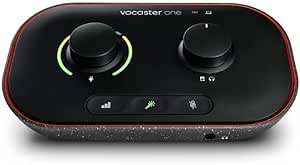 | Best for Solo Podcasters Needing Simplicity | Compatible Devices: Microphone, PC, tablet, smartphone, camera | Supported Software: All audio recording software | Connectivity Technology: USB | VIEW ON AMAZON | See Our Full Breakdown |
| Guitar Audio Interface Pocket Internal Recording Sound Card with Type-C & Lightning for Live Streaming |  | Best Compact Portable Interface for Mobile Streaming | Sound Quality: 24bit/48KHz | Connectivity: Type-C USB, Lightning, 1/4″ jack, 3.5mm headphone | Compatibility: Android, iPhone, iPad, PC, Laptop | VIEW ON AMAZON | See Our Full Breakdown |
| TISINO USB Audio Interface 24Bit/192kHz for Recording, Streaming, and Podcasting |  | Best for High-Resolution Professional Recording | Resolution: 24-bit/192kHz | Inputs: 2 combo XLR/TRS | Phantom Power: 48V | VIEW ON AMAZON | See Our Full Breakdown |
| Kmise USB Audio Interface with 48V Phantom Power for Recording and Studio Quality Sound |  | Best for Entry-Level Studio and Vocal Recording | Resolution: 24-bit/192kHz | Phantom Power: 48V | Connectivity: USB 3.0 Type-A | VIEW ON AMAZON | See Our Full Breakdown |
| Guitar Audio Interface Pocket Internal Recording Sound Card with Bluetooth for iPhone, Mac, Laptop, Android |  | Best Portable for Mobile Recording and Streaming | Latency: Less than 5ms | Sound Quality: 24-bit/48kHz | Connectivity: USB-C, Lightning to USB-C, Bluetooth | VIEW ON AMAZON | See Our Full Breakdown |
| Synido USB C Audio Interface for Recording Music, Streaming, Podcasting with XLR, Line Input, 24bit/48kHz, 48V Phantom Power, 2-channel, Silver |  | Best Compact Professional Sound for Versatile Recording | Supported Software: Any DAW compatible with Windows/Mac | Channels: 2 | Sample Rate: 48 KHz | VIEW ON AMAZON | See Our Full Breakdown |
| Zoom AMS-24 USB Audio Interface for Musicians & Podcasters |  | Best Flexible Mode Switching for Podcasters and Musicians | Inputs: 2 XLR/TRS | Outputs: 4 (including 2 headphone, 2 main TRS) | Features: Music/Streaming switch, Loopback, Direct Monitoring | VIEW ON AMAZON | See Our Full Breakdown |
| Zoom AMS-44 USB Audio Interface for Musicians & Podcasters |  | Best Professional Multi-Channel for Content Creators | Inputs: 4 | Outputs: 4 | Sample Rate: 192 KHz | VIEW ON AMAZON | See Our Full Breakdown |
| audio interfaces for podcaster | Inputs | Outputs | Compatibility |
|---|---|---|---|
| MAONO P2 Hybrid USB Audio Inte | — | — | — |
| BOMGE Mini 2 Channel USB Audio | 2 combo XLR/LINE with phantom power | RCA stereo, 1/4” headphone | Mac OS, Windows XP or later |
| M-AUDIO M-Track Solo USB Audio | XLR/Line with phantom power, instrument | Stereo RCA | Mac and Windows |
| Focusrite Scarlett Solo 3rd Ge | Two high-headroom instrument inputs | Two low-noise balanced outputs | — |
| Universal Audio Volt 2 USB Aud | — | — | — |
| M-Audio M-Track Duo USB Audio | Dual combo XLR/Line/Instrument | 1/4" headphone, stereo 1/4" outputs | — |
| Focusrite Vocaster One | — | — | — |
| Guitar Audio Interface Pocket | — | — | Android, iPhone, iPad, PC, Laptop |
| TISINO USB Audio Interface 24B | 2 combo XLR/TRS | 2 balanced TRS | — |
| Kmise USB Audio Interface with | — | — | — |
| Guitar Audio Interface Pocket | — | — | iPhone, Android, Mac, Laptop |
| Synido USB C Audio Interface f | — | — | Windows 7+, Mac OS, iOS, Android |
| Zoom AMS-24 USB Audio Interfac | 2 XLR/TRS | 4 (including 2 headphone, 2 main TRS) | PC, Mac, iOS, Android |
| Zoom AMS-44 USB Audio Interfac | 4 | 4 | PC, Mac, iOS, Android |
More Details on Our Top Picks
MAONO P2 Hybrid USB Audio Interface Dual XLR for PC, Phone, iPad, Guitar
The MAONO P2 stands out for its ability to connect simultaneously to both computers and mobile devices, making it ideal for podcasters who record on multiple platforms. Compared with the Focusrite Scarlett Solo, it offers more flexible connectivity options, especially for mobile use. However, its complex software setup can be daunting for newcomers, and it lacks built-in headphones or microphones, requiring additional gear. Its dual USB ports and advanced routing features are perfect for podcasters who want studio-quality sound across devices without sacrificing portability. The aluminum-alloy build adds durability, and the real-time effects and low-latency monitoring support professional workflows.
Pros:- Supports simultaneous connection to PC and mobile devices for flexible workflows
- High-quality 24-bit/192kHz audio with low latency
- Advanced software features for effects and routing
- Compact, durable design suitable for mobile use
Cons:- Requires some technical knowledge to fully utilize features
- No included microphones or headphones
Best for: Podcasters who need a flexible, multi-device recording setup with professional features.
Not ideal for: Beginners or those seeking a simple plug-and-play interface with minimal setup.
- Connectivity:Dual USB-C and USB-A ports, MFi-certified
- Microphone Compatibility:Most condenser and dynamic microphones
- Audio Quality:24-bit/192kHz
- Gain:56dB
- EIN:-130dB
- Supported Software:ASIO, PROSTUDIO 2
- Input/Output:XLR, headphone, monitor controls
- Build Material:Aluminum-alloy
- Tilt Angle:15°
Our verdict“This interface is best suited for podcasters who value versatility and professional features across multiple devices.”
BOMGE Mini 2 Channel USB Audio Interface for Recording, Streaming, and Podcasting
The BOMGE Mini offers essential recording capabilities in a truly portable form, making it an excellent choice for podcasters who often record on the go. Unlike the Focusrite Scarlett Solo, it provides a smaller footprint and straightforward plug-and-play setup that requires no drivers. Its two combo XLR/LINE inputs with phantom power cover basic podcasting needs, but it’s limited to just two channels, which could be restrictive for more complex setups. The 48 kHz sample rate is sufficient for clear audio, yet it lacks built-in effects or advanced mixing tools, so users need external software to shape their sound. Its ultra-portable size and simple interface make it ideal for on-location recording or mobile streaming.
Pros:- Compact, lightweight design for easy portability
- Supports high-quality 48 kHz recording
- Plug-and-play with no driver installation
- Dual combo inputs with phantom power for versatile microphones
Cons:- Limited to 2 channels, restricting multi-mic setups
- No onboard effects or advanced features
Best for: Podcasters who prioritize portability and simplicity for on-the-move recording.
Not ideal for: Podcasters needing multi-channel recording or onboard effects for more complex productions.
- Inputs:2 combo XLR/LINE with phantom power
- Outputs:RCA stereo, 1/4” headphone
- Sample Rate:48 kHz
- Phantom Power:48V
- Compatibility:Mac OS, Windows XP or later
- Dimensions:Ultra-portable size
Our verdict“This interface makes the most sense for mobile podcasters who need straightforward, reliable sound capture without extra complexity.”
M-AUDIO M-Track Solo USB Audio Interface for Recording, Streaming and Podcasting with XLR, Line and DI Inputs, Plus a Software Suite Included
The M-AUDIO M-Track Solo is a solid choice for podcasters seeking a straightforward interface with versatile input options. It includes a combo XLR/Line input with phantom power and a dedicated instrument input, making it suitable for vocals and guitar recordings alike, unlike the more limited Focusrite Scarlett Solo. Its ability to deliver 48kHz audio ensures clear sound, and the included MPC Beats software adds production value for creators who want to produce directly from their interface. However, it lacks onboard effects, advanced routing, or multiple outputs, which could be a downside for those looking for more control. This interface strikes a good balance between simplicity and professional features for solo podcasters or musicians.
Pros:- Includes MPC Beats software for easy production
- Good input versatility with XLR/Line and instrument options
- Supports 48kHz audio quality for clarity
- Simple USB plug-and-play setup
Cons:- No onboard effects or advanced routing
- Limited outputs for monitoring flexibility
Best for: Solo podcasters or musicians who want a simple, reliable interface with included production software.
Not ideal for: Podcasters needing multi-mic or multi-instrument setups with onboard effects or extensive routing.
- Inputs:XLR/Line with phantom power, instrument
- Sample Rate:48 kHz
- Included Software:MPC Beats
- Outputs:Stereo RCA
- Compatibility:Mac and Windows
- Input Type:Combo XLR/Line, Instrument
Our verdict“This interface suits solo creators who want straightforward recording with integrated production tools, but not complex routing or effects.”
Focusrite Scarlett Solo 3rd Gen USB Audio Interface for Guitarists, Vocalists, Podcasters, and Producers
The Focusrite Scarlett Solo 3rd Gen remains a favorite for podcasters seeking professional-grade sound in a compact package. Its high-quality pre-amps with the unique Air mode deliver a brighter, more open vocal tone, making it ideal for vocal podcasts. While it’s comparable to the Universal Audio Volt 2 in audio quality, the Scarlett’s simplicity and lower power requirements make it more accessible for those starting out. It’s limited to two inputs, which may restrict multi-mic setups, and lacks MIDI connectivity. Its robust software bundle and three-year warranty add peace of mind for long-term use. However, for recoding sound while using the podcast, the Scarlett’s straightforward setup and excellent pre-amps make it a reliable choice for most podcasters focused on vocal clarity.
Pros:- High-performance pre-amps with Air mode for clarity
- Includes professional software bundle
- Compact, durable design
- 3-year warranty for peace of mind
Cons:- Limited to two inputs, restricting multi-mic setups
- No MIDI or advanced routing options
Best for: Podcasters who need high-quality vocal recordings with minimal fuss and a compact footprint.
Not ideal for: Podcasters requiring complex multi-mic arrangements or onboard effects and routing.
- Pre-amps:High-performing with Air mode
- Inputs:Two high-headroom instrument inputs
- Sample Rate:Up to 24-bit/192kHz
- Outputs:Two low-noise balanced outputs
- Included Software:Pro Tools, Ableton, Cubase
- Warranty:3 years
Our verdict“Ideal for vocal-focused podcasters who prioritize sound quality and simplicity in a compact setup.”
Universal Audio Volt 2 USB Audio Interface
The Universal Audio Volt 2 distinguishes itself with vintage preamp emulation and high-end build quality, making it a top choice for podcasters aiming for rich, warm sound. Compared with the Focusrite Scarlett Solo, the Volt 2 offers a more characterful tone thanks to its emulated preamps, appealing to those who want a distinctive sound signature. It supports up to 24-bit/192kHz recording and is compatible with Mac, Windows, iPad, and iPhone, providing great flexibility. However, it requires an external power supply and an Apple Lightning to USB Camera Adapter for iPads, which can complicate mobile use. Its access to UAD plug-ins offers a professional edge, but the need for extra accessories limits portability slightly.
Pros:- High-quality 24-bit/192kHz recording
- Vintage preamp emulation for warm tone
- Versatile device compatibility
- Access to UAD professional plug-ins
Cons:- Requires external power supply
- Needs Apple Lightning to USB Camera Adapter for iPads
Best for: Podcasters who want studio-grade sound with a vintage character and professional effects access.
Not ideal for: Mobile podcasters or those seeking a portable, battery-powered solution without extra accessories.
Our verdict“This interface is best for podcasters who value rich, vintage-inspired sound quality and are okay with extra setup for mobile use.”
M-Audio M-Track Duo USB Audio Interface for Recording, Streaming, and Podcasting
The M-Audio M-Track Duo stands out for its flexible dual combo inputs, allowing podcasters to connect microphones and instruments simultaneously. Compared to the Focusrite Vocaster One, it offers broader input options but at a slightly lower sound quality ceiling, with 48kHz resolution instead of 70dB gain advantages. The inclusion of MPC Beats software makes it appealing for those who want to produce music alongside podcasts, though its 48kHz limit may fall short for high-fidelity recording needs. It’s a solid pick for creators who need versatile inputs and basic production tools without breaking the bank. Tradeoffs include limited resolution and fewer advanced features.
Pros:- Versatile combo XLR/Line/Instrument inputs for multiple sources
- High-quality preamps deliver clear sound
- Includes production software for music and podcast creation
- Zero latency monitoring with USB/Direct switch
Cons:- Limited to 48kHz audio resolution, which may affect professional audio quality
- No additional I/O or advanced features for complex setups
Best for: Podcasters and musicians needing a flexible, budget-friendly interface with multiple input options.
Not ideal for: High-end audio engineers or professionals requiring 96kHz+ audio fidelity and extensive I/O options.
- Inputs:Dual combo XLR/Line/Instrument
- Audio Resolution:48kHz
- Phantom Power:Yes
- Outputs:1/4″ headphone, stereo 1/4″ outputs
- Software Included:MPC Beats
Our verdict“This interface suits podcasters who value flexibility and integrated software over ultra-high fidelity recordings.”
Focusrite Vocaster One — Podcasting Interface for Recording as a Solo Creator
The Focusrite Vocaster One emphasizes ease of use and studio-quality sound with over 70dB gain, making it ideal for solo creators who want quick setup. Its Auto Gain and Enhance presets simplify getting professional sound without fuss, but the device’s single-channel design limits it to one microphone at a time, unlike multi-mic setups with interfaces like the TISINO USB. While it offers multiple connectivity options, it doesn’t include a built-in mic, meaning additional equipment is necessary. Compared with the M-Audio M-Track Duo, it’s more streamlined but less versatile for multi-source recording. This pick is perfect for solo podcasters who prioritize convenience and quality over multi-mic configurations.
Pros:- Studio-quality sound with high gain for any microphone
- Auto Gain and Enhance presets for quick, consistent levels
- Multiple connection options for phones, cameras, and computers
- Compact, lightweight design for portability
Cons:- Limited to a single microphone input, unsuitable for multi-mic setups
- Requires connection to a device to operate, no standalone functionality
Best for: Solo podcasters or streamers who want a straightforward, portable solution with professional sound quality.
Not ideal for: Teams or multi-mic setups that require multiple inputs or advanced routing options.
- Compatible Devices:Microphone, PC, tablet, smartphone, camera
- Supported Software:All audio recording software
- Connectivity Technology:USB
- Number of Channels:1
- Maximum Sample Rate:48 KHz
- Dimensions:4.45″D x 7.66″W x 1.99″H
Our verdict“This interface makes the most sense for solo creators seeking easy, high-quality recording without complex setup.”
Guitar Audio Interface Pocket Internal Recording Sound Card with Type-C & Lightning for Live Streaming
The Guitar Audio Interface Pocket offers a truly portable solution for recording and streaming on smartphones and laptops. Its 24bit/48KHz quality ensures decent studio sound in a tiny package, making it suitable for on-the-go podcasters or musicians. Unlike bulkier interfaces, this device’s pocket-sized design with a back clip makes it ideal for mobile setups, but it comes with limited functionality—no onboard mixing or advanced features. Compared to the Kmisse USB, it’s more focused on live streaming rather than detailed studio work, which means it’s better suited for quick recordings and streaming rather than editing. This device is perfect for mobile content creators who prioritize convenience and decent sound quality.
Pros:- High-quality 24bit/48KHz audio with low latency
- Compact, pocket-sized design with back clip
- Plug-and-play compatibility with smartphones and laptops
- Easy volume adjustments
Cons:- Limited to basic recording and streaming, no mixing capabilities
- No internal batteries, depends on connected device power
Best for: Beginners or mobile podcasters needing a simple, portable interface for streaming and quick recordings.
Not ideal for: Professional studios or users requiring advanced control and editing features.
- Sound Quality:24bit/48KHz
- Connectivity:Type-C USB, Lightning, 1/4″ jack, 3.5mm headphone
- Compatibility:Android, iPhone, iPad, PC, Laptop
- Dimensions:Pocket-sized
- Features:Low latency, plug-and-play, all-in-one
Our verdict“This interface suits on-the-move creators seeking decent quality and portability for live streaming or quick recordings.”
TISINO USB Audio Interface 24Bit/192kHz for Recording, Streaming, and Podcasting
The TISINO USB Audio Interface delivers impressive 24-bit/192kHz fidelity, appealing to podcasters looking for studio-grade quality in a straightforward package. Its combo inputs support both microphones and instruments, and with 48V phantom power, it handles condenser mics confidently. Compared to the Kmise, it offers higher maximum sampling rates but shares similar simplicity—no onboard editing or advanced routing. Its durable metal chassis makes it suitable for portable use, though it’s more focused on high-quality recording than live mixing. The absence of bundled software and reliance on basic features mean it’s better for those who prioritize sound clarity over complex workflows. This interface is ideal for professional-quality podcast recordings where fidelity is paramount.
Pros:- Studio-quality 24-bit/192kHz audio resolution
- Plug-and-play with driver-free setup
- Versatile combo XLR/TRS inputs for mics and instruments
- Durable metal chassis for portability
Cons:- Limited to basic recording and streaming features
- No included software or advanced interface options
Best for: Podcasters and musicians seeking high-resolution recording with a simple, reliable device.
Not ideal for: Beginners or those needing extensive onboard features or editing tools.
- Resolution:24-bit/192kHz
- Inputs:2 combo XLR/TRS
- Phantom Power:48V
- Outputs:2 balanced TRS
- Connectivity:USB 3.0
Our verdict“This device works best for podcasters who prioritize ultra-high fidelity and straightforward operation over extra features.”
Kmise USB Audio Interface with 48V Phantom Power for Recording and Studio Quality Sound
The Kmise USB Audio Interface offers a well-rounded, beginner-friendly option with 24-bit/192kHz recording clarity. Its simple plug-and-play design, along with 48V phantom power, makes it particularly attractive for podcasters and vocalists starting out or recording on the move. Compared with the Guitar Audio Interface Pocket, it provides more professional features and slightly better sound quality, but remains basic in terms of advanced controls. Its compatibility with Mac, PC, and mobile devices makes it versatile for different setups, although its lack of high-end features could limit growth for more demanding users. This interface makes a reliable choice for those who need quality sound without complexity. It’s well suited for beginner podcasters and home studio setups.
Pros:- High-quality 24-bit/192kHz recording
- Includes 48V phantom power for condenser mics
- Plug-and-play with Mac, PC, and mobile devices
- Compact, portable design
Cons:- Limited to basic recording and streaming functions
- Lacks advanced features or onboard controls
Best for: Entry-level podcasters and vocalists seeking a straightforward, portable interface for quality recordings.
Not ideal for: Advanced users needing extensive control, editing, or multiple inputs for complex projects.
- Resolution:24-bit/192kHz
- Phantom Power:48V
- Connectivity:USB 3.0 Type-A
- Features:Low-latency, plug-and-play
Our verdict“This interface fits beginners or mobile podcasters seeking reliable, high-quality sound in a simple package.”
Guitar Audio Interface Pocket Internal Recording Sound Card with Bluetooth for iPhone, Mac, Laptop, Android
This compact sound card stands out for its ultra-low latency and versatility, especially with Bluetooth sync that makes internal audio capture seamless. Compared to larger desktop interfaces like the Zoom AMS-44, this model sacrifices multiple inputs and high channel counts for portability and quick setup. Its 24-bit/48kHz quality is sufficient for most podcasting needs, but it doesn’t support higher resolutions or complex multi-mic setups. The absence of built-in microphones or additional inputs limits its use to internal audio and simple recordings. Ideal for mobile podcasters or streamers needing quick, on-the-go audio capture, but less suitable for those requiring multi-mic or high-fidelity multi-track recordings.
Pros:- Low latency (<5ms) for real-time recording and streaming
- Wireless Bluetooth sync simplifies internal audio capture
- Small, lightweight design with back clip for portability
- Compatible with multiple devices including smartphones and computers
Cons:- Limited to 24-bit/48kHz audio, not higher resolutions
- Requires compatible USB-C or Lightning ports, restricting device compatibility
- No built-in microphone or additional inputs for external sources
Best for: Podcasters who record on the move and need quick, wireless internal audio capture from smartphones or laptops
Not ideal for: Podcasters with complex multi-mic setups or higher audio fidelity needs, as it lacks multiple inputs and higher-resolution support
- Latency:Less than 5ms
- Sound Quality:24-bit/48kHz
- Connectivity:USB-C, Lightning to USB-C, Bluetooth
- Compatibility:iPhone, Android, Mac, Laptop
- Design:Compact, lightweight with back clip
Our verdict“This pick makes the most sense for mobile podcasters who prioritize portability and internal audio recording over multiple inputs or higher resolution sound.”
Synido USB C Audio Interface for Recording Music, Streaming, Podcasting with XLR, Line Input, 24bit/48kHz, 48V Phantom Power, 2-channel, Silver
The Synido USB C interface offers solid 24-bit/48kHz sound quality with professional features like XLR input and phantom power, making it a step up from smaller, simpler interfaces like the Guitar Pocket. It’s ideal for podcasters who want reliable sound without complex setups, but it’s limited to two channels, which might be insufficient for multi-mic interviews or advanced multi-track recordings. Its compact size and straightforward connectivity make it suitable for mobile or desktop use, yet some users may find setup instructions less clear, especially when configuring phantom power or monitoring modes. This interface balances quality and portability for podcasters who need good sound but don’t require multiple inputs.
Pros:- High-quality 24-bit/48kHz audio ensures clear recordings
- Supports phantom power for condenser microphones
- Compact, portable design with versatile connectivity
- Compatible with Windows, Mac, iOS, and Android devices
Cons:- Requires third-party driver for optimal DAW operation
- Limited to 2 channels, restricting multi-mic or multi-source setups
- Setup instructions may be unclear for some users
Best for: Podcasters and musicians seeking a portable, high-quality interface with XLR support for single-mic recordings or streaming
Not ideal for: Podcasters needing multi-mic or multi-tracking capabilities, or users seeking plug-and-play ease without driver setup
- Supported Software:Any DAW compatible with Windows/Mac
- Channels:2
- Sample Rate:48 KHz
- Compatibility:Windows 7+, Mac OS, iOS, Android
- Dimensions:4.53″D x 5.51″W x 1.77″H
- Weight:0.41 kg
Our verdict“This interface is best suited for podcasters who want reliable, professional sound in a portable form factor, but don’t need more than two channels or plug-and-play simplicity.”
Zoom AMS-24 USB Audio Interface for Musicians & Podcasters
The Zoom AMS-24 offers versatile functionality with two inputs and four outputs, making it a strong choice for podcasters who need to switch modes between streaming and recording, unlike simpler two-input interfaces like the Synido. Its hardware controls and loopback features provide practical routing options, but with only two inputs, it may fall short for larger multi-mic setups or complex recording projects. Its interface may seem daunting for beginners, but its multiple modes and outputs make it suitable for diverse content creation scenarios. This model makes sense for podcasters who value flexible routing and multi-mode operation in a compact device.
Pros:- Switchable between streaming and recording modes
- Multiple outputs for routing flexibility
- Hardware controls for precise adjustments
- Compatible with PC, Mac, iOS, and Android
Cons:- Limited to two inputs, restricting larger multi-mic setups
- Lacks built-in effects or processing features
- Potentially complex for users unfamiliar with hardware controls
Best for: Podcasters and musicians who need hardware controls and flexible mode switching for various recording and streaming setups
Not ideal for: Podcasters requiring more than two inputs or who prefer simple plug-and-play interfaces without complex controls
- Inputs:2 XLR/TRS
- Outputs:4 (including 2 headphone, 2 main TRS)
- Features:Music/Streaming switch, Loopback, Direct Monitoring
- Compatibility:PC, Mac, iOS, Android
Our verdict“This device suits podcasters needing mode flexibility and hardware controls, but is less ideal for those with larger, multi-mic needs or seeking straightforward operation.”
Zoom AMS-44 USB Audio Interface for Musicians & Podcasters
The Zoom AMS-44 provides four inputs and four outputs, appealing to podcasters and musicians who need more channels for complex recordings. Its 192 kHz/96 kHz support ensures high-resolution sound, outpacing the 48 kHz limit of many 2-channel options like the Synido. Loopback and direct monitoring make it suitable for professional streaming, but its four channels may be unnecessary for simple podcasts. Setup can be more involved, especially for beginners, and it lacks built-in mics or instruments, requiring external gear. This model is best for content creators with larger setups or multi-mic needs, but overkill for basic podcasters.
Pros:- High-quality 4-in, 4-out configuration for professional use
- Supports up to 192 kHz/96 kHz for high-resolution audio
- Loopback and direct monitoring facilitate seamless streaming
- Bus-powered with optional battery for portability
Cons:- Limited to four channels, not suitable for larger multi-mic setups
- No built-in microphone or instrument inputs
- Setup complexity may challenge beginners
Best for: Podcasters and musicians requiring multi-channel recording, high-resolution sound, and professional-grade connectivity
Not ideal for: Podcasters with simple single-mic setups who want plug-and-play ease or minimal gear
- Inputs:4
- Outputs:4
- Sample Rate:192 KHz
- Frequency Response:96 KHz
- Compatibility:PC, Mac, iOS, Android
- Weight:320 grams
Our verdict“This interface is best for advanced podcasters or musicians needing multi-channel, high-fidelity recording with professional features, but it might be overkill for typical solo podcasts.”
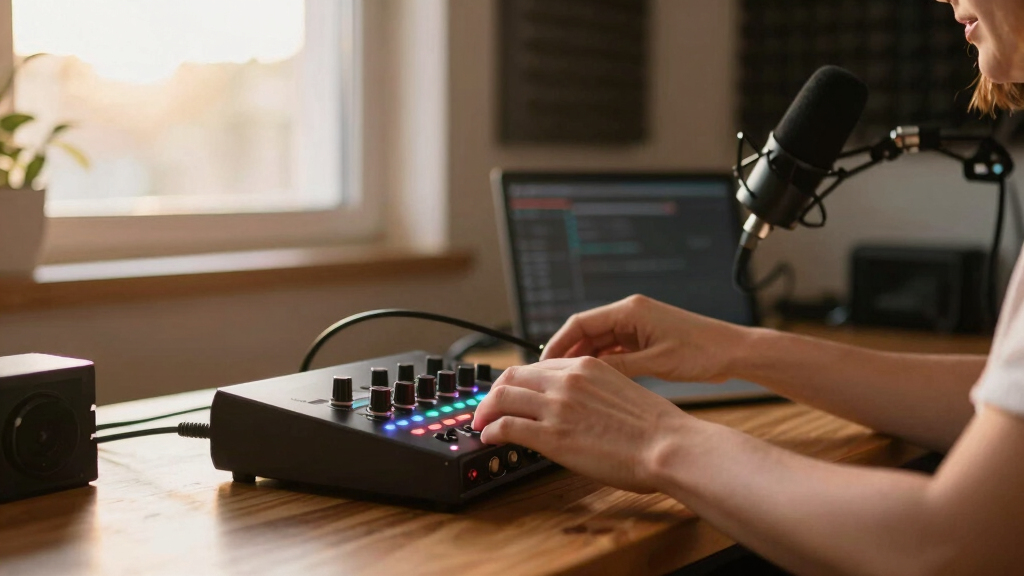
How We Picked
These products were evaluated based on performance, usability, build quality, and value for podcasters who record while podcasting. Priority was given to interfaces that offer reliable audio quality, easy setup, and compatibility with common recording setups. We also considered features like phantom power, input options, and portability, as well as user reviews to identify common strengths and weaknesses. The ranking reflects a balance between affordability and features, aiming to recommend options suitable for both beginners and more experienced podcasters who record on the go or in studio environments.| audio interfaces for podcaster | Compatibility |
|---|---|
| MAONO P2 Hybrid USB Audio Inte | — |
| BOMGE Mini 2 Channel USB Audio | Mac OS, Windows XP or later |
| M-AUDIO M-Track Solo USB Audio | Mac and Windows |
| Focusrite Scarlett Solo 3rd Ge | — |
| Universal Audio Volt 2 USB Aud | — |
| M-Audio M-Track Duo USB Audio | — |
| Focusrite Vocaster One | — |
| Guitar Audio Interface Pocket | Android, iPhone, iPad, PC, Laptop |
| TISINO USB Audio Interface 24B | — |
| Kmise USB Audio Interface with | — |
| Guitar Audio Interface Pocket | iPhone, Android, Mac, Laptop |
| Synido USB C Audio Interface f | Windows 7+, Mac OS, iOS, Android |
| Zoom AMS-24 USB Audio Interfac | PC, Mac, iOS, Android |
| Zoom AMS-44 USB Audio Interfac | PC, Mac, iOS, Android |
Factors to Consider When Choosing Audio Interfaces For Podcasters
When choosing an audio interface for podcasting, several key factors can influence your experience and recording quality. Understanding these considerations helps avoid common pitfalls, such as overpaying for unnecessary features or buying an underpowered model that limits your growth. The right interface should match your current needs and future plans, whether you record solo, with guests, or with multiple inputs. Here are the most important factors to consider:Number of Inputs and Outputs
Assess how many microphones or instruments you’ll need to connect simultaneously. For solo podcasting with one host, a single-input interface like the Focusrite Scarlett Solo might suffice. If you plan to record multiple guests or incorporate instruments, models with multiple XLR and line inputs are better. Keep in mind that more inputs often mean higher cost and complexity, so choose a model that fits your current setup but allows room to grow.
Connectivity and Compatibility
Ensure the interface works with your devices, whether you’re recording on a PC, Mac, iPad, or smartphone. Some models support USB-C, Thunderbolt, or have dedicated mobile ports, which can be a game-changer for on-the-go recording. Compatibility extends to your recording software and operating system, so verify these before purchase to prevent frustration.
Sound Quality and Preamps
Look for interfaces with high-quality analog-to-digital converters and preamps. While mid-range models often suffice, serious podcasters may prefer interfaces with transparent, low-noise preamps and higher sample rates (at least 24-bit/96kHz). This ensures clearer voice recordings and better editing flexibility. Remember, a great mic can be hampered by poor interface quality.
Portability and Size
If you record in different locations or have limited space, a compact, lightweight interface can be a smart choice. Portable models often sacrifice some features, but they enable recording anywhere. Conversely, larger studio-style interfaces might offer more I/O options and better cooling but are less convenient for mobile setups.
Build Quality and Durability
Podcasters who record frequently or on the move should prioritize rugged construction. Metal enclosures and durable connectors reduce the risk of damage over time. Cheaper plastic models may be tempting, but they can suffer from loose connections or breakage, disrupting your recording workflow.
Frequently Asked Questions
Can I record while using a USB audio interface with my podcasting software?
Yes, most USB audio interfaces are designed to work seamlessly with popular podcasting software like Audacity, Adobe Audition, or GarageBand. They serve as the primary input device, capturing your microphone or instrument signals. Ensure your software recognizes the interface as the default input and output device, which is usually straightforward with plug-and-play models. This setup allows you to record high-quality audio directly into your preferred application without additional hardware.
Do I need phantom power for podcasting microphones?
If you’re using condenser microphones, phantom power is essential, as these mics require 48V to operate properly. Many interfaces include phantom power switches, making it easy to power condenser mics. Dynamic microphones, common in podcasting, do not need phantom power and are less sensitive to electrical interference, so you can save money by choosing an interface without it if you’re only using dynamic mics.
Is it better to buy a more expensive interface for podcasting?
Higher-priced interfaces generally offer better preamps, build quality, and additional features like multiple inputs and outputs, which can be valuable if you plan to expand your setup. If you’re just starting and recording solo, a budget-friendly model often provides all the essentials you need for professional-sounding podcasts. Consider your future needs and whether investing in a more capable unit now makes sense for your growth.
Can I connect a guitar or instruments to a podcasting interface?
Yes, many interfaces include dedicated instrument inputs with Hi-Z support, allowing you to connect guitars and other instruments directly. This is useful if you include musical segments or want to record sound effects. However, not all basic models have this feature, so check the specifications if instrument recording is part of your plan.
How important is the sample rate and bit depth in an audio interface?
Sample rate and bit depth influence the fidelity of your recordings. A higher sample rate (such as 96kHz or 192kHz) captures more detail, but for podcasting, 44.1kHz or 48kHz at 24-bit are typically sufficient. Higher settings can increase file size and processing demands without providing noticeable benefits for spoken-word content. For most podcasters, focusing on 24-bit/48kHz strikes a good balance between quality and efficiency.