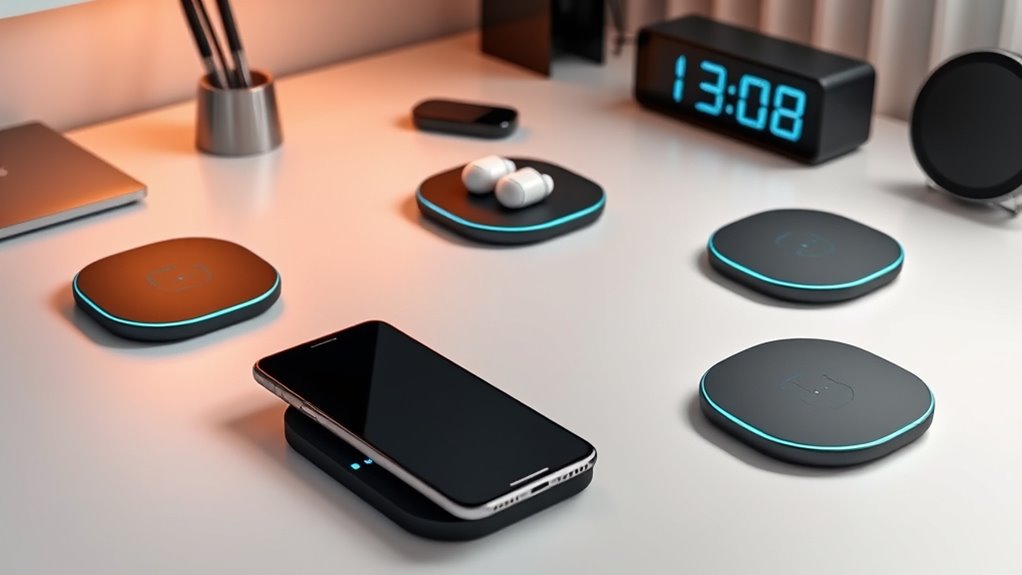

The best wireless charging pads for desks combine dependable charging with a layout that suits your work surface. I’d put the ZealSound 3-in-1 Wireless Charging Pad first for its multi-device support and included adapter, while the INIU 15W Wireless Charger is a simpler pick for one phone and the Triple C Tech Desk Mat suits buyers who want a detachable charger built into a larger work area. The main tradeoff is between a compact, easy-to-place pad and a desk mat that adds mouse space but takes up more room. Charging compatibility, cable placement, and whether a phone stays put while you work matter as much as headline wattage. Read on for the full breakdown and help matching a charger to your desk.

Get business pricing on office and shipping supplies
- Business-only prices and quantity discounts
- Tax-exempt purchasing
- Multiple users, one account, clear invoices
Key Takeaways
- ZealSound stands out for multi-device charging: it supports phones and small accessories and includes a 24W adapter, so it asks less of buyers who do not already have a suitable power supply.
- Compact pads and desk mats solve different problems: the INIU and Yootech suit a single charging spot, while the XXL TopMade and Schkner options also claim space for keyboard and mouse movement.
- Detachable charging is a practical differentiator: Triple C Tech’s removable MagSafe/Qi charger can offer more flexibility than a charger fixed into a desk mat.
- Large surfaces do not automatically mean better desk charging: several mats are around 31.5 inches wide, so desk depth, mouse travel, and cable routing can outweigh extra coverage.
- Power claims need a compatibility check: listed wattage varies from 10W to 25W, but supported phone models, charging standards, and included power supplies determine what a buyer can actually use.
| INIU Wireless Charger, 15W Fast Wireless Charging Phone Station with LED |  | Best Standalone Desk Pad | Wireless standard: Qi | Maximum power: 15W | Connector: USB Type-C | VIEW ON AMAZON | See Our Full Breakdown |
| Schkner RGB Gaming Mouse Pad with Wireless Charging 15W, Large Desk Mat 800x300x4mm, 10 Light Modes |  | Best for RGB Gaming Desks | Dimensions: 800 × 300 × 4 mm | Wireless charging power: 15W | Lighting modes: 10 | VIEW ON AMAZON | See Our Full Breakdown |
| Fast Wireless Charger, 25W Wireless Charging Induction Pad for iPhone and Samsung |  | Best Slim Travel Pick | Maximum wireless power: 25W | Thickness: 6 mm | Connector: USB Type-C | VIEW ON AMAZON | See Our Full Breakdown |
| VOVIPO 3-in-1 Wireless Charging Mouse Pad with Large Desk Mat, 90 x 40cm |  | Best for Multi-Device Charging | Dimensions: 90 × 40 cm | Phone charging power: 15W | Earphone charging power: 5W | VIEW ON AMAZON | See Our Full Breakdown |
| TopMade Wireless Charging Mouse Pad, 31.5 x 15.75 inch XXL Gaming Desk Mat |  | Best Large Mat for a Simple Setup | Dimensions: 31.5 × 15.75 inches | Maximum wireless charging power: Up to 15W | Compatibility: Qi-enabled devices, MagSafe iPhones, and AirPods | VIEW ON AMAZON | See Our Full Breakdown |
| Yootech Wireless Charging Pad, 10W Max Qi Charger for iPhone, Samsung, and AirPods |  | Best Compact Pad for a Shared Desk | Maximum output: 10W | Charging modes: 5W, 7.5W, and 10W | Connector: USB Type-C | VIEW ON AMAZON | See Our Full Breakdown |
| Triple C Tech Wireless Charging Desk Mat & Mouse Pad with Detachable MagSafe/Qi Charger |  | Best for a Clutter-Conscious Desk | Dimensions: 30.7 × 14.6 inches | Maximum charging power: Up to 15W | Charging module: Detachable | VIEW ON AMAZON | See Our Full Breakdown |
| TopMade XXL Wireless Charging Mouse Pad – 31.5″ x 15.75″, 15W Fast Qi, Ultra-Smooth Surface, Non-Slip Rubber Base, Black |  | Best for Mouse Control and Desk Coverage | Dimensions: 31.5 × 15.75 inches | Maximum wireless charging power: Up to 15W | Compatible devices: iPhone 12–17 series, Samsung Galaxy S8–S23, AirPods with MagSafe case, and other Qi-enabled devices | VIEW ON AMAZON | See Our Full Breakdown |
| ZealSound Wireless Charging Pad, 3-in-1 Charger for iPhone, Samsung Galaxy, Pixel, AirPods & Galaxy Buds, 24W Adapter Included, Ultra Slim, Case Friendly, PU Leather, Gray |  | Best for Charging Several Devices | Simultaneous charging: Up to 3 devices | Wireless output: Up to 10W per device | Power adapter: 24W adapter included | VIEW ON AMAZON | See Our Full Breakdown |
| Mouse Pad with 15W Wireless Charging, XXL Large Leather Desk Mat, Black |  | Best PU Leather Desk Mat | Dimensions: 31.5 × 15.7 inches | Wireless charging power: Up to 15W | Compatible devices: Qi-enabled devices, MagSafe cases, and AirPods Pro | VIEW ON AMAZON | See Our Full Breakdown |
| MagSafe Magnetic Wireless Charger for iPhone |  | Best Compact Pick | Connector: USB Type-C | Cable length: 3.96 ft | Compatible iPhone series: iPhone 12–17 | VIEW ON AMAZON | See Our Full Breakdown |
| Wireless Charging Mouse Pad with Foldable Phone Holder, 31.5″ x 15.8″, Black |  | Best Desk-Organization Pick | Dimensions: 31.5 x 15.8 inches | Phone charging power: 15W | AirPods charging power: 5W | VIEW ON AMAZON | See Our Full Breakdown |
| Wireless Charging RGB Mouse Pad with Phone Stand, Large Gaming Desk Mat |  | Best for RGB Gaming Setups | Size: Large, extended desk surface | Smartphone charging power: 15W | Earbud charging power: 5W | VIEW ON AMAZON | See Our Full Breakdown |
| wireless charging pads for desk | Dimensions |
|---|---|
| INIU Wireless Charger | — |
| Schkner RGB Gaming Mouse Pad w | 800 × 300 × 4 mm |
| Fast Wireless Charger | — |
| VOVIPO 3-in-1 Wireless Chargin | 90 × 40 cm |
| TopMade Wireless Charging Mous | 31.5 × 15.75 inches |
| Yootech Wireless Charging Pad | — |
| Triple C Tech Wireless Chargin | 30.7 × 14.6 inches |
| TopMade XXL Wireless Charging | 31.5 × 15.75 inches |
| ZealSound Wireless Charging Pa | — |
| Mouse Pad with 15W Wireless Ch | 31.5 × 15.7 inches |
| MagSafe Magnetic Wireless Char | — |
| Wireless Charging Mouse Pad wi | 31.5 x 15.8 inches |
| Wireless Charging RGB Mouse Pa | — |
More Details on Our Top Picks
INIU Wireless Charger, 15W Fast Wireless Charging Phone Station with LED
For a desk where I want to charge a phone without giving up mouse or keyboard space, the INIU 15W pad is the most focused choice here. Its dual-coil design gives more freedom in how a phone sits on the pad than a small single-position target, while Qi compatibility covers a broad mix of devices. Unlike the Schkner RGB Gaming Mouse Pad, it keeps lighting and a full desk mat out of the setup, so it suits a tidy work surface better. Temperature control and a dimming LED add useful reassurance in a shared office or bedroom workspace. The tradeoff is that it charges one device at a time and tops out at 15W; the VOVIPO mat is more capable if I want charging zones for a phone, earbuds, and watch. A compatible USB-C power source is also needed, since an adapter is not included.
Pros:- 15W Qi charging works with a broad range of compatible phones
- Dual-coil layout allows more flexibility in phone placement
- Temperature control helps manage heat during charging
- Dimming LED is less distracting in a bedroom or low-light office
Cons:- Power adapter is not included, so a suitable USB-C power source is required
- Charges one device at a time and is limited to 15W
- Wider pad may take more room than a very compact single-device charger
Best for: Desk workers who want a compact, standalone Qi pad for one phone and prefer not to replace their mouse surface with a charging mat
Not ideal for: People who want to charge several devices at once, need a supplied wall adapter, or require output above 15W
- Wireless standard:Qi
- Maximum power:15W
- Connector:USB Type-C
- Input voltage:5V
- Input current:3A
- Compatible devices:iPhone, Samsung, Google Pixel, LG, Huawei, Xiaomi, and other compatible devices
- Power source:External USB-C power source required
Our verdict“Choose the INIU if you want a straightforward 15W phone pad for a desk and do not need the multi-device charging built into the VOVIPO mat.”
Schkner RGB Gaming Mouse Pad with Wireless Charging 15W, Large Desk Mat 800x300x4mm, 10 Light Modes
The Schkner combines a 15W charging zone with an 800 × 300 mm mouse mat, making it a natural fit for a gaming desk where the phone can sit beside the keyboard rather than occupy a separate charger. Its 10 lighting modes give it a more decorative role than the plain TopMade Wireless Charging Mouse Pad, while the waterproof fabric and stitched edges are practical for frequent desk use. That added atmosphere comes with a real footprint: the mat needs room for both keyboard and mouse, so it is less suited to a compact office than the INIU standalone pad. Lighting also adds another feature to power and manage, and the product requires a Type-C connection. I would pick it for a setup built around RGB accessories, not for a buyer who wants the simplest charging surface or a neutral look.
Pros:- Built-in 15W wireless charging keeps a compatible phone within reach
- Ten lighting modes suit RGB gaming setups
- 800 × 300 mm surface accommodates a keyboard and mouse
- Waterproof fabric, stitched edges, and a non-slip natural-rubber base support regular desk use
Cons:- The 800 × 300 mm footprint can crowd a small desk
- Requires a Type-C connection and suitable cable
- Lighting may be distracting in a restrained or low-light workspace
Best for: PC gamers with a medium-to-large desk who want a lit keyboard-and-mouse surface with a built-in phone charging spot
Not ideal for: Small-desk users or people seeking a discreet, low-clutter office pad without lighting and a separate Type-C connection
- Dimensions:800 × 300 × 4 mm
- Wireless charging power:15W
- Lighting modes:10
- Surface material:Waterproof fabric
- Base material:Natural rubber
- Connection:Type-C
- Compatibility:iPhone, Samsung Galaxy, AirPods, and other compatible devices
- Warranty:1 year
Our verdict“Choose the Schkner over the plain TopMade mat if RGB lighting matters and your desk has room for a full keyboard-and-mouse surface.”
Fast Wireless Charger, 25W Wireless Charging Induction Pad for iPhone and Samsung
For buyers who want a charger that can move between a home office and a travel bag, this 6 mm-thin pad has a more portable profile than the broad INIU station or any of the desk-mat chargers. Its listed up-to-25W output is the highest stated figure in this batch, though the benefit depends on whether the phone supports that charging rate and the power setup can deliver it. Case-friendly charging through cases up to 6 mm thick saves the small hassle of removing a typical protective case, while an indicator shows charging status. Compared with the INIU, it gives up the dual-coil positioning flexibility and sleep-friendly LED details in favor of a slimmer, lighter format. The adapter is not included, and metal attachments or cards can interfere, so this is best for a clear, single-device charging spot rather than a cluttered desk.
Pros:- Slim 6 mm profile is easy to pack or place on a crowded desk
- Listed wireless output reaches up to 25W for compatible devices
- Supports charging through cases up to 6 mm thick
- Indicator lights show charging status
Cons:- AC power adapter is not included
- Metal attachments or cards can obstruct wireless charging
- The 25W maximum depends on device compatibility and does not make every Qi phone charge at that rate
Best for: People who move between workspaces or travel with a Qi-compatible phone and want a thin pad that can charge through a protective case
Not ideal for: Buyers who need an included adapter, charge with magnetic or metal attachments, or want a large mouse-and-keyboard surface
- Maximum wireless power:25W
- Thickness:6 mm
- Connector:USB Type-C
- Input voltage:9V
- Input current:2A
- Output voltage:9V
- Case compatibility:Cases up to 6 mm thick
- Power source:Corded electric
Our verdict“Pick this slim pad over the INIU if portability and the higher stated maximum matter more than dual-coil placement and a sleep-friendly indicator.”
VOVIPO 3-in-1 Wireless Charging Mouse Pad with Large Desk Mat, 90 x 40cm
The VOVIPO is the most purpose-built option here for someone who wants charging built into a full 90 × 40 cm desk mat. Separate listed outputs for a phone, earbuds, and smartwatch make it more useful as a shared charging surface than the single-phone INIU or Schkner, which pairs one charging zone with an RGB mat. The non-slip rubber base and smooth, waterproof surface also make it a practical work-and-gaming spread, while locked edges are intended to resist warping. The tradeoff is a substantial footprint and a more demanding power setup: its product data calls for a 25W-or-higher adapter, but no adapter or cable is included. Compared with the TopMade mat, VOVIPO adds a stated smartwatch charging zone, though compatibility still depends on the device and the Qi-enabled charging details provided.
Pros:- Large 90 × 40 cm surface accommodates a laptop, keyboard, and mouse
- Separate listed charging outputs cover phones, earphones, and smartwatches
- Non-slip rubber base helps keep the mat stable
- Waterproof, scratch-proof surface and machine-locked edges are suited to regular desk use
Cons:- Large footprint may overwhelm a compact desk
- 25W-or-higher power adapter is required and not included
- Charging is limited to compatible Qi-enabled devices
Best for: Desk users who want a broad work surface with designated wireless charging for a compatible phone, earbuds, and smartwatch
Not ideal for: People with small desks, buyers who want a ready-to-use package with power accessories, or owners of devices outside the stated charging compatibility
- Dimensions:90 × 40 cm
- Phone charging power:15W
- Earphone charging power:5W
- Smartwatch charging power:2.5W
- Surface material:Micro-braid polyester
- Surface:Ultra-smooth, waterproof, and scratch-proof
- Base:Non-slip rubber
- Power requirement:25W-or-higher adapter; not included
Our verdict“Choose the VOVIPO over the TopMade if you need a smartwatch charging zone as well as phone and earbud charging and can spare the desk space.”
TopMade Wireless Charging Mouse Pad, 31.5 x 15.75 inch XXL Gaming Desk Mat
This TopMade mat suits buyers who want one continuous desk surface for a keyboard, mouse, and phone without the extra lighting of the Schkner or the multi-device zones of the VOVIPO. The 31.5 × 15.75 inch footprint gives a broad working area, and its waterproof textile weave and non-slip rubber base make spills and mat movement less of a concern. Wireless charging reaches up to 15W for compatible Qi devices, including listed MagSafe iPhones and AirPods, while the included woven USB-C-to-USB-C cable saves a separate cable purchase. That is an advantage over the VOVIPO, which lists no cable, but the required 9V 3A adapter is still sold separately. Unlike the Schkner, this option has no RGB modes; that keeps the look simpler, but it offers less visual customization.
Pros:- Large 31.5 × 15.75 inch surface covers keyboard and mouse space
- Up to 15W wireless charging for compatible Qi devices
- Waterproof textile surface and non-slip rubber base suit daily desk use
- Includes a woven USB-C-to-USB-C cable
Cons:- Fast charging requires a 9V 3A adapter, which is not included
- Large dimensions can crowd smaller desks
- Provides no stated dedicated smartwatch charging zone like the VOVIPO
Best for: People with a roomy desk who want a clean, large mouse mat with a single built-in charging area and an included USB-C cable
Not ideal for: Small-workspace users, shoppers who need an included power adapter, or anyone wanting separate charging zones for a watch and earbuds
- Dimensions:31.5 × 15.75 inches
- Maximum wireless charging power:Up to 15W
- Compatibility:Qi-enabled devices, MagSafe iPhones, and AirPods
- Surface material:Textile weave
- Base:Non-slip rubber
- Water resistance:Waterproof surface
- Included cable:USB-C to USB-C woven cable
- Adapter requirement:9V 3A adapter for fast charging; not included
Our verdict“Pick the TopMade over the Schkner if you want a large, understated charging mat and included cable rather than RGB lighting.”
Yootech Wireless Charging Pad, 10W Max Qi Charger for iPhone, Samsung, and AirPods
For a desk where a full-size charging mat would take up too much room, the Yootech Wireless Charging Pad keeps the setup simple: place one Qi-compatible phone or wireless-case AirPods on its compact surface, then get back to work. Its 5W, 7.5W, and 10W modes suit compatible iPhones and Samsung phones, while the auto-off indicator avoids a persistent light in a quiet workspace. Compared with the ZealSound 3-in-1, Yootech takes far less desk space but charges only one device at a time. It also lacks the broad mouse-and-keyboard coverage of the TopMade XXL. The tradeoff is setup: the AC adapter is not included, and a suitable adapter is recommended for best performance. A thick or incompatible case may also interfere with charging.
Pros:- Compact footprint leaves most of the desk clear.
- Charging modes support compatible iPhones at 7.5W and Samsung phones at up to 10W.
- Auto-off LED indicator suits low-distraction workspaces and overnight charging.
- Sized to fit AirPods cases with wireless charging.
Cons:- AC adapter is not included; best performance calls for a compatible QC 2.0 or 3.0 adapter.
- Charges one device at a time, unlike the ZealSound 3-in-1.
- A phone case may need to be removed for optimal charging speed.
Best for: Desk users who want a small, low-distraction Qi pad for one phone or wireless-case AirPods and already have a compatible USB power adapter.
Not ideal for: People who want to charge several devices together, need a charging adapter in the box, or prefer a desk mat that also covers their mouse area.
- Maximum output:10W
- Charging modes:5W, 7.5W, and 10W
- Connector:USB Type-C
- Power source:Corded electric
- Compatible devices:Qi-enabled iPhone, Samsung Galaxy, Google Pixel, LG phones, and AirPods with wireless case
- Included cable:3.3 ft USB-C cable
- Material:ABS
- Safety certifications:UL and FCC
- AC adapter:Not included
Our verdict“Choose Yootech for a compact, single-device desk charger if you already have the right adapter and do not need a multi-device mat.”
Triple C Tech Wireless Charging Desk Mat & Mouse Pad with Detachable MagSafe/Qi Charger
The Triple C Tech desk mat is the most useful pick here for buyers who want a large work surface with some storage, rather than simply another phone pad. Its 30.7-by-14.6-inch vegan leather mat gives a keyboard and mouse room to share a surface, while the detachable charging module can be moved when the desk layout changes. Hidden storage helps tuck away small items, a feature the TopMade XXL and the 15W PU leather desk mat do not list. Charging can power a phone and earbuds simultaneously at up to 15W, though results depend on alignment, adapter quality, and case compatibility. Compared with the ZealSound 3-in-1, this model doubles as a desk mat but is less focused on a ready-to-use multi-device charging station. Its adapter is not specified, and the surface is spill-resistant, not waterproof.
Pros:- Detachable charging module can be repositioned or used separately from the mat.
- Hidden storage provides a place for small desk items.
- Large surface combines a desk mat and mouse pad.
- Vegan leather surface is spill-resistant and easy to clean.
Cons:- Surface is not fully waterproof, unlike the listed waterproof TopMade XXL and PU leather desk mat.
- Charging speed depends on device alignment, adapter quality, and case compatibility.
- Charging may be slower without a MagSafe-compatible case.
Best for: Home-office users who want a leather-style keyboard and mouse surface, discreet small-item storage, and a detachable phone-and-earbud charging module.
Not ideal for: Buyers who need a fully waterproof mat, a clearly specified included power adapter, or a dedicated multi-device station with three charging positions.
- Dimensions:30.7 × 14.6 inches
- Maximum charging power:Up to 15W
- Charging module:Detachable
- Compatible devices:MagSafe iPhones, Qi Android phones, AirPods, and wireless earbuds
- Materials:Vegan leather and felt
- Base:Non-slip felt
- Shape:Rectangular
- Color:Black
- Model:TCT001A
Our verdict“Pick Triple C Tech if desk organization and a movable charger matter more than a fully waterproof surface or a specified all-in-one charging setup.”
TopMade XXL Wireless Charging Mouse Pad – 31.5″ x 15.75″, 15W Fast Qi, Ultra-Smooth Surface, Non-Slip Rubber Base, Black
The TopMade XXL earns its place for buyers who want charging built into a functional mouse surface, not a separate pad competing for desk space. At 31.5 by 15.75 inches, it can accommodate a keyboard, mouse, and accessories, and its smooth textile weave is designed for precise mouse movement. The non-slip rubber base helps keep the whole work area steady during use. Compared with the Triple C Tech mat, TopMade specifies a waterproof surface and focuses more directly on mouse performance, while Triple C adds detachable charging and hidden storage. Up to 15W Qi charging suits compatible phones and AirPods, but the 9V/3A adapter needed for maximum output is not included. The large footprint can crowd smaller desks, and this model does not support Apple Watch charging.
Pros:- XXL surface can hold a keyboard, mouse, and accessories together.
- Up to 15W Qi charging is built into the mouse pad.
- Ultra-smooth textile surface supports precise mouse control.
- Waterproof top and non-slip rubber base suit regular desk use.
Cons:- A separate 9V/3A adapter is required for maximum 15W charging.
- Large dimensions may overwhelm a compact desk.
- Does not charge Apple Watch.
Best for: Desktop users with ample surface area who want one waterproof mouse mat for a keyboard, mouse, and compatible phone or AirPods.
Not ideal for: People with a small desk, Apple Watch owners seeking a charging spot, or buyers who need the power adapter for maximum charging included.
- Dimensions:31.5 × 15.75 inches
- Maximum wireless charging power:Up to 15W
- Compatible devices:iPhone 12–17 series, Samsung Galaxy S8–S23, AirPods with MagSafe case, and other Qi-enabled devices
- Apple Watch compatibility:Not compatible
- Surface:Ultra-smooth waterproof textile weave
- Base:Non-slip rubber
- Included cable:6.56 ft USB-C to USB-C cable
- Power adapter for maximum output:9V/3A adapter required; not included
- Warranty support:1 year of technical support
Our verdict“Choose TopMade when mouse comfort and a waterproof, full-width work surface matter more than compact size or built-in storage.”
ZealSound Wireless Charging Pad, 3-in-1 Charger for iPhone, Samsung Galaxy, Pixel, AirPods & Galaxy Buds, 24W Adapter Included, Ultra Slim, Case Friendly, PU Leather, Gray
When a desk regularly hosts a phone plus earbuds, the ZealSound 3-in-1 is the clearest choice for keeping them together: it supports up to three compatible devices at once and includes a 24W adapter for a simpler out-of-box setup. Its slim PU leather surface takes less room than the TopMade XXL or the Triple C Tech desk mat, making it better suited to a tidy work area than a combined mouse-and-keyboard surface. The no-light design also avoids adding a distracting indicator to the desk. Output is listed at up to 10W per device, so this is a multi-device convenience pick rather than the higher-output single-phone choice represented by the 15W mats. It does not charge iPads or Apple Watch, and its compatibility is limited to devices with wireless charging.
Pros:- Can charge up to three compatible devices simultaneously.
- Includes a 24W power adapter for setup without a separate adapter purchase.
- Slim PU leather surface takes less desk space than XXL charging mats.
- No light indicator suits low-distraction workspaces.
Cons:- Does not support Apple Watch or iPad charging.
- Does not provide the broad mouse and keyboard surface of the TopMade XXL.
- Wireless charging works only with compatible devices.
Best for: People who keep a compatible phone and earbuds on their desk and want a slim charging station with its adapter included.
Not ideal for: Buyers who need an Apple Watch or iPad charging solution, a mouse-pad-sized work surface, or a charging pad for a device without wireless charging.
- Simultaneous charging:Up to 3 devices
- Wireless output:Up to 10W per device
- Power adapter:24W adapter included
- Compatible devices:iPhone 12–16 series, Samsung Galaxy S22–S24, Google Pixel, AirPods, and Galaxy Buds
- Material:PU leather
- Design:Ultra-slim and case-friendly
- Indicator lighting:No light indicator
- Safety protections:Overheat, overcurrent, overvoltage, short circuit, and foreign object protection
- Color:Gray
Our verdict“Choose ZealSound if you want a slim desk station for several compatible phones and earbuds with the power adapter supplied.”
Mouse Pad with 15W Wireless Charging, XXL Large Leather Desk Mat, Black
This XXL PU leather desk mat suits buyers who want a broad, easy-clean surface with Qi charging built in, but do not need TopMade’s specified textile mouse weave or included USB-C cable. Its 31.5-by-15.7-inch footprint leaves room for a laptop, keyboard, and mouse, while the waterproof surface and non-slip base make routine desk cleanup easier. Charging reaches up to 15W for compatible devices, though a separate 9V/3A adapter is needed for fast charging. Compared with the Triple C Tech mat, this one lists a waterproof surface but lacks detachable charging and hidden storage. The MagSafe area is non-magnetic, so placement does not snap a phone into alignment, and AirPods cannot use that area magnetically. Apple Watch is not supported either.
Pros:- Large mat combines workspace coverage with wireless charging.
- Supports up to 15W Qi charging for compatible devices.
- Waterproof PU leather surface is easy to clean.
- Non-slip base helps keep the mat stable.
Cons:- A separate 9V/3A adapter is needed for fast charging.
- Does not support Apple Watch.
- MagSafe charging area is non-magnetic and does not magnetically align AirPods.
Best for: Desk users who want a waterproof PU leather mat with integrated Qi charging and enough room for a laptop, keyboard, and mouse.
Not ideal for: People with limited desk space, Apple Watch owners, or buyers who want magnetic alignment for their phone or AirPods.
- Dimensions:31.5 × 15.7 inches
- Wireless charging power:Up to 15W
- Compatible devices:Qi-enabled devices, MagSafe cases, and AirPods Pro
- Material:PU leather
- Surface:Ultra-smooth and waterproof
- Base:Non-slip PU
- Fast-charging adapter:9V/3A adapter required; not included
- Apple Watch compatibility:Not compatible
Our verdict“Pick this mat for a roomy, waterproof PU leather desk surface with Qi charging if magnetic alignment and Apple Watch support are not priorities.”
MagSafe Magnetic Wireless Charger for iPhone
For a desk where a full charging mat would take up space, this slim magnetic pad offers a more focused setup: it attaches to compatible iPhones and helps keep the phone aligned while charging. That snap-on placement is more convenient than the broad charging zones on the Wireless Charging Mouse Pad with Foldable Phone Holder, though it charges one phone rather than also serving as a mouse surface or charging a second device. The 3.96-foot USB-C cable gives some flexibility in positioning the pad, and the maker lists compatibility with iPhone 12–17 models and AirPods. There are limits: fast charging calls for a separate 18W or 20W-or-higher adapter, and phones without built-in magnets need a compatible case or ring. I’d skip it for hot desk environments or gaming sessions, which the product data flags as possible overheating conditions.
Pros:- Magnetic alignment helps keep a compatible iPhone positioned on the pad
- Slim, portable format uses less desk space than a charging mouse mat
- USB-C cable is 3.96 feet long for flexible placement
- Listed compatibility includes AirPods as well as a broad range of iPhone models
Cons:- Fast charging requires an 18W or 20W-or-higher adapter, which is not included
- Phones without built-in magnets need a compatible magnetic case or ring
- The product notes possible overheating at high ambient temperatures or during gaming
Best for: iPhone 12–17 owners who want a small, magnetically aligned charging spot on a crowded desk
Not ideal for: People who want one mat to cover a mouse and keyboard area or charge multiple devices at once
- Connector:USB Type-C
- Cable length:3.96 ft
- Compatible iPhone series:iPhone 12–17
- Other listed compatibility:AirPods 2–4 and AirPods Pro
- Charging alignment:Magnetic
- Power adapter requirement for fast charging:18W or 20W or higher; adapter not included
Our verdict“Choose this compact pad if magnetic iPhone alignment matters more to you than multi-device charging or a desk-sized surface.”
Wireless Charging Mouse Pad with Foldable Phone Holder, 31.5″ x 15.8″, Black
This is the strongest fit here for someone who wants charging built into a full desk mat, rather than a small pad placed beside the keyboard. Its 31.5-by-15.8-inch surface leaves room for a mouse and keyboard, while separate charging zones are listed for a phone and AirPods. The foldable phone holder adds a viewing position that the compact MagSafe Magnetic Wireless Charger for iPhone does not provide, but it also makes this a much bulkier choice. The waterproof, scratch-resistant fabric and non-slip base suit a desk that sees regular work or gaming use. Fast charging needs a separate 9V/3A adapter, and the stand must hold the phone vertically for charging. Compared with the RGB mouse pad, this model puts more emphasis on a clean, practical workspace than lighting effects.
Pros:- Large 31.5-by-15.8-inch mat provides room for a keyboard and mouse
- Separate wireless charging zones support a phone and AirPods
- Waterproof, scratch-resistant surface is suited to everyday desk use
- Foldable adjustable phone holder and non-slip base add workspace utility
Cons:- Bulky footprint may crowd smaller desks
- Fast charging requires a 9V/3A adapter that is not included
- Phone must be positioned vertically on the stand for charging
Best for: Desk workers and gamers with enough surface area who want a mouse mat, phone viewing stand, and two wireless charging zones together
Not ideal for: People with small desks, or buyers who need to charge a phone while it lies flat on the mat
- Dimensions:31.5 x 15.8 inches
- Phone charging power:15W
- AirPods charging power:5W
- Surface material:High-density micro-woven fabric
- Surface protection:Waterproof and scratch-resistant
- Phone stand:Adjustable and foldable
- Cable:6.56-foot braided USB-C
- Warranty:24 months
Our verdict“Pick this mat if you have desk space to spare and want charging, mouse movement, and upright phone viewing in one surface.”
Wireless Charging RGB Mouse Pad with Phone Stand, Large Gaming Desk Mat
If desk lighting is part of the setup, this mat adds customizable RGB alongside dual wireless charging zones and an adjustable phone stand. It fills a similar workspace role to the Wireless Charging Mouse Pad with Foldable Phone Holder, but the standout difference is its 11 colors and four lighting modes; choose it for visual coordination, not because the supplied details show a larger or faster charging setup. Its water-resistant micro-weave surface and non-slip base are practical for gaming or study, while the foldable stand helps keep a phone visible without leaving it flat beside the mouse. Charging is listed at up to 15W for smartphones and 5W for earbuds, though actual speed depends on the device and case. Skip this model if RGB adds clutter rather than value, or if your devices are not Qi-compatible.
Pros:- Dual charging zones can charge a smartphone and earbuds
- RGB offers 11 colors and four modes for desk lighting customization
- Foldable stand provides adjustable phone viewing angles
- Water-resistant surface and non-slip base support regular desk use
Cons:- Charging speed depends on the device and its case
- Wireless charging is limited to compatible Qi-enabled devices
- RGB lighting may be unnecessary or distracting on a work-focused desk
Best for: Gamers and students who want a large charging mat with adjustable phone viewing and lighting they can match to a desk setup
Not ideal for: Minimalist desk users or buyers whose phones and earbuds lack compatible Qi wireless charging
- Size:Large, extended desk surface
- Smartphone charging power:15W
- Earbud charging power:5W
- Phone stand:Foldable, adjustable viewing angle
- RGB lighting:11 colors and 4 modes
- Surface material:Micro-weave cloth
- Water resistance:Water-resistant
- Base:Non-slip
Our verdict“Choose this over the non-RGB foldable-holder mat when customizable lighting is a real part of your desk setup.”

How We Picked
I compared the 13 options as desk accessories, not just as wireless chargers. The main criteria were charging format and device compatibility, how much usable desk space each design occupies, whether the charging area is fixed or detachable, and whether the product includes useful extras such as a power adapter, phone stand, or accessory charging zones. I also weighed the likely day-to-day friction: a phone that needs careful placement, a large mat that may crowd a smaller desk, or a pad that adds a cable without replacing an existing one.
The order gives priority to versatility and ease of choosing for a typical desk setup, then separates single-phone pads, large charging mats, and gaming-oriented designs by their distinct use cases. ZealSound ranks high for multi-device support and its included adapter; INIU is a straightforward single-phone alternative. Larger mats rank lower for general use because their footprint and feature mix suit particular desks rather than everyone. Product names and supplied specifications are the basis for this comparison; where details such as device-specific charging speeds or power-supply requirements are not clear, buyers should confirm them before choosing.
Factors to Consider When Choosing Wireless Charging Pads For Desks
I’d start with the shape of your desk and the devices you need to charge, then check the charging standard and power source. Those choices can prevent common frustrations that a larger mat or higher wattage label cannot fix.
Match the charging layout to your devices
Count the devices you expect to charge at the same time, including earbuds and a watch, rather than choosing by the number of charging zones alone. A 3-in-1 design can reduce cable clutter, but only if its charging areas support your specific devices and accessories. A single-phone pad is often easier to place and leaves more room for work tools. Check whether the watch charger is built in or requires a separate compatible charging puck; product titles do not always make that distinction clear. Also check the exact phone model, since wireless charging support and magnetic alignment differ across devices. If you mainly charge one phone, paying for unused zones may add bulk without improving your routine.
Treat wattage as a compatibility ceiling, not a promise
Wattage figures such as 10W, 15W, and 25W describe advertised output, but your phone, charger, and power adapter all affect the speed you receive. A pad cannot deliver its maximum rate to a device that does not support the matching standard or charging profile. Confirm whether the adapter is included and whether the product requires a particular USB power source. A bundled adapter, such as the one listed with the ZealSound, can simplify setup, while a pad without one may mean another purchase or a desk cable you already have to manage. If your phone spends most of the day on the pad, consistent placement and convenient access may matter more than the highest listed wattage.
Measure the desk before choosing a mat
Large charging mats can combine a mouse surface and charging area, but their width and depth affect keyboard position, mouse travel, and access to desk controls. Measure the clear work area, not just the desktop, and account for monitor stands, laptop docks, and the cable route to a power outlet. A mat around 31.5 inches wide may feel useful on a broad desk and intrusive on a compact one. Check whether the charging zone sits where your phone can be reached without pushing the keyboard or mouse aside. If you already use a preferred mouse pad, a separate compact charger may preserve that setup better than replacing the whole surface. Oversizing a mat for its charging feature can cost more usable work area than it adds convenience.
Choose fixed, detachable, or stand-style placement
A flat pad keeps a phone low and easy to lift, while a phone stand makes the screen easier to glance at during calls or work. A built-in charging zone is convenient when the mat stays in one place, but it ties the charging position to your desk layout. A detachable module, like the design listed for Triple C Tech, can be more adaptable if you rearrange your workspace or want to use the charger away from the mat. Stands take more vertical space and may block a screen or desk lamp from certain angles. Think about whether you need to see notifications, use face recognition while seated, or simply set the phone down between tasks. A stable position is more useful than a stand feature you rarely use.
Check cable routing and everyday desk use
Wireless charging removes the need to plug a cable into your phone each time, but it does not make the desk cable-free. Larger mats and multi-device pads can require more power connections, so look for where leads exit and whether they can reach your outlet without crossing your mouse area. A charging pad placed beside a keyboard should leave room to lift the phone without shifting other gear. RGB lighting may suit a gaming setup, but it adds a visual element that can distract in a quieter office or bedroom. Surface material also affects cleaning: a broad mat can collect dust and spills over more area than a small pad. Choose the design that makes your normal desk routine simpler, not just the one with the most listed features.
Verify case fit and magnetic alignment
Case-friendly claims are useful, but they do not mean every case will charge reliably. Thick cases, metal components, card holders, and some magnetic accessories can interfere with alignment or charging. A magnetic charger is most useful when your phone supports the matching magnetic system; otherwise, the attachment benefit may be limited or absent. Before buying, check the manufacturer’s stated case thickness and compatibility for your exact phone and case combination. If you switch cases often, a flat Qi pad may be more flexible than a magnetic-only design. Removing a case or accessory every time can turn a convenient desk charger into an annoying extra step.
Frequently Asked Questions
Should I choose a charging mouse pad or a separate wireless charging pad?
I’d choose a charging mouse pad when you want one broad surface for both mouse movement and phone charging, and you have enough desk space to leave it in place. A separate pad is the more flexible choice if you already like your mouse surface, have a compact desk, or move your phone charger between locations. Check whether the mat’s charging area lands within easy reach without interfering with mouse movement. Large mats can also make cable routing less tidy if the power lead exits on the wrong side. Decide based on your desk layout first, then compare charging features.
Can a wireless pad deliver the advertised 15W or 25W to my phone?
Not necessarily; the phone, charging standard, pad, and power adapter must all support a compatible charging profile. A higher number on the product listing does not override a phone’s own charging limits. Check the product’s compatibility details for your exact phone model and confirm whether the required adapter is included. If the included information is vague, treat the maximum wattage as an advertised ceiling rather than a guaranteed result. For desk use, stable charging and easy placement may matter more than a small difference in maximum output.
Do I need a charging pad with an included power adapter?
An included adapter can make setup simpler and reduce the chance of pairing a pad with an underpowered supply. It is especially helpful if you do not already have a compatible adapter available near your desk. If you own a suitable power source, a pad sold without one may still fit your setup, but check its required input rating and connector before buying. Multi-device chargers may have different power needs from a basic single-phone pad. Also plan for the outlet and cable position, since the adapter does not remove the need to route a wire across or behind the desk.
Will my phone charge through its case on a desk pad?
Many phones can charge through compatible cases, but thickness, metal parts, magnetic accessories, and card holders can interrupt charging or make alignment unreliable. “Case friendly” is not a guarantee that every case combination works. Check the pad’s stated case limits and the phone maker’s charging guidance, especially if you use a wallet case or ring grip. Magnetic chargers also depend on compatible phone hardware or an appropriate magnetic case. If charging stops when you set the phone down, remove the case or accessory to identify whether it is blocking the connection.
Is a 3-in-1 desk charger worth choosing if I mainly charge one phone?
It can be worthwhile if you expect to add earbuds or a watch to your charging routine and want fewer separate charging spots. If you only charge a phone, extra charging zones may take up desk space without adding much daily value. Confirm which devices the charger supports and whether watch charging needs a separate puck or accessory. Compare the full layout with a simple phone pad: a compact pad can be easier to place and leave more room for work. Choose the multi-device option for a real multi-device need, not just the promise of future flexibility.
Conclusion
For most desk setups, I’d choose the ZealSound 3-in-1 as the best overall because its listed multi-device support and included adapter make it a versatile starting point. The Yootech 10W pad is my best value-style pick for buyers who want a basic single-phone charging spot without committing to a full desk mat. For a premium-feeling, flexible workspace, the Triple C Tech desk mat stands out for its detachable charger; check its compatibility and layout against your desk before choosing it. Beginners may prefer the straightforward INIU pad, while buyers with broad desks who want one surface for mouse use and charging should compare the TopMade and Schkner mats. If you need a phone stand or gaming-oriented lighting, look at the foldable-holder and RGB options, but choose those features only when they fit your daily routine.